SlidesGo
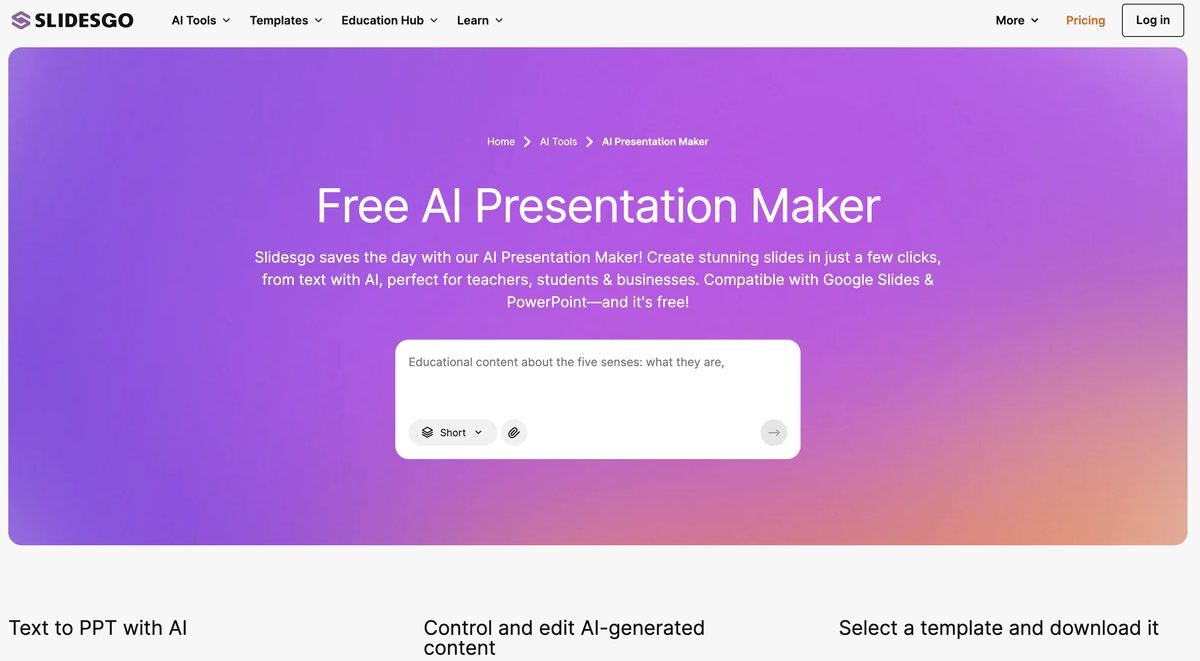
SlidesGo is a free AI Presentation Maker that generates customizable presentation templates and slides from text inputs, topics, or uploaded files like DOCX, PDF, and TXT in seconds. Users can select from various design styles (doodle, simple, abstract, geometric, elegant), tones (fun, professional, etc.), and over 100 professional templates, then edit online with access to images/icons from Freepik and Flaticon. The tool includes an online editor for customizing colors, text, and elements without additional software, plus AI Writer and Translator features. Presentations can be downloaded in PDF or PPTX formats, compatible with PowerPoint, Google Slides, and Figma, or shared via links. Ideal for educators, students, freelancers, and businesses needing quick, professional visuals.
Pros
- Customizable presentation templates
- Quick creation process in minutes
- Multiple design styles and tone choices
- Online editor for easy customization
- Access to Freepik images and Flaticon icons
- Downloads in PDF and PPTX formats
- User-friendly interface, no additional software required
Cons
- No PowerPoint output (conflicting info on PPTX)
- Limited style options
- No real-time collaboration
- Indirect image addition
- Limited template adjustments
- AI-generated content may not meet exact requirements
- Freemium model limits advanced features
AI Presentation Maker by Slidesgo is a tool that leverages artificial intelligence to rapidly generate customizable presentation templates from text, topics, or files.
Users enter a topic or text, upload files, select design style and tone, and the AI generates slides which can be edited online.
Features include AI-assisted slide generation, customizable styles/tones, online editor, access to Freepik/Flaticon resources, PDF/PPTX downloads, AI Writer, and Translator.
Yes, the AI Presentation Maker is a free-to-use tool with core features available.
Presentations can be downloaded in PPTX format compatible with PowerPoint and Google Slides.
Design styles include doodle, simple, abstract, geometric, elegant; tones like fun, creative, professional, formal.
Yes, the online editor allows changes to colors, text placement, and other elements.
Yes, users can upload DOCX, PDF, TXT files for AI to extract key points and generate slides.
No real-time collaboration is available.
Download in PDF or PPTX, or generate shareable links; compatible with Google Slides, PowerPoint, Figma.
Become a Contributor
Sign in to unlock these features:
- ⭐️ Rate this tool with a 1-5 star score
- ✍️ Write a detailed review for the community
- ❤️ Follow this tool to get important updates
Get started in seconds
[jnews_social_login_form]