LMStudio
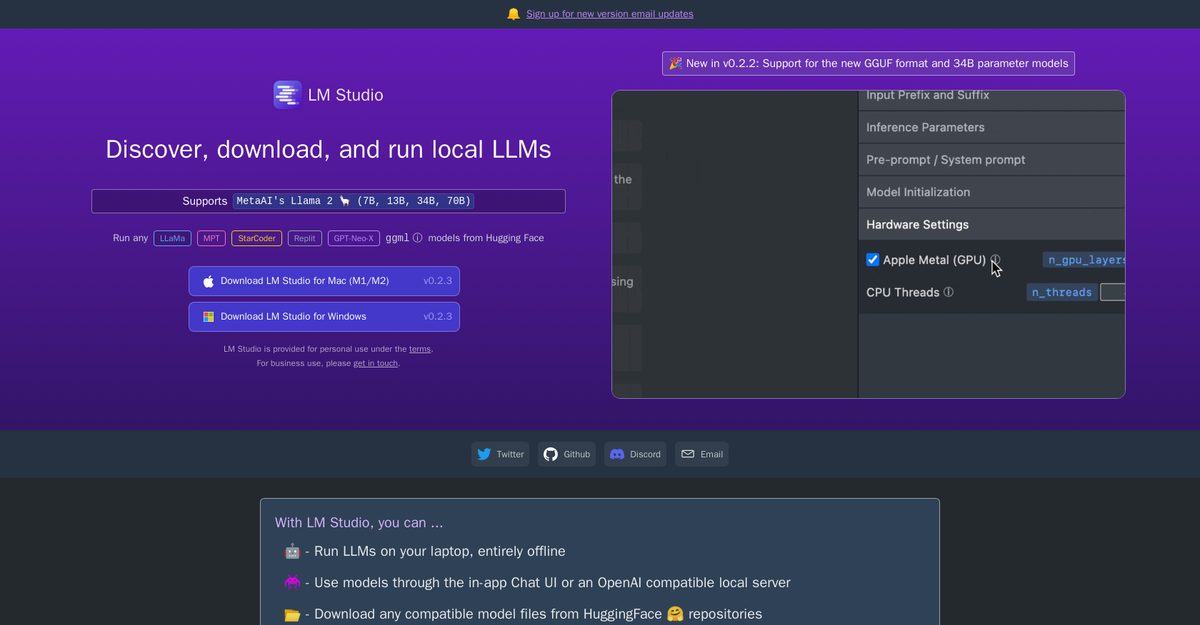
LM Studio is a user-friendly desktop application designed for experimenting with local and open-source Large Language Models (LLMs). It allows users to discover, download, and run any ggml-compatible model from Hugging Face. The app features a simple interface for model configuration and inference, making it easy for users to explore and interact with various LLMs. With cross-platform compatibility, LM Studio can run on different operating systems and optimizes performance by utilizing GPU resources when available. Importantly, users can run models completely offline, ensuring privacy and accessibility.
Pros
- User-friendly interface for easy model interaction
- Supports a wide range of ggml-compatible models
- Cross-platform compatibility for various operating systems
- Optimizes performance by leveraging GPU resources
- Completely offline functionality for enhanced privacy
- In-app Chat UI for direct interaction with models
- Ability to download models directly from Hugging Face repositories
- Streamlined discovery of new and noteworthy LLMs
- Regular updates and improvements from the development team
- Free for personal and work use under specified terms
Cons
- Limited to ggml-compatible models
- May require some technical knowledge for optimal usage
- Performance can vary based on local hardware specifications
- Not suitable for large-scale enterprise applications without contacting the team
- Dependency on Hugging Face for model availability
- Limited customer support for free users
- Potential learning curve for new users unfamiliar with LLMs
- Offline capabilities may restrict access to the latest models and updates
- No mobile application available
- Business use requires direct communication for terms
You can run any ggml-compatible model from Hugging Face, including Llama 2, Orca, Vicuna, and others.
Yes, LM Studio is cross-platform and can run on various operating systems.
No, LM Studio allows you to run models completely offline.
You can download compatible model files directly from Hugging Face repositories within the application.
LM Studio is free for personal and work use, but you need to contact the team for business inquiries.
Yes, LM Studio takes advantage of GPU resources when available to optimize performance.
LM Studio provides a simple and powerful user interface for model configuration and inference.
You are limited to using ggml-compatible models.
Customer support may be limited for free users, and business inquiries are advised to contact the team.
LM Studio is free for home and work use under specified terms; business use requires direct communication.
Become a Contributor
Sign in to unlock these features:
- ⭐️ Rate this tool with a 1-5 star score
- ✍️ Write a detailed review for the community
- ❤️ Follow this tool to get important updates
Get started in seconds
[jnews_social_login_form]