Dataconomy
  • News
    • Artificial Intelligence
    • Cybersecurity
    • DeFi & Blockchain
    • Finance
    • Gaming
    • Startups
    • Tech
  • Industry
  • Research
  • Resources
    • Articles
    • Guides
    • Case Studies
    • Whitepapers
    • AI Models Leaderboard
  • AI toolsNEW
  • Newsletter
  • + More
    • Glossary
    • Conversations
    • Events
    • About
      • Who we are
      • Contact
      • Imprint
      • Legal & Privacy
      • Partner With Us
Subscribe
No Result
View All Result
  • AI
  • Tech
  • Cybersecurity
  • Finance
  • DeFi & Blockchain
  • Startups
  • Gaming
Dataconomy
  • News
    • Artificial Intelligence
    • Cybersecurity
    • DeFi & Blockchain
    • Finance
    • Gaming
    • Startups
    • Tech
  • Industry
  • Research
  • Resources
    • Articles
    • Guides
    • Case Studies
    • Whitepapers
    • AI Models Leaderboard
  • AI toolsNEW
  • Newsletter
  • + More
    • Glossary
    • Conversations
    • Events
    • About
      • Who we are
      • Contact
      • Imprint
      • Legal & Privacy
      • Partner With Us
Subscribe
No Result
View All Result
Dataconomy
No Result
View All Result

Users are greeted with maximum concurrent usage limit exceeded error at Luma Dream Machine AI

Luma Dream Machine AI users are experiencing a "maximum concurrent usage limit exceeded" error, possibly due to server overload, and can try troubleshooting steps or wait for the issue to resolve itself.

byEmre Çıtak
July 10, 2024
in Artificial Intelligence
Home News Artificial Intelligence
Share on FacebookShare on TwitterShare on LinkedInShare on WhatsAppShare on e-mail
Google Preferred Source

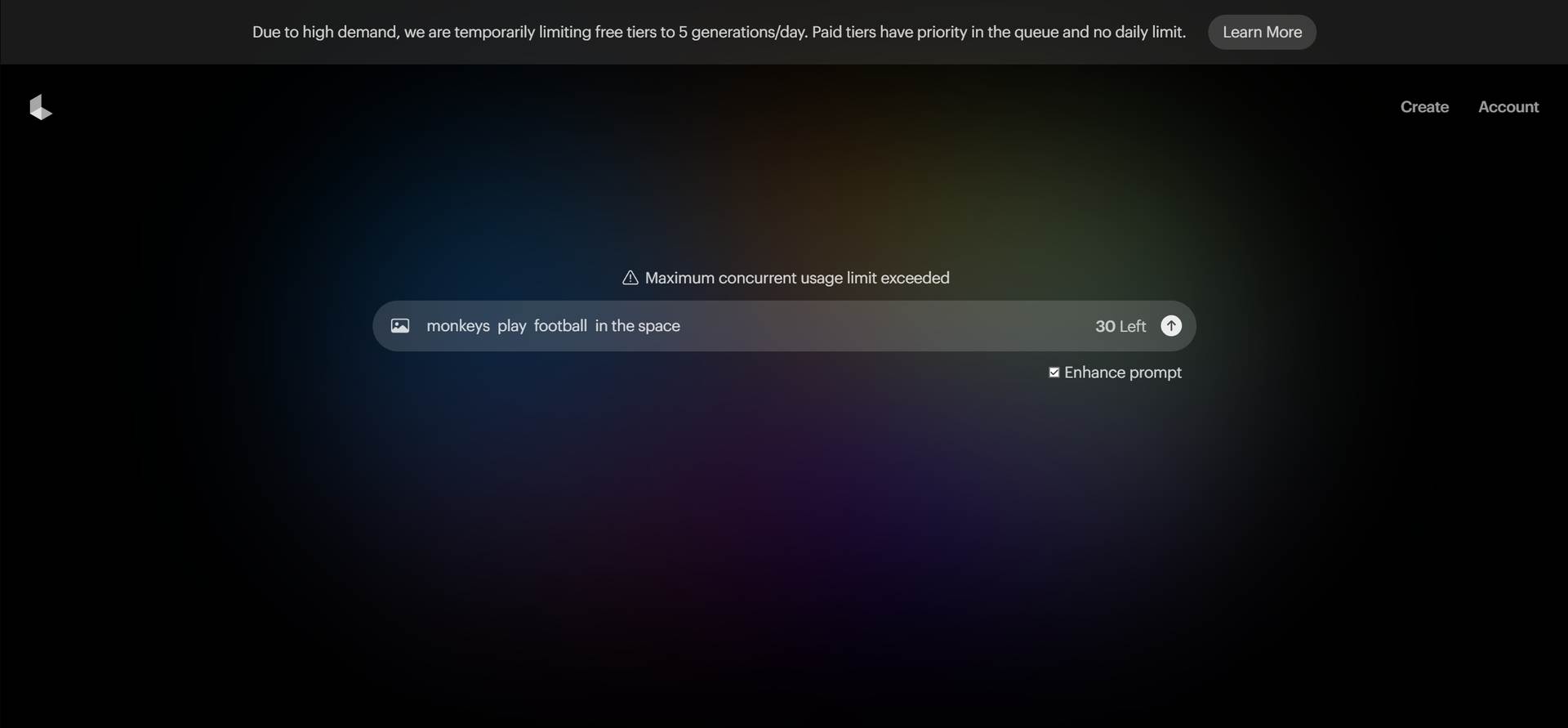
Right now, Luma Dream Machine AI users are in trouble with the “maximum concurrent usage limit exceeded” error.

This message typically appears when too many users are accessing the service simultaneously, causing servers to reach their capacity.

Understanding how to address the maximum concurrent usage limit exceeded issue can help you navigate through such technical challenges effectively and get you access back to Luma Dream Machine AI.
Stay Ahead of the Curve!

Don't miss out on the latest insights, trends, and analysis in the world of data, technology, and startups. Subscribe to our newsletter and get exclusive content delivered straight to your inbox.

maximum concurrent usage limit exceeded Luma Dream Machine AI
Users have reported the error on forums and social media (Image credit)

What causes the maximum concurrent usage limit exceeded error in Luma Dream Machine AI?

The “maximum concurrent usage limit exceeded” error on Luma Dream Machine AI indicates that the service’s servers are currently handling the maximum number of users allowed at one time. This could happen during peak usage hours or due to unexpected spikes in user traffic.

Essentially, when the server capacity is reached, it cannot accommodate additional users, resulting in this error message.

Many users have shared their experiences with this error on forums and social media platforms like Reddit. They describe instances where the error appears despite not having queued actions or having used the service recently.

Maximum concurrent usage limit exceeded in Luma dream machine, what does that mean?
byu/chomacrubic inlumalabsai

Some users speculate that server malfunctions or misconfigurations might be contributing factors. However, the exact technical reasons behind the error are not disclosed publicly by service providers.

How to fix the maximum concurrent usage limit exceeded error of Luma Dream Machine AI

When encountering the “maximum concurrent usage limit exceeded” error on Luma Dream Machine AI, there are several troubleshooting methods you can attempt:

  • Clear your browser cache and cookies
  • Switch to a different browser
  • Try incognito mode
  • Use a VPN

Before applying any solution listed above, don’t forget that patience is often the simplest solution. Many users report that the issue resolves itself after some time, suggesting that server adjustments or maintenance might occur on the backend of the Luma Dream Machine AI.

Clear your browser cache and cookies

Clearing your browser’s cookies and cache can sometimes resolve access issues by refreshing your session data and allowing for a cleaner login process.

To clear the cache and cookies in your browser:

  1. Open your browser’s settings.
  2. Navigate to the section for clearing browsing data.
  3. Select “Cookies” and “Cached images and files.”
  4. Click on “Clear data” or a similar option.

Restart your browser and try accessing Luma Dream Machine AI again.

Switch to a different browser

Switching to a different web browser can help bypass certain browser-specific issues that may be contributing to the error.

  1. Install an alternative web browser if you haven’t already.
  2. Open the new browser and navigate to Luma Dream Machine AI.

Log in with your credentials and see if the maximum concurrent usage limit exceeded error persists.

Try incognito mode

Accessing the service in incognito or private browsing mode can sometimes circumvent persistent login or session issues.
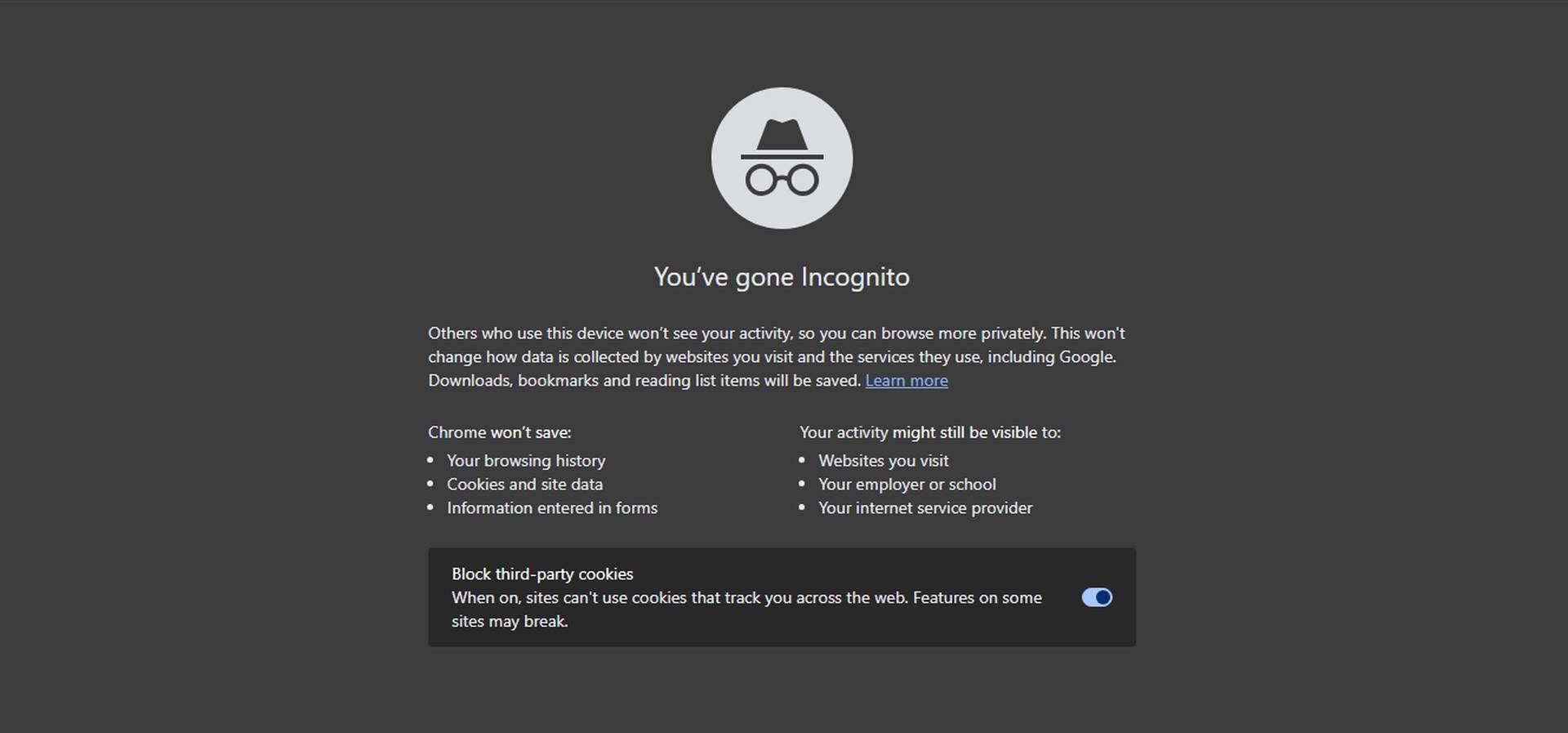
maximum concurrent usage limit exceeded Luma Dream Machine AI
Trying incognito mode can sometimes resolve the login issues to sites (Image credit)

To start an incognito or private session on your browser:

  1. Open your current browser.
  2. Find the option to open a new incognito or private browsing window (often in the main menu).
  3. Access Luma Dream Machine AI in this mode.

Log in and check if the maximum concurrent usage limit exceeded error still occurs. Incognito mode does not save browsing history or cookies from the session, potentially resolving login issues.

Use a VPN

Using a virtual private network (VPN) can provide a different IP address and route your connection through a different server, potentially bypassing regional server load issues.

  1. Install a reputable VPN service on your device.
  2. Connect to a server location that differs from your current region.
  3. Open your browser and attempt to access Luma Dream Machine AI.

Log in with your credentials and verify if the maximum concurrent usage limit exceeded error message persists.

It is actually on Luma’s hands

For many users, the frustration lies not only in encountering the error itself but also in the lack of clear communication or immediate solutions from the service provider. It’s important to note that such errors are typically resolved by the service’s technical team, and user actions like refreshing the page or relogging in may not always resolve underlying server capacity issues.

If you have tried the steps above, the error message still pops up and you have waited enough, be sure to check Luma AI’s X account for further updates about the situation.


Featured image credit: Luma AI

Tags: how totrends

Related Posts

ChatGPT hits 1 billion users as global AI adoption surges despite backlash

ChatGPT hits 1 billion users as global AI adoption surges despite backlash

June 12, 2026
OpenAI Codex referral program rewards users with extra rate resets

OpenAI Codex referral program rewards users with extra rate resets

June 12, 2026
Zuckerberg says small elite teams can drive major AI breakthroughs

Zuckerberg says small elite teams can drive major AI breakthroughs

June 12, 2026
Google says AI Overviews reach 2.5 billion monthly users

Google says AI Overviews reach 2.5 billion monthly users

June 12, 2026
Anthropic apologizes for hidden Fable throttling, pledges transparency

Anthropic apologizes for hidden Fable throttling, pledges transparency

June 11, 2026
Reco builds momentum to secure the enterprise AI agent sprawl

Reco builds momentum to secure the enterprise AI agent sprawl

June 11, 2026

LATEST NEWS

“Free robots are an illusion”: Why we’ll pay for system intelligence, not delivery workers

How Henrique Schmaiske led Meteor.js through its biggest transformation

Proven privacy: Why ‘no-log’ claims need real evidence today

ChatGPT hits 1 billion users as global AI adoption surges despite backlash

Huawei launches HarmonyOS 7 developer beta with upgraded API 26

OpenAI Codex referral program rewards users with extra rate resets

BEST AI MODELS LEADERBOARD

See the best AI models, ranked by intelligence, benchmark results, speed and token price. Find the most suitable LLMs, Text-to-Image, Image Editing, Text-to-Speech, Text-to-Video and Image-to-Video  artificial intelligence model for your tasks and business.

LATEST TOOLS

Roboto AI

Pickaxe

Pfpmaker

MindPal

Syllaby

ScreenApp

FinanceBrain

GitHub Spark

Hints

VisionStory AI

Dataconomy

COPYRIGHT © DATACONOMY MEDIA GMBH, ALL RIGHTS RESERVED.

  • About
  • Imprint
  • Contact
  • Legal & Privacy

Follow Us

  • News
    • Artificial Intelligence
    • Cybersecurity
    • DeFi & Blockchain
    • Finance
    • Gaming
    • Startups
    • Tech
  • Industry
  • Research
  • Resources
    • Articles
    • Guides
    • Case Studies
    • Whitepapers
    • AI Models Leaderboard
  • AI tools
  • Newsletter
  • + More
    • Glossary
    • Conversations
    • Events
    • About
      • Who we are
      • Contact
      • Imprint
      • Legal & Privacy
      • Partner With Us
No Result
View All Result
Subscribe

This website uses cookies to improve your experience. You can choose to accept or reject them. Visit our Privacy Policy.