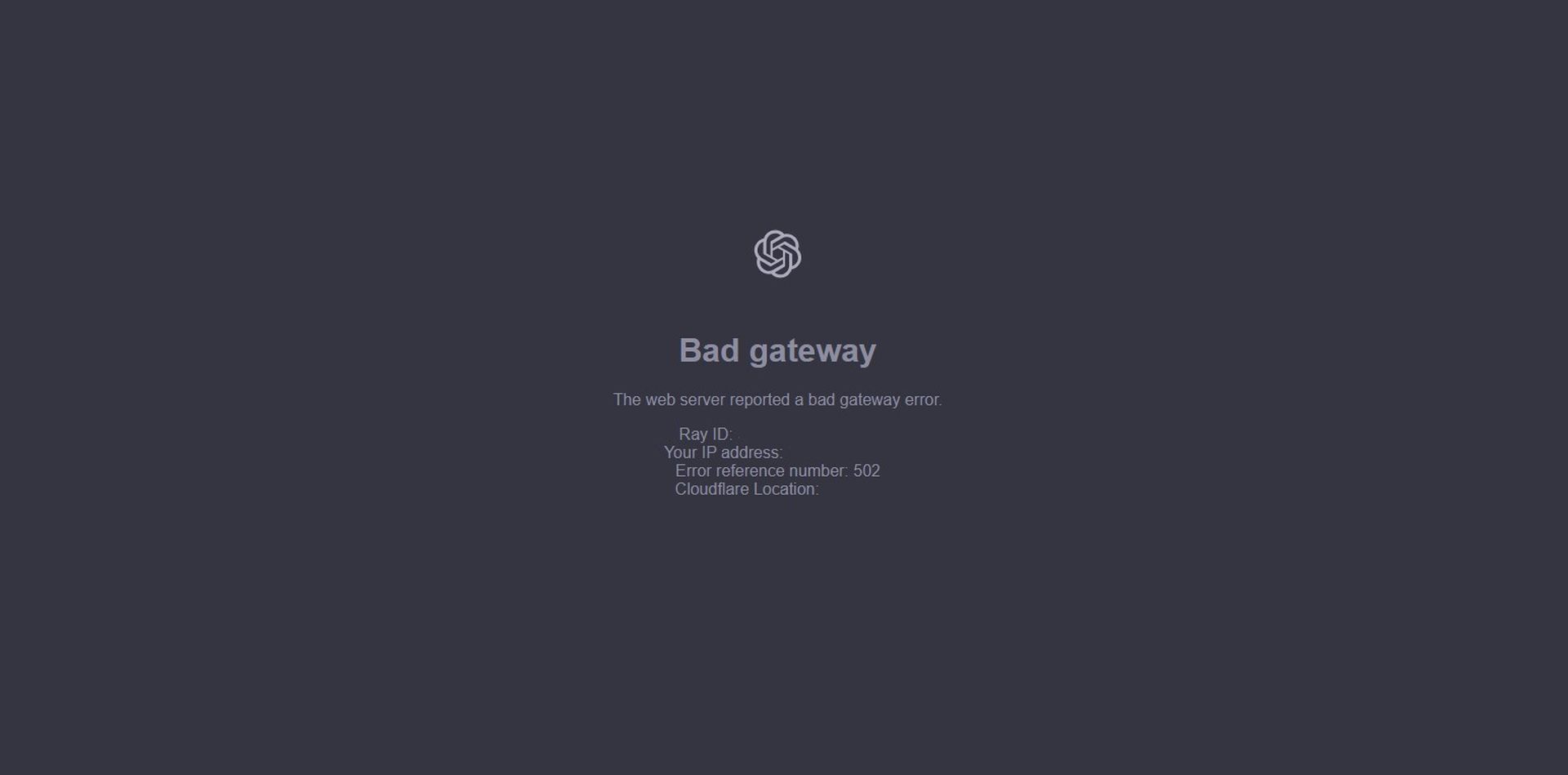
As a user of OpenAI’s chatbot, you’ve likely encountered the frustrating ChatGPT Bad Gateway error together with the “The web server reported a bad gateway error” at some point. This error can be perplexing, especially when you’re in the middle of a critical conversation or relying on the AI’s responses for important tasks.
The “Bad Gateway” error in ChatGPT can be frustrating, but it’s often a temporary issue that can be resolved with some troubleshooting.
Update on January 23: Global ChatGPT bad gateway error 502: What users need to know
What is ChatGPT Bad Gateway error?
A “Bad Gateway” error, also known as a 502 error, is an HTTP status code that indicates a problem with the web server acting as a gateway or proxy between the client (your browser or application) and the origin server (ChatGPT’s server).
This error occurs when the web server receives an invalid response from the origin server, or when it’s unable to connect to the origin server altogether.
Several factors can contribute to the ChatGPT Bad Gateway error. Here are some common causes:
- Server Overload: ChatGPT’s server may become overwhelmed with requests, leading to a delay or failure in responding to your queries.
- Network connectivity issues: Problems with your internet connection or the connection between your browser and ChatGPT’s server can cause the ChatGPT Bad Gateway error.
- Server maintenance or downtime: ChatGPT’s server may be undergoing maintenance, updates, or experiencing technical difficulties.
- Proxy server issues: If you’re using a proxy server to access ChatGPT, issues with the proxy server’s configuration or connectivity can lead to the error.
- Browser extensions or add-ons: Certain browser extensions or add-ons might interfere with your connection to the chatbot, causing the ChatGPT Bad Gateway error.
Speaking about server maintenance or downtime, there is an ongoing error that leads to ChatGPT is unavailable for some users messages to pop up on the OpenAI Status Page at the time of writing. So if you are experiencing the issue at June 4, 2024, the best action to take is to wait for the ChatGPT Bad Gateway error to be fixed by the OpenAI team.
However, if you have checked the status page and there is no general error in ChatGPT, read on as the solution may be quite simple!
How to fix ChatGPT Bad Gateway error
Troubleshooting the ChatGPT Bad Gateway error could be tricky but don’t worry, we’ve got you covered! Follow these simple steps to troubleshoot and resolve the issue.
Step 1: Refresh the page
The simplest solution is often the most effective. Try refreshing the page to see if the error resolves itself. This can help if the issue was temporary or related to a one-time server glitch.
Step 2: Check your internet connection
Ensure your internet connection is stable and working properly. Restart your router or modem if necessary. A simple reboot can often resolve connectivity issues.
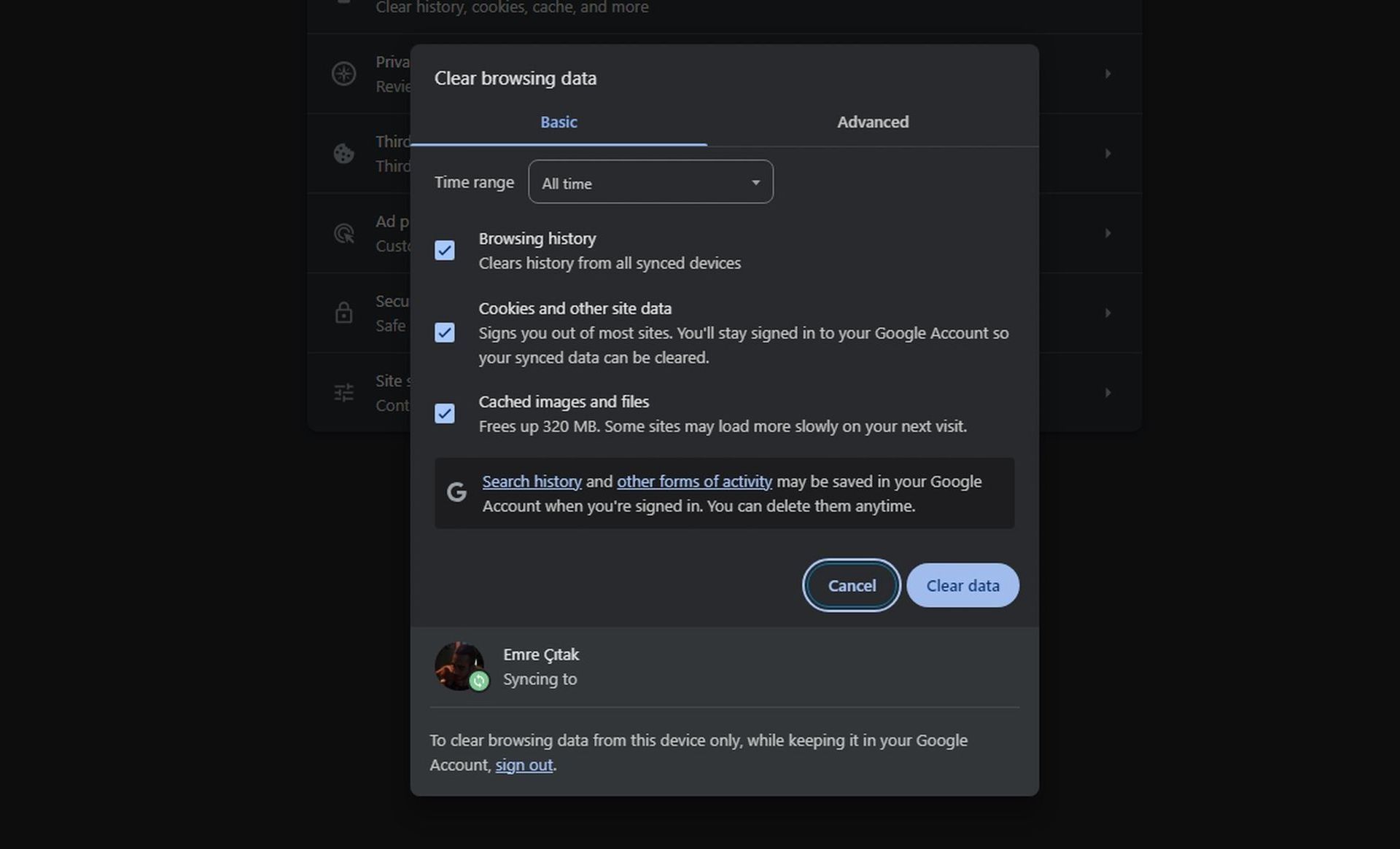
Step 3: Clear browser cache and cookies
Clearing your browser’s cache and cookies can help resolve issues related to outdated or corrupted data. Follow these steps:
- Google Chrome:
- Open Chrome
- Press Ctrl + Shift + Delete (Windows/Linux) or Command + Shift + Delete (Mac) to open the Chrome settings.
- Select “Cookies and other site data” and “Cached images and files,” then click “Clear data”.
- Mozilla Firefox:
- Open Firefox
- Press Ctrl + Shift + Delete (Windows/Linux) or Command + Shift + Delete (Mac) to open the Firefox settings.
- Select “Cookies” and “Cache,” then click “Clear your recent history”.
If you are using Microsoft Edge, you must follow the steps outlined in the Chrome section.
Step 4: Disable browser extensions or add-ons
Try disabling any recently installed browser extensions or add-ons to see if they’re interfering with your connection to ChatGPT. You can do this by:
- Google Chrome: Go to chrome://extensions/, toggle off the switch next to each extension, and then try accessing ChatGPT again.
- Mozilla Firefox: Go to about:addons, toggle off the switch next to each extension, and then try accessing ChatGPT again.
If the issue persists, try accessing ChatGPT from a different browser or device to isolate the problem. This can help you determine if the issue is browser-specific or related to your device.
If none of the above steps resolve the issue, you can reach out to the OpenAI Help Center for further assistance. They may be able to provide more specific guidance or resolve the issue on their end.
Give these ChatGPT alternatives a shot
While you wait for OpenAI team to handle your ChatGPT Bad Gateway problem, you might want to check out these AI tools:
- Claude 3: Excels in natural conversations and complex queries.
- Google Gemini: Offers multimodal capabilities and problem-solving skills.
- Microsoft Copilot: Seamlessly integrated with Microsoft products and services.
- Perplexity AI: Ideal for research, providing sources and citations.
- Chatsonic: Geared towards content creators for quick and efficient content generation.
- GitHub Copilot: Assists developers with coding tasks and suggests code snippets.
- Bing AI: Combines search engine and chatbot for real-time information.
- You.com: User-friendly AI-powered search engine and chatbot.
While encountering the ChatGPT Bad Gateway error can be a frustrating experience, armed with the knowledge and troubleshooting steps outlined in this article, you can often resolve the issue quickly and get back to using ChatGPT powered by GPT-4o. Remember, if the problem persists, don’t hesitate to reach out to OpenAI’s support for further assistance. In the meantime, explore the vast array of alternative AI chatbots available, each offering unique features and capabilities to enhance your productivity and creativity.
Featured image credit: Solen Feyissa/Unsplash