Have you ever come across the mysterious briefcase icon in Microsoft Edge today and wondered what it signifies? Wonder no more! This icon marks the arrival of “Microsoft Edge for Business,” Microsoft’s innovative solution for a more tailored browsing experience in professional settings.
Let’s dive into what this means and how it can enhance your work life.
Edge briefcase icon: Introducing Microsoft Edge for Business
Microsoft has rolled out a game-changer with “Edge for Business.” This upgraded version, found in the Stable channel under version 116, caters to the needs of both regular users and IT pros.
This update has been carefully designed to offer a smoother and more secure browsing experience within the business landscape.
Why does Microsoft Edge have a briefcase?
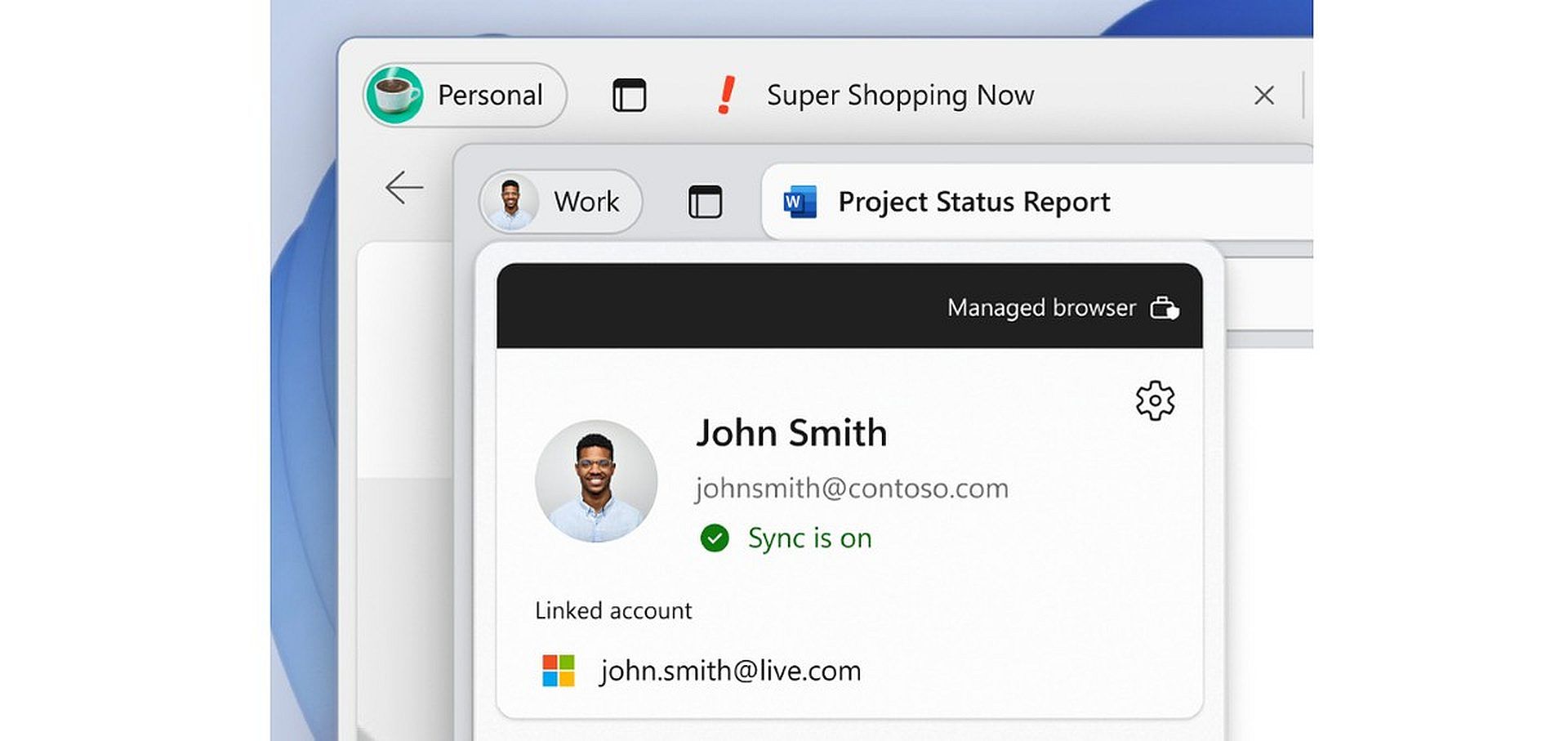
The mystery of the briefcase icon is solved: it’s the hallmark of “Microsoft Edge for Business.” This specialized version of the browser is built for work environments, distinguishing work-related tasks from personal ones.

When you’re using Edge to handle work matters like accessing work profiles, passwords, and favorites, the browser’s icon transforms into a briefcase. This visual cue is a clever way to remind you that you’re in “work mode,” helping you keep your tasks and data organized and secure.
Adapting this feature to your needs is simple. You can enable the “Show briefcase icon on work profiles” option in Edge settings. This empowers you to tailor your browsing environment to match your workflow seamlessly.
How to use Microsoft Edge for Business, the reason for the Edge briefcase icon
If you’re ready to leverage the benefits of Microsoft Edge for Business, here’s how to begin:
Step 1: Login – Start by logging into the browser using your Microsoft Entra (Azure Active Directory) account. This ensures that your browsing experience syncs with your organization’s account, ensuring consistency in settings and security features.
Step 2: Download and Install – Head to the official Edge for Business download page. Grab the installation file and set it up on your preferred platform. During installation, customize the settings based on your organization’s requirements.
For more detailed guidance, click here.
A browser designed for you
Microsoft Edge for Business goes beyond being a regular browser. It’s a powerful tool that enhances productivity and security in a business context. It effectively separates your work and personal profiles, protecting sensitive work data.
Incorporating Microsoft Edge for Business into your routine allows you to access a browser tailored to professional tasks, fortified with advanced security features. It’s not just about browsing – it’s about streamlining your work processes and collaborating more effectively within your organization.
The Microsoft Edge briefcase icon isn’t just a symbol; it’s an invitation to explore a new level of browsing sophistication where work and efficiency converge seamlessly.
Welcome to the future of browsing with Edge for Business!
When AI writes: Microsoft’s AI turns food bank into tourist must-see
Best browsers for business that you can try
Microsoft Edge for Business is a newcomer! There are, of course, more options in the market and some of the most popular and widely used browsers for business include:
- Google Chrome: Chrome is the most popular browser in the world, and it is known for its speed, security, and compatibility. It is a good choice for businesses that need a browser that can handle a variety of tasks, including web browsing, productivity, and gaming.
- Mozilla Firefox: Firefox is a popular open-source browser that is known for its privacy features and customization options. It is a good choice for businesses that value privacy and want a browser that they can tailor to their specific needs.
- Opera (Editor’s choice): Opera is a lesser-known browser, but it is gaining popularity due to its unique features, such as a built-in VPN and ad blocker. It is a good choice for businesses looking for a browser focusing on privacy and security.
Here are some additional factors to consider when choosing a browser for business:
- Security: The browser should have strong security features to protect your data from malware and cyberattacks.
- Compatibility: The browser should be compatible with your employees’ websites and applications.
- Features: The browser should have the features that your employees need to do their jobs, such as extensions, add-ons, and productivity tools.
- Training: The browser should be easy to use and train employees on.
Ultimately, the best way to choose a browser for your business is to consider your specific needs and requirements. Consider factors such as speed, security, compatibility, and features when making your decision.
Featured image credit: Microsoft