Dataconomy
  • News
    • Artificial Intelligence
    • Cybersecurity
    • DeFi & Blockchain
    • Finance
    • Gaming
    • Startups
    • Tech
  • Industry
  • Research
  • Resources
    • Articles
    • Guides
    • Case Studies
    • Whitepapers
    • AI Models Leaderboard
  • AI toolsNEW
  • Newsletter
  • + More
    • Glossary
    • Conversations
    • Events
    • About
      • Who we are
      • Contact
      • Imprint
      • Legal & Privacy
      • Partner With Us
Subscribe
No Result
View All Result
  • AI
  • Tech
  • Cybersecurity
  • Finance
  • DeFi & Blockchain
  • Startups
  • Gaming
Dataconomy
  • News
    • Artificial Intelligence
    • Cybersecurity
    • DeFi & Blockchain
    • Finance
    • Gaming
    • Startups
    • Tech
  • Industry
  • Research
  • Resources
    • Articles
    • Guides
    • Case Studies
    • Whitepapers
    • AI Models Leaderboard
  • AI toolsNEW
  • Newsletter
  • + More
    • Glossary
    • Conversations
    • Events
    • About
      • Who we are
      • Contact
      • Imprint
      • Legal & Privacy
      • Partner With Us
Subscribe
No Result
View All Result
Dataconomy
No Result
View All Result

Opera unveils built-in LLMs that run locally

To engage with these models, users should upgrade to the most current Opera Developer version

byKerem Gülen
April 3, 2024
in Artificial Intelligence, News
Home News Artificial Intelligence
Share on FacebookShare on TwitterShare on LinkedInShare on WhatsAppShare on e-mail
Google Preferred Source

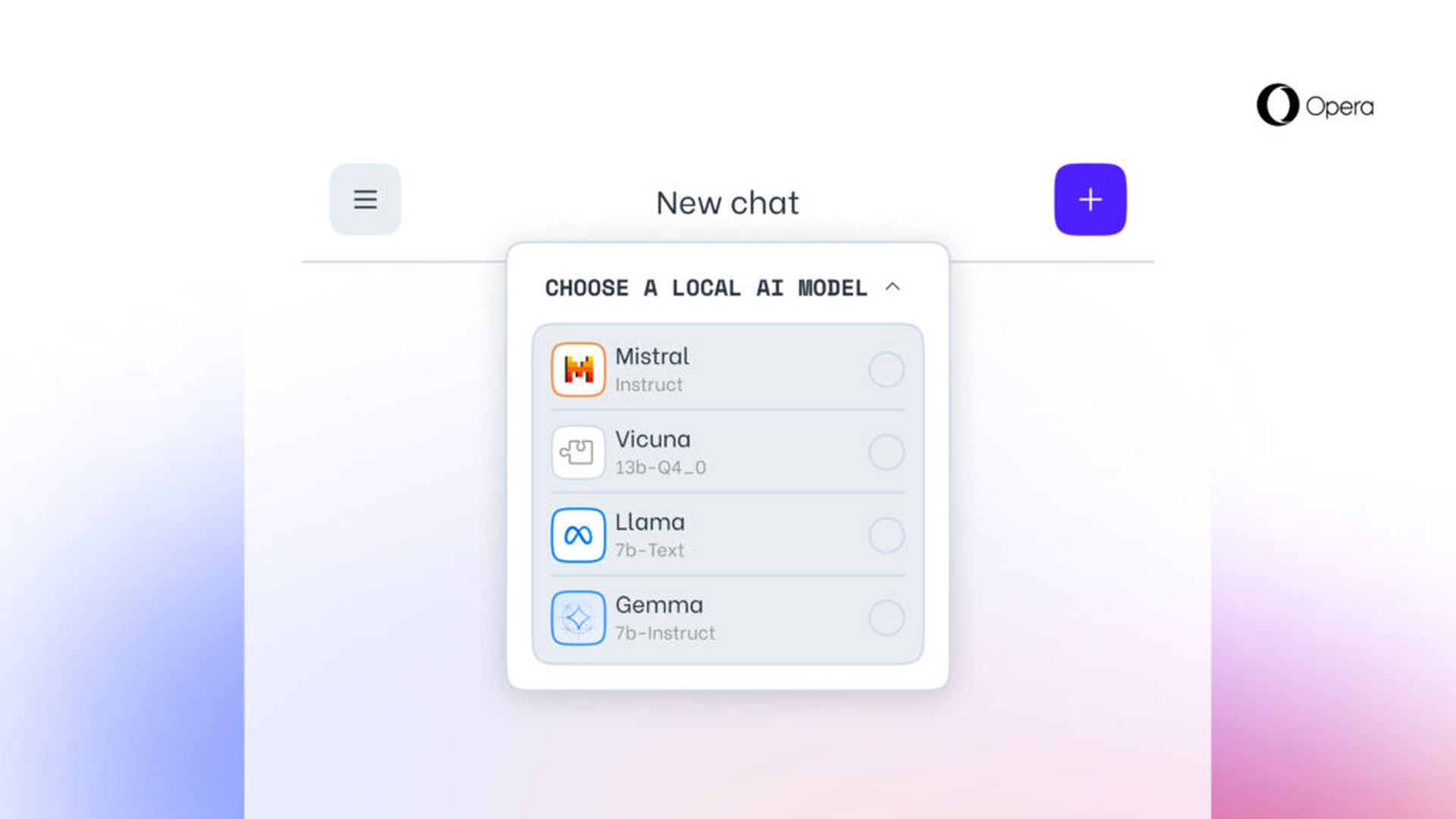
Opera revealed today its initiative to incorporate experimental support for 150 local Large Language Model (LLM) variants, originating from around 50 different model families. The feature will first find its way into Opera One on the Developer stream, bringing with it over 150 models from more than 50 families that users can choose from.

These include the Vicuna and the Llama from Google and Meta, respectively. This means that the feature is coming through Opera’s AI Feature Drops Program to consumers and would give early access to a couple of such AI features. Those models are run on your computer through your browser and run with the Ollama open-source framework. All of the models being offered for now are selected from the Ollama library, but the company hopes that in the future, it will include some from other sources.
opera built-in LLm
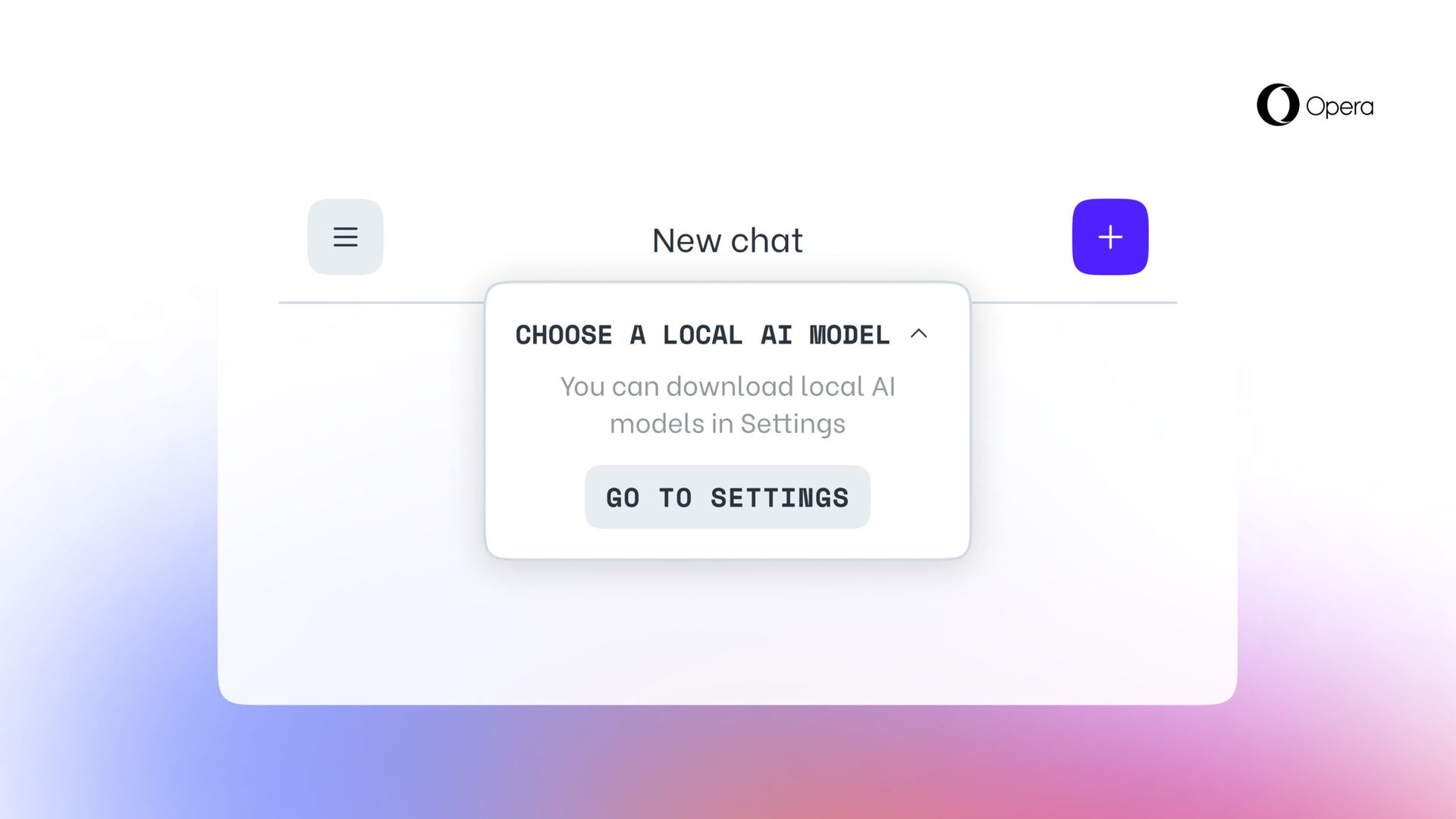
Opera revealed today its initiative to incorporate experimental support for 150 local Large Language Model (LLM) variants (Image credit)

Each of these will need more than 2GB space on your local PC, according to the company. Thus, to avoid running out of space, use your free space wisely. Interestingly, Opera doesn’t try to save the data if it’s downloading in a model form.

Stay Ahead of the Curve!

Don't miss out on the latest insights, trends, and analysis in the world of data, technology, and startups. Subscribe to our newsletter and get exclusive content delivered straight to your inbox.

You can also check out other models online on websites like HuggingFace and PoE over on Quora, so it’s really for your local model testing needs.

Large Language Models now support processing data directly on the user’s device, thus enabling the use of generative AI while keeping information private and away from any external servers. Opera has announced plans to introduce this innovative approach to local LLMs through the Opera One developer channel, as part of its new AI Feature Drops Program. This initiative offers early users the chance to try out cutting-edge versions of the browser’s AI features promptly and regularly. From today, users of Opera One Developer will have the freedom to select the preferred model for processing their data.
opera built-in LLm
Each of these will need more than 2GB space on your local PC (Image credit)

How to try built-in LLMs in Opera?

To engage with these models, users should upgrade to the most current Opera Developer version and execute a series of steps to enable this exciting functionality:

  • Access the Aria Chat sidebar as you’ve done previously. At the chat’s top, there’s a drop-down menu labeled “Choose local mode.”
  • Select “Go to settings” from this menu.
  • This area allows you to explore and decide which model(s) you wish to download.
  • For a smaller and faster option, consider downloading the model named GEMMA:2B-INSTRUCT-Q4_K_M by clicking the download icon located to its right.
  • Once the download is finalized, click the menu button in the top left corner to initiate a new chat session.
  • Again, you’ll see a drop-down menu at the chat’s top reading “Choose local mode” where you can select the model you’ve just installed.
  • Enter your prompt into the chat, and the locally hosted model will respond.

Participants will select a local LLM to download onto their device. This approach requires between 2 to 10 GB of storage for each version, providing an alternative to using Aria, Opera’s built-in browser AI. This setup remains in place until the user initiates a new interaction with the AI or opts to reactivate Aria.


Featured image credit: Opera

Tags: AIartificial intelligenceFeaturedllmopera

Related Posts

OpenAI retires Atlas browser to focus on new ChatGPT superapp

OpenAI retires Atlas browser to focus on new ChatGPT superapp

July 14, 2026
Microsoft tests Copilot’s new PC insights feature in Windows 11

Microsoft tests Copilot’s new PC insights feature in Windows 11

July 14, 2026
Xiaomi unveils SkyNomad N90 range-extender SUV

Xiaomi unveils SkyNomad N90 range-extender SUV

July 14, 2026
X algorithm update aims to make replies feel friendlier

X algorithm update aims to make replies feel friendlier

July 14, 2026
Windows 11 Search Box gets less clutter and more control

Windows 11 Search Box gets less clutter and more control

July 14, 2026
Pixel 11 leak shows bold magenta and peach colors

Pixel 11 leak shows bold magenta and peach colors

July 14, 2026

LATEST NEWS

OpenAI retires Atlas browser to focus on new ChatGPT superapp

Microsoft tests Copilot’s new PC insights feature in Windows 11

Xiaomi unveils SkyNomad N90 range-extender SUV

X algorithm update aims to make replies feel friendlier

Windows 11 Search Box gets less clutter and more control

Pixel 11 leak shows bold magenta and peach colors

BEST AI MODELS LEADERBOARD

See the best AI models, ranked by intelligence, benchmark results, speed and token price. Find the most suitable LLMs, Text-to-Image, Image Editing, Text-to-Speech, Text-to-Video and Image-to-Video  artificial intelligence model for your tasks and business.

LATEST TOOLS

Amanda AI

InterviewBot

VernAI

MyLoans

Essay Grader AI

Cover Letter AI

Animate Old Photos

Resume.io

MonAI

AIEngine Plugin

Dataconomy

COPYRIGHT © DATACONOMY MEDIA GMBH, ALL RIGHTS RESERVED.

  • About
  • Imprint
  • Contact
  • Legal & Privacy

Follow Us

  • News
    • Artificial Intelligence
    • Cybersecurity
    • DeFi & Blockchain
    • Finance
    • Gaming
    • Startups
    • Tech
  • Industry
  • Research
  • Resources
    • Articles
    • Guides
    • Case Studies
    • Whitepapers
    • AI Models Leaderboard
  • AI tools
  • Newsletter
  • + More
    • Glossary
    • Conversations
    • Events
    • About
      • Who we are
      • Contact
      • Imprint
      • Legal & Privacy
      • Partner With Us
No Result
View All Result
Subscribe

This website uses cookies to improve your experience. You can choose to accept or reject them. Visit our Privacy Policy.