AIColors
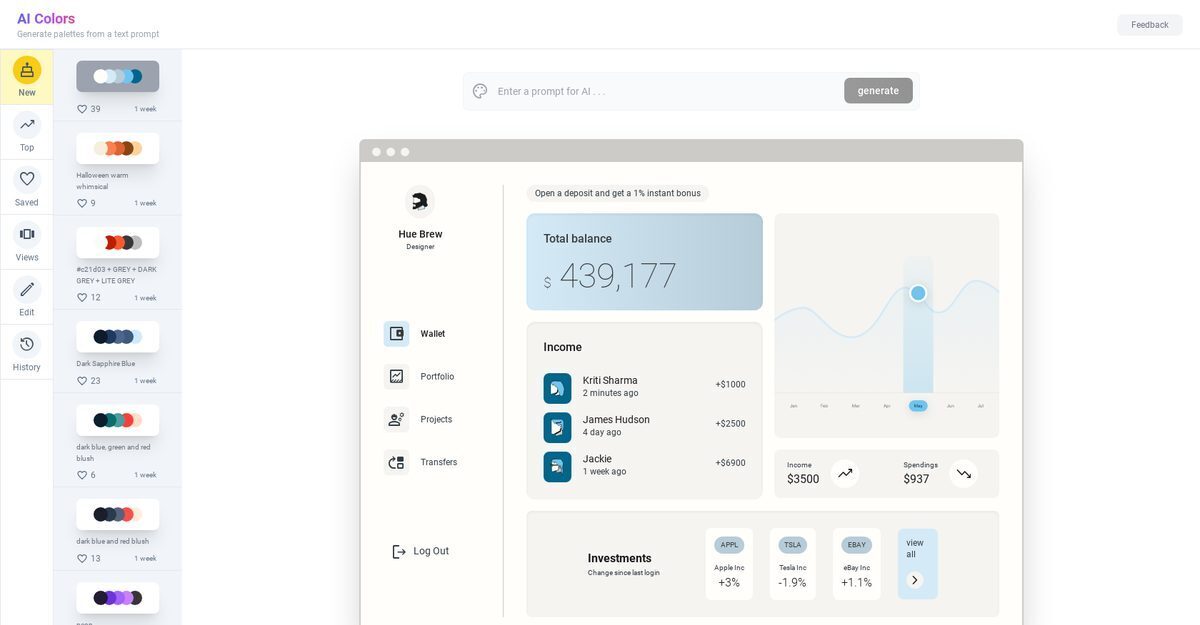
AIColors is an AI-powered color palette generator that enables users to create unique, visually appealing color combinations from text prompts, images, or keywords. It features a user-friendly interface for browsing diverse pre-generated palettes, real-time visualization, and easy editing to suit design projects. Ideal for designers, artists, and developers, the tool simplifies selecting harmonious colors, offers palette saving, exporting, and code provision, though it lacks mobile support and API integration. Despite research limitations in accessing the official site, available data highlights its efficiency in elevating visual and UI/UX designs.
Pros
- Generates palettes from text
- Real-time palette visualization
- Editable pre-generated palettes
- Diverse palette collection
- User-friendly interface
- Efficient for designers/artists
- Generates from images
Cons
- Cannot import color palette
- No mobile app available
- No API support
- No color blindness simulation
- No sharing options
- No real-time collaborative editing
- Doesn't support hex color inputs
The AI Color Palette Generator, also known as AIColors, is a tool that generates visually appealing color palettes for users. It utilizes AI technology to offer a diverse range of color combinations that can be edited, visualized, and used to enhance various design projects.
AIColors works using Artificial Intelligence. Users input text prompts, to which the AI technology responds by generating corresponding color suggestions. Users can browse through a collection of pre-generated palettes or edit existing ones to create a unique, personalized color palette.
The AI Color Palette Generator offers several features. Users can generate unique color palettes from text prompts, browse through a wide range of pre-generated color palettes, and edit existing ones. It also allows for real-time visualization of color combinations in the palettes.
Yes, with AIColors, users can generate color palettes from text prompts. This allows for personalized color options based on user needs, thus expanding the possibilities for creating unique and attractive color palettes.
Yes, AIColors provides a collection of pre-generated color palettes. Users can browse through these diverse options, use them as is, or modify them to suit their specific project requirements.
Yes, AIColors allows users to edit color palettes. It offers a user-friendly interface for easy navigation and editing, whereby users can make changes to existing palettes according to their project requirements and personal preferences.
Yes, the AI Color Palette Generator does have a user-friendly interface. It is designed for easy navigation, enabling users to browse, edit, and visualize color palettes with minimal effort.
Yes, AIColors allows users to visualize color palettes in real time. It provides an immediate view of selected color combinations in the palette, enabling users to assess their compatibility and make informed decisions.
AIColors is intended for anyone who works with colors, including designers, artists, developers, marketers, and others working on visual projects. Its wide range of features and intuitive design make it a valuable resource for those seeking inspiration and efficient color palette creation.
Yes, AIColors helps in finding harmonious color combinations. The AI-based tool is designed to take the guesswork out of selecting colors that work well together. Thus, it increases efficiency in creating balanced, appealing color palettes for various types of projects.
Become a Contributor
Sign in to unlock these features:
- ⭐️ Rate this tool with a 1-5 star score
- ✍️ Write a detailed review for the community
- ❤️ Follow this tool to get important updates
Get started in seconds
[jnews_social_login_form]