Dataconomy
  • News
    • Artificial Intelligence
    • Cybersecurity
    • DeFi & Blockchain
    • Finance
    • Gaming
    • Startups
    • Tech
  • Industry
  • Research
  • Resources
    • Articles
    • Guides
    • Case Studies
    • Whitepapers
    • AI Models Leaderboard
  • AI toolsNEW
  • Newsletter
  • + More
    • Glossary
    • Conversations
    • Events
    • About
      • Who we are
      • Contact
      • Imprint
      • Legal & Privacy
      • Partner With Us
Subscribe
No Result
View All Result
  • AI
  • Tech
  • Cybersecurity
  • Finance
  • DeFi & Blockchain
  • Startups
  • Gaming
Dataconomy
  • News
    • Artificial Intelligence
    • Cybersecurity
    • DeFi & Blockchain
    • Finance
    • Gaming
    • Startups
    • Tech
  • Industry
  • Research
  • Resources
    • Articles
    • Guides
    • Case Studies
    • Whitepapers
    • AI Models Leaderboard
  • AI toolsNEW
  • Newsletter
  • + More
    • Glossary
    • Conversations
    • Events
    • About
      • Who we are
      • Contact
      • Imprint
      • Legal & Privacy
      • Partner With Us
Subscribe
No Result
View All Result
Dataconomy
No Result
View All Result

What is Stylar AI and how to use it?

Stylar AI is an AI image generator that you might want to try...

byOnur Demirkol
January 17, 2024
in Artificial Intelligence
Home News Artificial Intelligence
Share on FacebookShare on TwitterShare on LinkedInShare on WhatsAppShare on e-mail
Google Preferred Source

In today’s world, where digital art and design are getting more popular, there’s a new tool making things a lot easier. This tool, called Stylar AI, is changing how we make digital images. This article will tell you all about Stylar AI, a helpful tool for anyone interested in digital art, whether you’re already good at it or just starting.

Stylar AI is not just a regular image editing tool. It’s like a helper for your creative ideas. It’s made to simplify the hard parts of designing while still keeping everything professional. We’re going to look at what makes Stylar AI special, how it makes creating art easy, and why it’s great for everyone, no matter how much experience you have.

Stylar AI has a really easy-to-use setup and some really smart features. It’s all about turning your ideas into beautiful digital images. Let’s dive in and see how Stylar AI can help you with your digital art projects.
Stay Ahead of the Curve!

Don't miss out on the latest insights, trends, and analysis in the world of data, technology, and startups. Subscribe to our newsletter and get exclusive content delivered straight to your inbox.

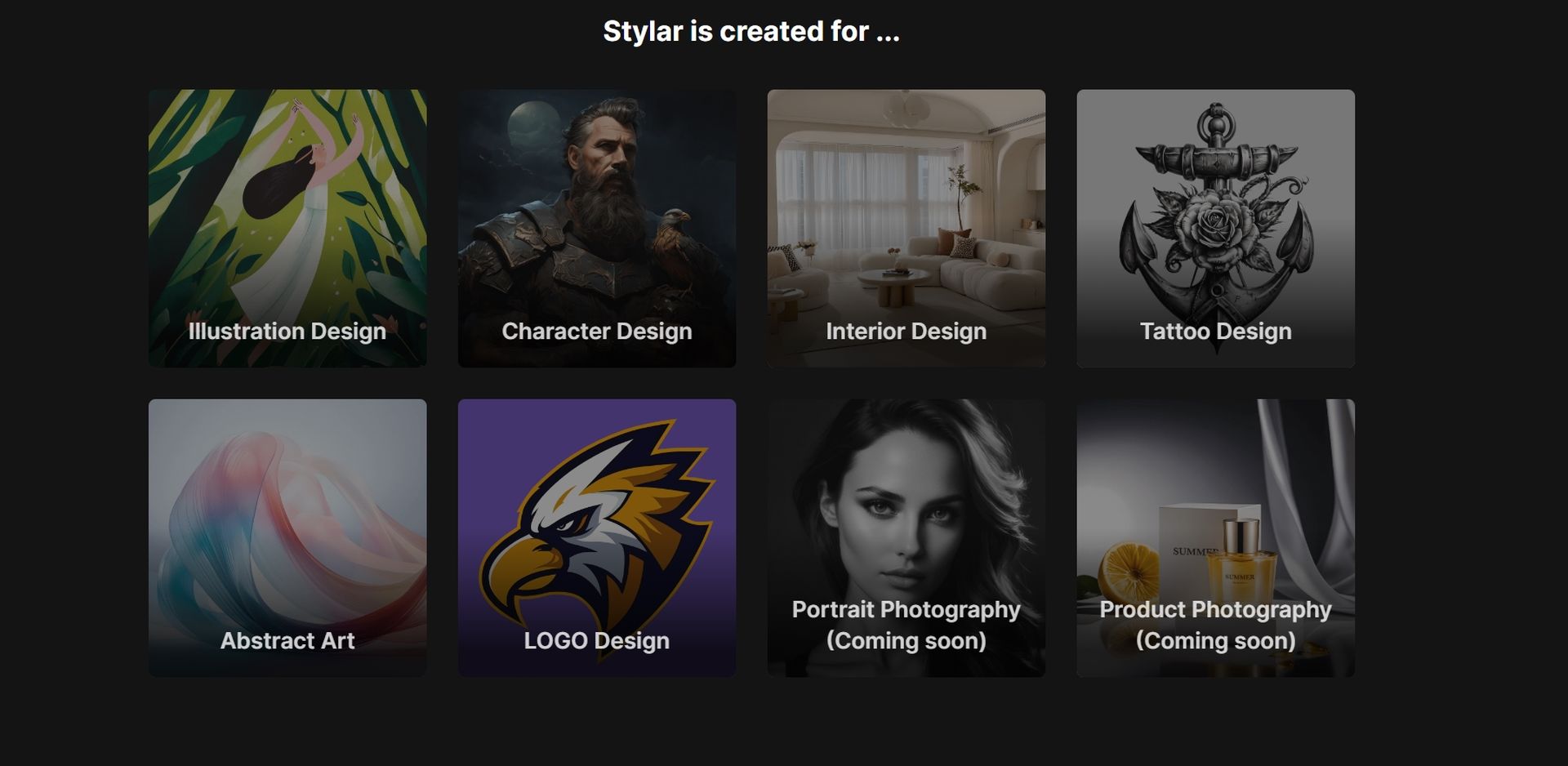
Stylar AI
Here are some of its capabilities (Image Credit)

What is Stylar AI?

At its core, Stylar boasts a layer-based composition board, making precise and intuitive image layout adjustments. It is an AI image creator. This is where creativity meets technology. You’re not just using a tool but interacting with a design partner. The Stylar Assistant, a marvel in itself, crafts prompts through natural language. It’s like having a conversation with a seasoned designer!

Stylar AI isn’t just about editing; it’s about enhancing your creative vision. Its auto-select tool lets you segment images into layers, which can be saved and reused – a real-time-saver for ongoing projects. What’s more? It supports high-definition exports in PNG or JPG formats, ensuring your work looks great anywhere, from a smartphone screen to a billboard.
Stylar AI
It is an AI-powered image generator (Image Credit)

How to use Stylar AI

Here is a simple guide on how to use Stylar AI:

Embarking on your Stylar journey

Using Stylar AI is a breeze. First, head to the Stylar website and sign up. Once logged in, you’re welcomed by an intuitive interface. It’s time to unleash your creativity!

Create a new project

Kickstart your project by clicking “New Project”. Choose your canvas size and import images. It’s just like setting up your artist’s studio, but digitally.

Customize your masterpiece

Now, the fun part begins. Select a style, apply it, and watch your image transform. Dream up any background and let Stylar bring it to life. Play with materials, styles, and effects. The advanced settings are there for those finer touches.

Export and impress

Once satisfied, hit “Export.” Choose your size and format. And there you have it, a stunning piece of art ready to wow the world. Remember, during the Beta phase, you get 200 free credits weekly. A perfect opportunity to experiment!
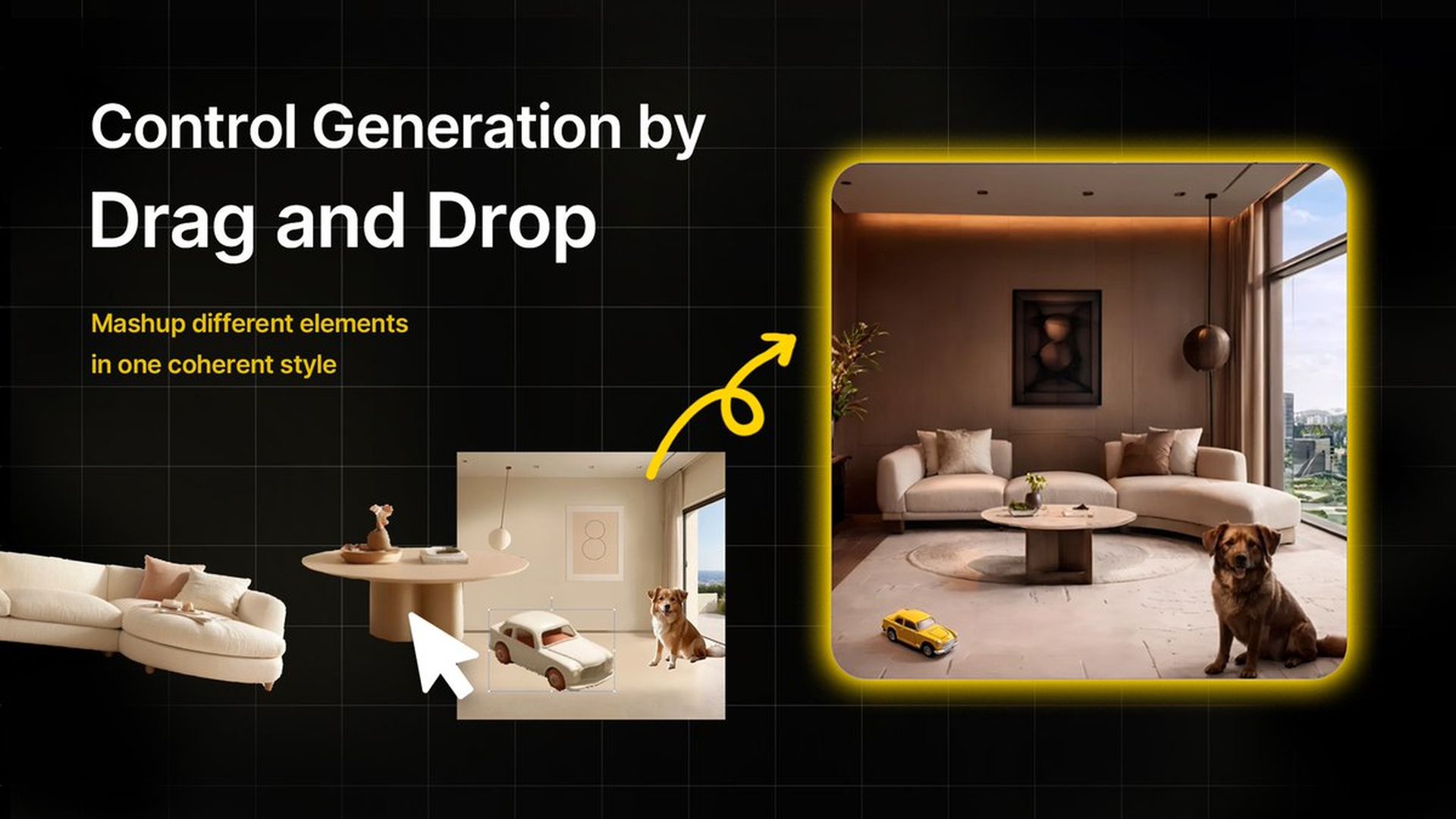
Stylar AI
It has plenty of features you can use (Image Credit)

Best Stylar AI features

Here are some of the best Stylar AI features that make it a go-to tool:

  1. Drag-and-Drop Composition: Simplifying complex design tasks, Stylar’s interface is a breeze to navigate.
  2. Unifying Elements: Merge different components into a seamless style, maintaining structure and aesthetics.
  3. Conversation-Powered Prompts: Stylar Assistant, your AI design buddy, helps craft prompts effortlessly.
  4. Layered Cutouts: Slice images into layers, a feature that’s as cool as it sounds.
  5. Export at Stellar Resolutions: Get crisp, high-definition outputs, ensuring your work is ready for any platform.

Stylar AI is more than just an image editor; it’s a revolution in digital design. Whether you’re a seasoned designer or just starting, Stylar AI has something for everyone. It’s user-friendly, versatile, and most importantly, it turns your creative dreams into reality. Give it a try, and prepare to be amazed!

Featured image credit: Stylar

Related Posts

ByteDance launches Doubao 2.1 Pro language model

ByteDance launches Doubao 2.1 Pro language model

June 24, 2026
OpenAI expands cybersecurity efforts with Patch the Planet

OpenAI expands cybersecurity efforts with Patch the Planet

June 24, 2026
Claude Tag brings shared AI assistant to Slack channels

Claude Tag brings shared AI assistant to Slack channels

June 24, 2026
Getty Images partners with OpenAI to supply licensed visuals for ChatGPT

Getty Images partners with OpenAI to supply licensed visuals for ChatGPT

June 23, 2026
Samsung adopts ChatGPT Enterprise and Codex across global workforce

Samsung adopts ChatGPT Enterprise and Codex across global workforce

June 22, 2026
OpenAI improves health responses for free ChatGPT users

OpenAI improves health responses for free ChatGPT users

June 19, 2026

LATEST NEWS

ByteDance launches Doubao 2.1 Pro language model

OpenAI expands cybersecurity efforts with Patch the Planet

Meta launches $299 smart glasses under its own brand

Claude Tag brings shared AI assistant to Slack channels

PlayStation 6 leak points to 2027 release window

Samsung unveils UFS 5.0 storage for future Galaxy phones

BEST AI MODELS LEADERBOARD

See the best AI models, ranked by intelligence, benchmark results, speed and token price. Find the most suitable LLMs, Text-to-Image, Image Editing, Text-to-Speech, Text-to-Video and Image-to-Video  artificial intelligence model for your tasks and business.

LATEST TOOLS

Moonbeam

Charisma AI

Essay Writer by Papertyper

Slite

Wonderin AI

Spur

Stenography

Calldesk

MaxAI.me

PhotoRestore

Dataconomy

COPYRIGHT © DATACONOMY MEDIA GMBH, ALL RIGHTS RESERVED.

  • About
  • Imprint
  • Contact
  • Legal & Privacy

Follow Us

  • News
    • Artificial Intelligence
    • Cybersecurity
    • DeFi & Blockchain
    • Finance
    • Gaming
    • Startups
    • Tech
  • Industry
  • Research
  • Resources
    • Articles
    • Guides
    • Case Studies
    • Whitepapers
    • AI Models Leaderboard
  • AI tools
  • Newsletter
  • + More
    • Glossary
    • Conversations
    • Events
    • About
      • Who we are
      • Contact
      • Imprint
      • Legal & Privacy
      • Partner With Us
No Result
View All Result
Subscribe

This website uses cookies to improve your experience. You can choose to accept or reject them. Visit our Privacy Policy.