Dataconomy
  • News
    • Artificial Intelligence
    • Cybersecurity
    • DeFi & Blockchain
    • Finance
    • Gaming
    • Startups
    • Tech
  • Industry
  • Research
  • Resources
    • Articles
    • Guides
    • Case Studies
    • Whitepapers
    • AI Models Leaderboard
  • AI toolsNEW
  • Newsletter
  • + More
    • Glossary
    • Conversations
    • Events
    • About
      • Who we are
      • Contact
      • Imprint
      • Legal & Privacy
      • Partner With Us
Subscribe
No Result
View All Result
  • AI
  • Tech
  • Cybersecurity
  • Finance
  • DeFi & Blockchain
  • Startups
  • Gaming
Dataconomy
  • News
    • Artificial Intelligence
    • Cybersecurity
    • DeFi & Blockchain
    • Finance
    • Gaming
    • Startups
    • Tech
  • Industry
  • Research
  • Resources
    • Articles
    • Guides
    • Case Studies
    • Whitepapers
    • AI Models Leaderboard
  • AI toolsNEW
  • Newsletter
  • + More
    • Glossary
    • Conversations
    • Events
    • About
      • Who we are
      • Contact
      • Imprint
      • Legal & Privacy
      • Partner With Us
Subscribe
No Result
View All Result
Dataconomy
No Result
View All Result

6 AI tools that make web research stupid-easy in 2025

We replaced tab overload with actual insight—here are the apps that saved our sanity.

byKerem Gülen
April 8, 2025
in Guides
Home Resources Guides
Share on FacebookShare on TwitterShare on LinkedInShare on WhatsAppShare on e-mail
Google Preferred Source

Researching online used to mean juggling 17 tabs, copy-pasting quotes into a doc, and forgetting where you saw that one killer stat. These AI tools change that. They don’t just search—they read, summarize, and guide you through actual thinking. Whether you’re prepping for a pitch, a thesis, or a tweetstorm, here are the 6 AI research tools we actually use—and why they work.

1. Perplexity: Still the best search-powered brain

Why we love it: Perplexity isn’t just a search engine in disguise—it’s a real-time research assistant that explains itself. Ask anything, and it returns a multi-step breakdown, with clickable sources and follow-up suggestions. Think of it as a hybrid between Google and Wikipedia, but less bloated and more to the point.

  • Deep Research gives you stats, studies, and citations—grouped into tabs for Sources, Images, and Insights.
  • It’s unbeatable for fact-checking or getting the lay of the land before a meeting or essay.
  • Works best in-browser (mobile app’s great, but the desktop UI shines).
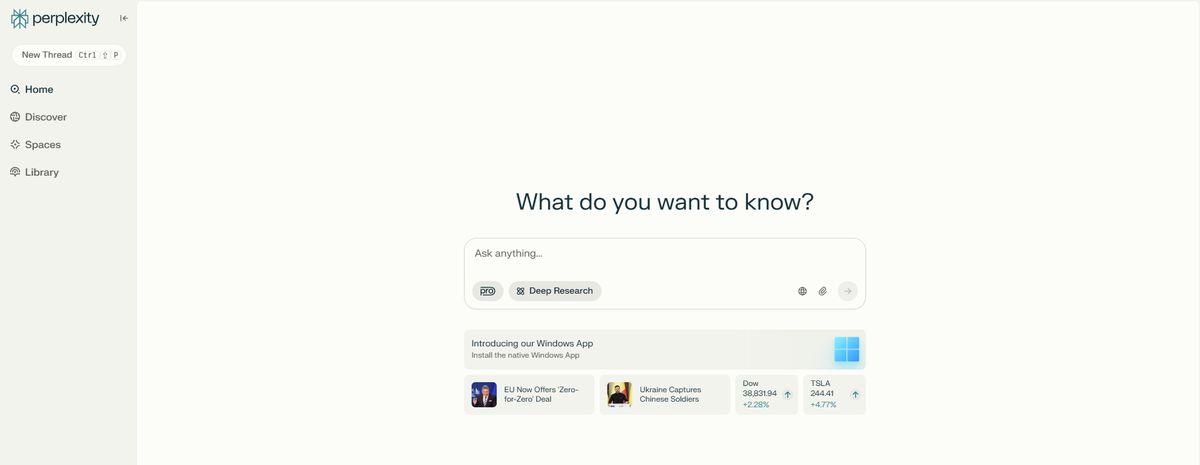
Try Perplexity for free →

Stay Ahead of the Curve!

Don't miss out on the latest insights, trends, and analysis in the world of data, technology, and startups. Subscribe to our newsletter and get exclusive content delivered straight to your inbox.

6-ai-tools-that-make-web-research-stupid-easy-in-2025
Image: Perplexity

2. Gemini Advanced: The best for organized deep dives

Why we love it: Gemini doesn’t just respond—it sorts your thoughts. With its new Deep Research mode and Workspace integrations, it goes from “clever chatbot” to “research intern who actually reads.”

  • Live updates: It shows you how your topic is evolving as it gathers information—great for projects that change on the fly.
  • Real analysis: When it’s done, you get a bulleted breakdown with sources and a contextual summary.
  • Bonus: In Docs, Gemini can summarize folders, extract key arguments from PDFs, or help draft outlines instantly.
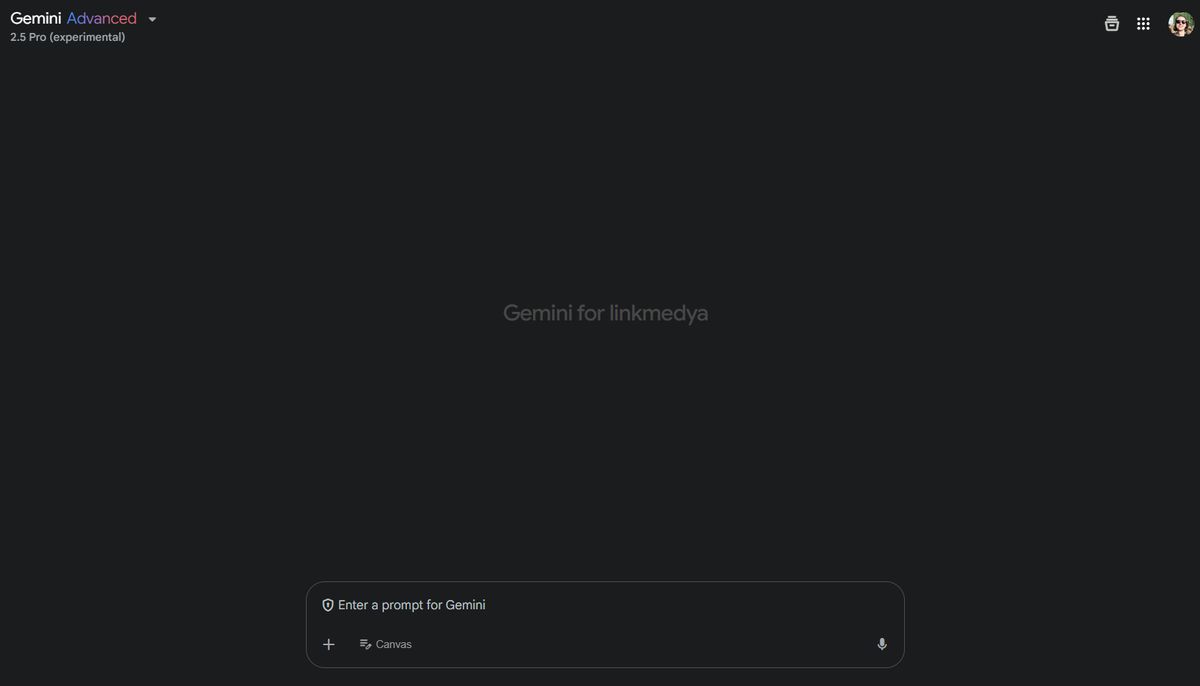
Explore Gemini for research →

6-ai-tools-that-make-web-research-stupid-easy-in-2025_04
Image: Google

3. Microsoft Copilot: Visual thinker’s secret weapon

Why we love it: Copilot is perfect if your brain works better with charts than paragraphs. While its raw research skills aren’t as deep, it shines at formatting data—tables, comparisons, and clean bullet points.

  • Need to compare five productivity tools or map out a marketing funnel? Copilot’s tabular thinking is hard to beat.
  • Its visuals are cleaner and more reliable than ChatGPT, especially for brainstorming or planning.
  • Bonus: The new Edge sidebar lets you run Copilot next to any site without switching tabs.
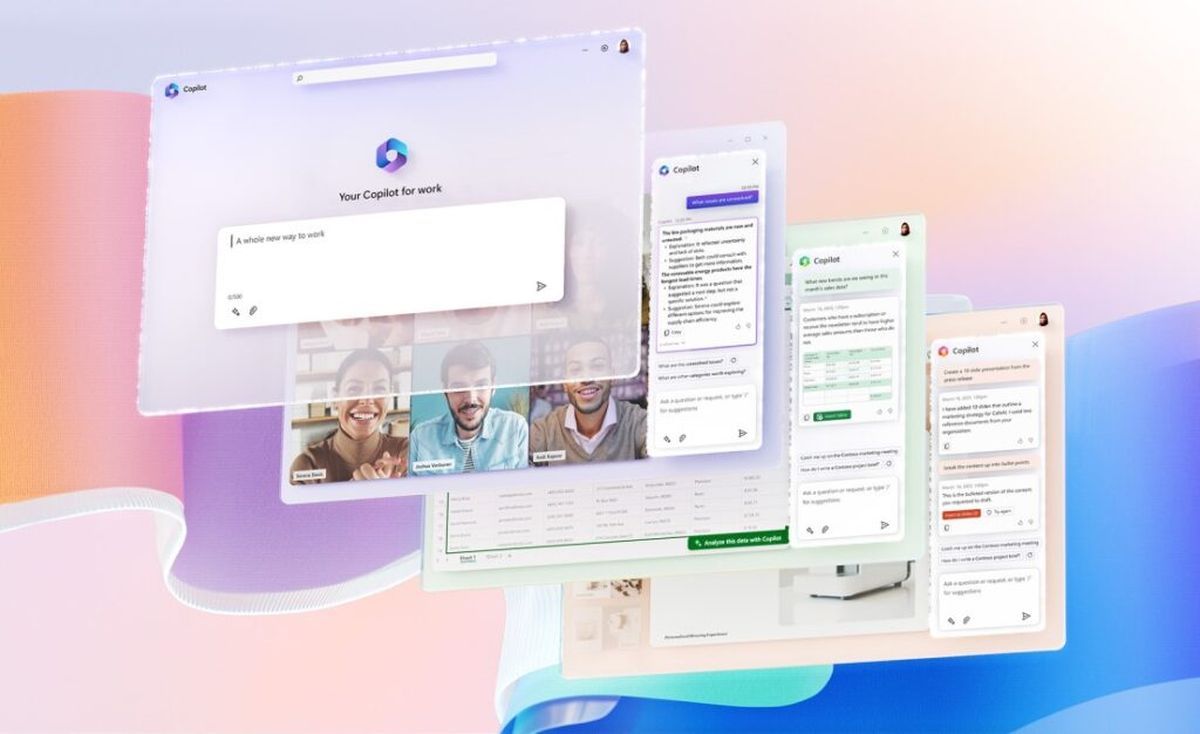
Use Copilot now →

6-ai-tools-that-make-web-research-stupid-easy-in-2025
Image: Microsoft

4. iAsk: The research tool with training wheels—and turbo

Why we love it: iAsk gives you control over how deep (or simple) your answers go. Pick from modes like Academic, Wiki, Forums, or Expert—and get answers tailored to that format.

  • Use Elaborate to dig deeper, or Simplify if the AI gets too verbose.
  • Results mix web articles, Reddit posts, academic papers, and more—great for cross-referencing tone and opinion.
  • No account required, and it works in incognito mode. Privacy people, rejoice.
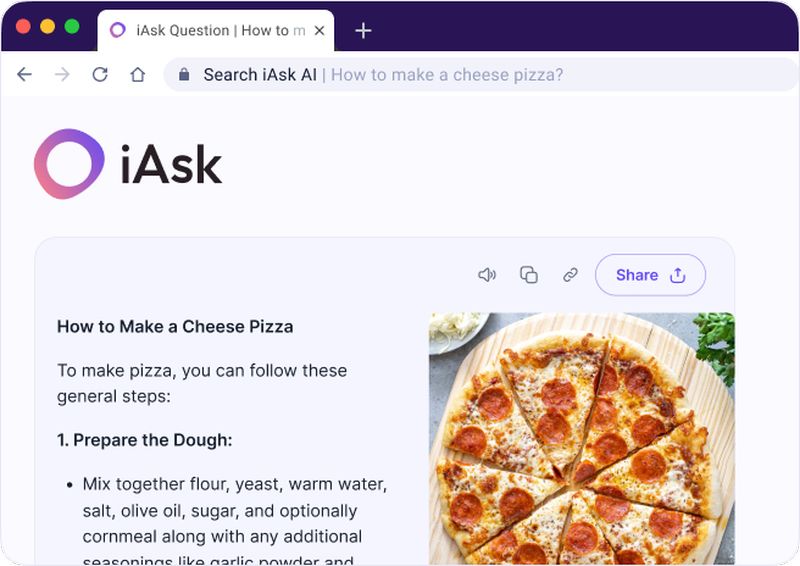
Try iAsk →

6-ai-tools-that-make-web-research-stupid-easy-in-2025
Image: iAsk

5. LitMaps: For when you need a thesis-worthy lit review

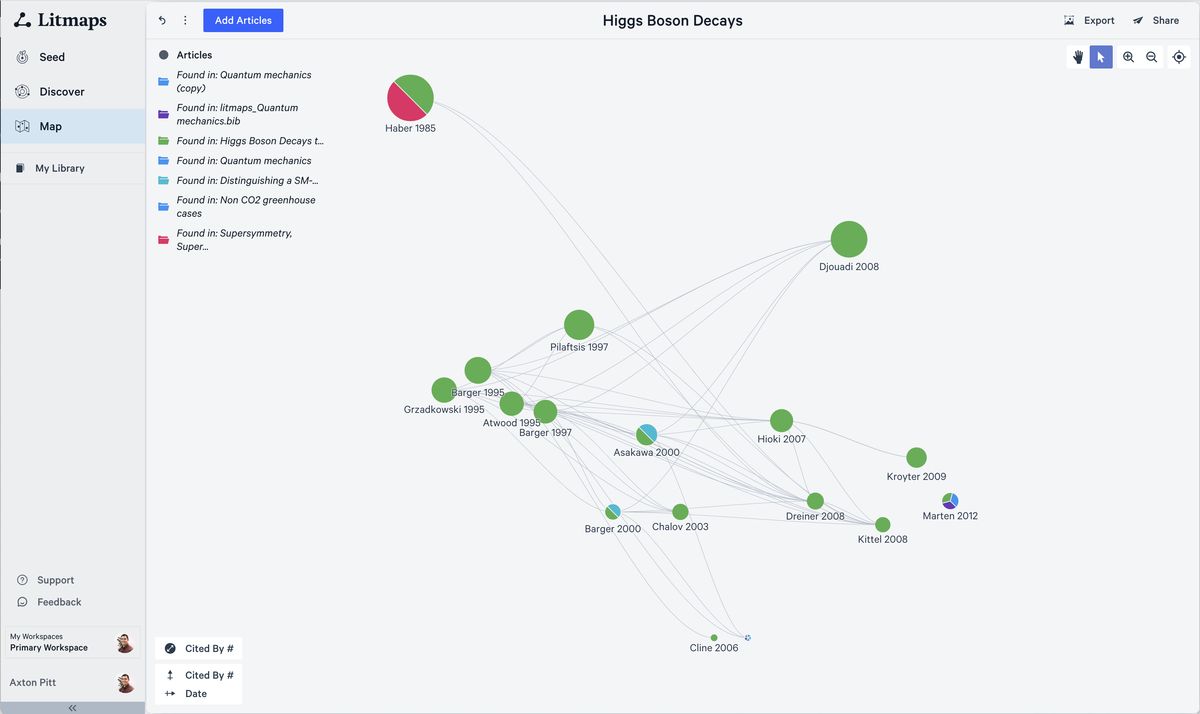
Why we love it: LitMaps is academic-native. It surfaces scholarly papers connected by citations, and draws you a literal map of related research. If you’re hunting for credible sources, it cuts hours off your search.

  • Click into a study to get a quick abstract, journal, and citation count.
  • Filter by date, field, and relevance to spot trends over time.
  • Perfect for anyone in grad school, publishing, or PhD burnout mode.
Explore LitMaps →

6-ai-tools-that-make-web-research-stupid-easy-in-2025_02
Image: LitMaps

Pro tip: Cross-check with Google the old-school way

Don’t let AI do all the thinking. Once you’ve gathered leads from these tools, run a quick Google search to verify. AI hallucinations happen, and nothing beats a double-check from the original source.

In 2025, research doesn’t have to be a slog. Whether you’re prepping for a job interview or publishing a white paper, these AI tools take the busywork out of digging through the web—and actually help you understand what you find. Start with Perplexity and Gemini, then mix in the others as needed. You’ll stop multitasking and start thinking.


Featured image credit

Tags: AItrends

Related Posts

Here is how you put ads on ChatGPT

Here is how you put ads on ChatGPT

June 1, 2026
How to undo a deleted WhatsApp contact on Android: What works and what to try next

How to undo a deleted WhatsApp contact on Android: What works and what to try next

March 26, 2026
Where to go first in Crimson Desert

Where to go first in Crimson Desert

March 24, 2026
12 things I wish I knew when I started Crimson Desert

12 things I wish I knew when I started Crimson Desert

March 24, 2026
PinchTab: The next big leap in AI browser control after OpenClaw

PinchTab: The next big leap in AI browser control after OpenClaw

March 4, 2026
Best Blu-ray Ripper software for Windows and Mac: 3 top picks

Best Blu-ray Ripper software for Windows and Mac: 3 top picks

February 11, 2026

LATEST NEWS

OpenAI unveils first official partner program with $150M backing

Apple is preparing three major new features for iOS 27

Google files lawsuit over AI-assisted phishing operation abusing Gemini

“Free robots are an illusion”: Why we’ll pay for system intelligence, not delivery workers

How Henrique Schmaiske led Meteor.js through its biggest transformation

Proven privacy: Why ‘no-log’ claims need real evidence today

BEST AI MODELS LEADERBOARD

See the best AI models, ranked by intelligence, benchmark results, speed and token price. Find the most suitable LLMs, Text-to-Image, Image Editing, Text-to-Speech, Text-to-Video and Image-to-Video  artificial intelligence model for your tasks and business.

LATEST TOOLS

Roboto AI

Pickaxe

Pfpmaker

MindPal

Syllaby

ScreenApp

FinanceBrain

GitHub Spark

Hints

VisionStory AI

Dataconomy

COPYRIGHT © DATACONOMY MEDIA GMBH, ALL RIGHTS RESERVED.

  • About
  • Imprint
  • Contact
  • Legal & Privacy

Follow Us

  • News
    • Artificial Intelligence
    • Cybersecurity
    • DeFi & Blockchain
    • Finance
    • Gaming
    • Startups
    • Tech
  • Industry
  • Research
  • Resources
    • Articles
    • Guides
    • Case Studies
    • Whitepapers
    • AI Models Leaderboard
  • AI tools
  • Newsletter
  • + More
    • Glossary
    • Conversations
    • Events
    • About
      • Who we are
      • Contact
      • Imprint
      • Legal & Privacy
      • Partner With Us
No Result
View All Result
Subscribe

This website uses cookies to improve your experience. You can choose to accept or reject them. Visit our Privacy Policy.