Dataconomy
  • News
    • Artificial Intelligence
    • Cybersecurity
    • DeFi & Blockchain
    • Finance
    • Gaming
    • Startups
    • Tech
  • Industry
  • Research
  • Resources
    • Articles
    • Guides
    • Case Studies
    • Whitepapers
    • AI Models Leaderboard
  • AI toolsNEW
  • Newsletter
  • + More
    • Glossary
    • Conversations
    • Events
    • About
      • Who we are
      • Contact
      • Imprint
      • Legal & Privacy
      • Partner With Us
Subscribe
No Result
View All Result
  • AI
  • Tech
  • Cybersecurity
  • Finance
  • DeFi & Blockchain
  • Startups
  • Gaming
Dataconomy
  • News
    • Artificial Intelligence
    • Cybersecurity
    • DeFi & Blockchain
    • Finance
    • Gaming
    • Startups
    • Tech
  • Industry
  • Research
  • Resources
    • Articles
    • Guides
    • Case Studies
    • Whitepapers
    • AI Models Leaderboard
  • AI toolsNEW
  • Newsletter
  • + More
    • Glossary
    • Conversations
    • Events
    • About
      • Who we are
      • Contact
      • Imprint
      • Legal & Privacy
      • Partner With Us
Subscribe
No Result
View All Result
Dataconomy
No Result
View All Result

These 4 Gemini tricks changed how we use Workspace

If you’re not using Gemini to plan trips and clear inboxes, you’re missing out.

byKerem Gülen
April 8, 2025
in Guides
Home Resources Guides
Share on FacebookShare on TwitterShare on LinkedInShare on WhatsAppShare on e-mail
Google Preferred Source

From inbox triage to trip-planning wizardry, here’s how to bend Google’s new AI to your daily grind.

Gemini just graduated from clever chatbot to personal command center—and these four workflows show why the upgrade matters. If you’ve ever bounced between Gmail, Maps, and Drive tabs like it’s an Olympic sport, Gemini’s new integrations may save your sanity—and your schedule.

1. How can Gemini help plan a trip using only Workspace tools?

You might not get real-time flights or map routes, but Gemini still makes trip planning smoother using the Workspace stack.

Stay Ahead of the Curve!

Don't miss out on the latest insights, trends, and analysis in the world of data, technology, and startups. Subscribe to our newsletter and get exclusive content delivered straight to your inbox.

From collecting travel notes to organizing your packing checklist and setting reminders, here’s how to do it all without leaving the chat window.

  • @Google Docs “Create a travel doc titled ‘Portugal May Trip’ and start it with a packing list”
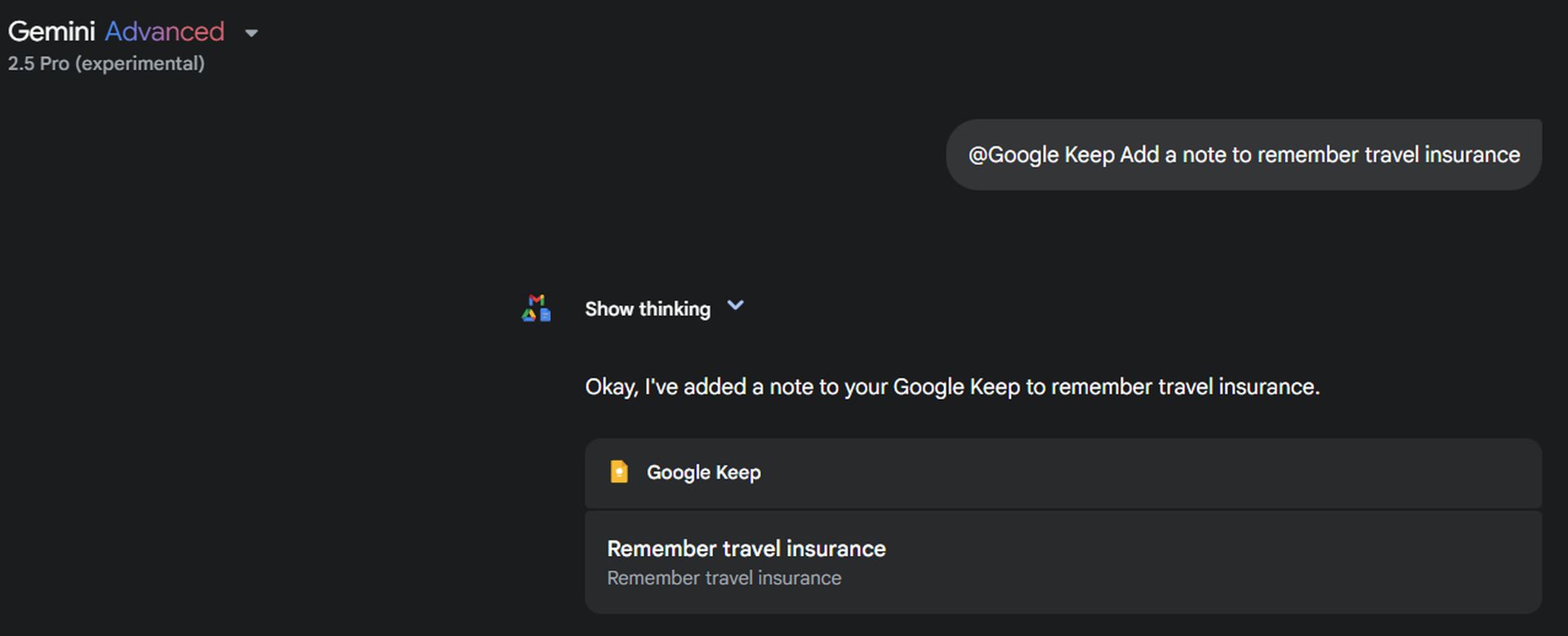
  • @Google Keep “Add a note to remember travel insurance”
  • @Google Calendar “Add event: Flight to Lisbon on May 10th at 10am”
  • @Google Tasks “Add task: Renew passport by April 20”
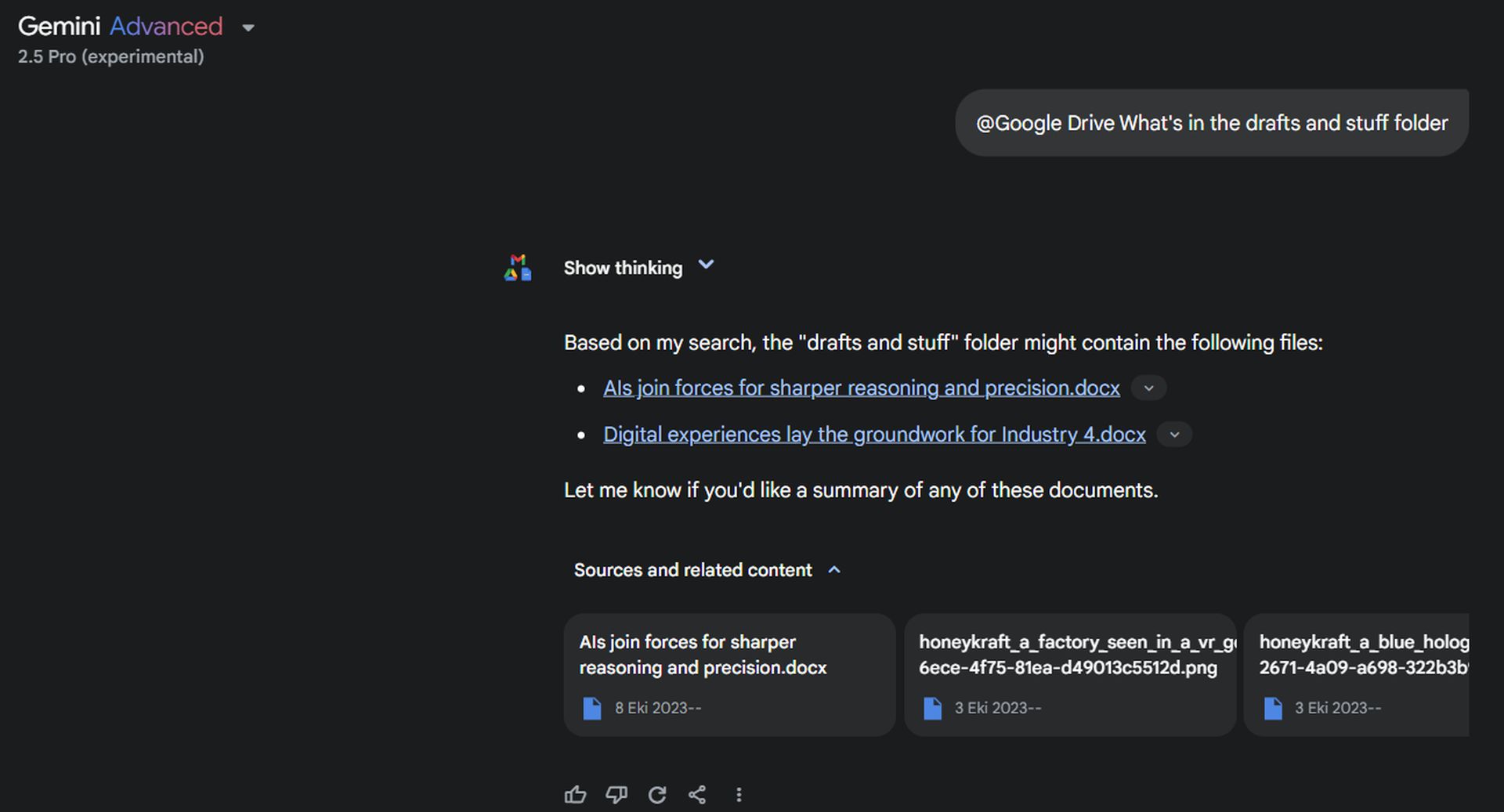
  • @Google Drive “Summarize all my docs in folder ‘Airbnb Itineraries’”
these-4-gemini-tricks-changed-how-we-use-workspace
Google Notes example
Pro tip: Say “@Workspace plan a 5-day itinerary for Porto” to let Gemini draft a full schedule based on your style.

2. What’s the fastest way to zero your inbox with Gemini?

Buried under a pile of unread messages? Gemini can turn email chaos into clear next steps in under 5 minutes.

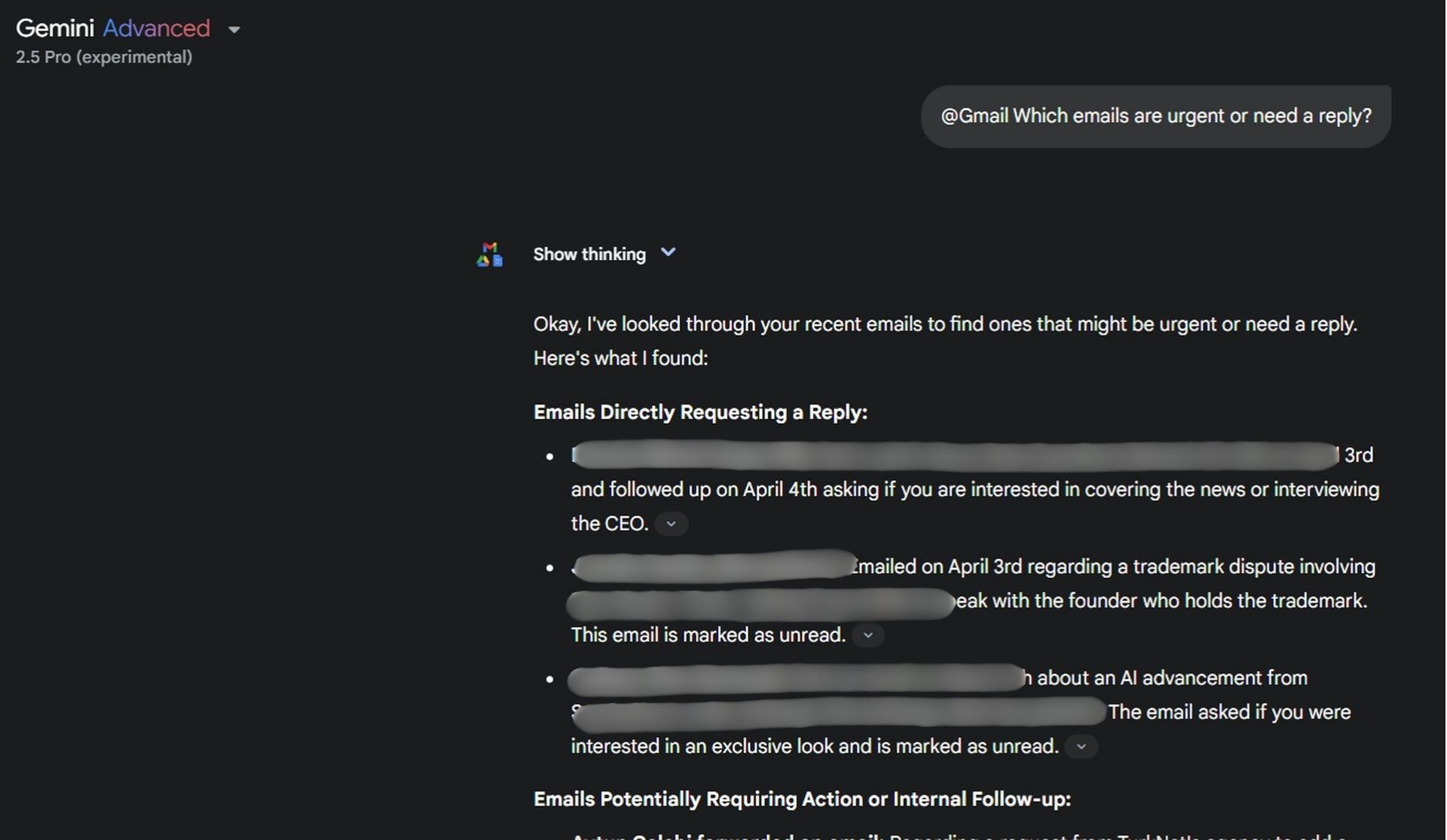
  1. Type @Gmail break down my latest 5 emails from today
  2. Follow up with “Which ones are urgent or need a reply?”
  3. Use @Google Calendar to schedule follow-ups without leaving the chat

Before you start, make sure Smart Features are enabled in Gmail settings. Go to Settings > Manage Workspace Smart Features > Turn on personalization. Otherwise, Gemini may not have access to summarize or take action.
these-4-gemini-tricks-changed-how-we-use-workspace
Gmail example
Pro tip: After reviewing the summary, prompt @Gmail draft a casual follow-up to my manager to skip writing altogether.

“I use Gemini to scan my inbox every morning while sipping coffee, it’s like having an executive assistant for free.”

3. How do you mine Google Drive for instant insight?

Need to brief a new team member or review five project files at once? Gemini in Drive turns scattered docs into clean takeaways.

Ask questions across folders or summarize long documents—all from the sidebar without opening a single file manually.

Command What it returns Time saved
@Google Drive summarize project-planning folder Main points from all documents inside 20+ minutes
@Google Drive what changed in latest draft files Updates across all files edited in past 3 days 30 minutes
@Google Drive search the checklist doc titled “Client Handoff” The document is found 10 minutes
these-4-gemini-tricks-changed-how-we-use-workspace
Google Drive example
Pro tip: Always clear Gemini’s history before sharing your screen or a file to avoid revealing private queries.

Ready to flex Gemini

Each of these Gemini integrations turns a clunky, click-heavy task into a single-line command. Try them, remix them, and start building your own power workflows. Google’s just getting started, but if you master these four, you’ll already be ahead of the curve.



Featured image credit

Tags: geminiGoogle

Related Posts

Here is how you put ads on ChatGPT

Here is how you put ads on ChatGPT

June 1, 2026
How to undo a deleted WhatsApp contact on Android: What works and what to try next

How to undo a deleted WhatsApp contact on Android: What works and what to try next

March 26, 2026
Where to go first in Crimson Desert

Where to go first in Crimson Desert

March 24, 2026
12 things I wish I knew when I started Crimson Desert

12 things I wish I knew when I started Crimson Desert

March 24, 2026
PinchTab: The next big leap in AI browser control after OpenClaw

PinchTab: The next big leap in AI browser control after OpenClaw

March 4, 2026
Best Blu-ray Ripper software for Windows and Mac: 3 top picks

Best Blu-ray Ripper software for Windows and Mac: 3 top picks

February 11, 2026

LATEST NEWS

Amazon adds AI-generated product previews to search results

Meta launches AI business agents on WhatsApp, Instagram and Messenger

Nintendo will release a repair-friendly Switch 2 in Europe

Google rolls out Ask Gemini in Drive to eligible Workspace users

Google Wallet to add digital IDs from select EU countries this summer

Why Telegram Mini Apps have become the optimal ecosystem for launching AI SaaS products

BEST AI MODELS LEADERBOARD

See the best AI models, ranked by intelligence, benchmark results, speed and token price. Find the most suitable LLMs, Text-to-Image, Image Editing, Text-to-Speech, Text-to-Video and Image-to-Video  artificial intelligence model for your tasks and business.

LATEST TOOLS

Roboto AI

Pickaxe

Pfpmaker

MindPal

Syllaby

ScreenApp

FinanceBrain

GitHub Spark

Hints

VisionStory AI

Dataconomy

COPYRIGHT © DATACONOMY MEDIA GMBH, ALL RIGHTS RESERVED.

  • About
  • Imprint
  • Contact
  • Legal & Privacy

Follow Us

  • News
    • Artificial Intelligence
    • Cybersecurity
    • DeFi & Blockchain
    • Finance
    • Gaming
    • Startups
    • Tech
  • Industry
  • Research
  • Resources
    • Articles
    • Guides
    • Case Studies
    • Whitepapers
    • AI Models Leaderboard
  • AI tools
  • Newsletter
  • + More
    • Glossary
    • Conversations
    • Events
    • About
      • Who we are
      • Contact
      • Imprint
      • Legal & Privacy
      • Partner With Us
No Result
View All Result
Subscribe

This website uses cookies to improve your experience. You can choose to accept or reject them. Visit our Privacy Policy.