Dataconomy
  • News
    • Artificial Intelligence
    • Cybersecurity
    • DeFi & Blockchain
    • Finance
    • Gaming
    • Startups
    • Tech
  • Industry
  • Research
  • Resources
    • Articles
    • Guides
    • Case Studies
    • Whitepapers
    • AI Models Leaderboard
  • AI toolsNEW
  • Newsletter
  • + More
    • Glossary
    • Conversations
    • Events
    • About
      • Who we are
      • Contact
      • Imprint
      • Legal & Privacy
      • Partner With Us
Subscribe
No Result
View All Result
  • AI
  • Tech
  • Cybersecurity
  • Finance
  • DeFi & Blockchain
  • Startups
  • Gaming
Dataconomy
  • News
    • Artificial Intelligence
    • Cybersecurity
    • DeFi & Blockchain
    • Finance
    • Gaming
    • Startups
    • Tech
  • Industry
  • Research
  • Resources
    • Articles
    • Guides
    • Case Studies
    • Whitepapers
    • AI Models Leaderboard
  • AI toolsNEW
  • Newsletter
  • + More
    • Glossary
    • Conversations
    • Events
    • About
      • Who we are
      • Contact
      • Imprint
      • Legal & Privacy
      • Partner With Us
Subscribe
No Result
View All Result
Dataconomy
No Result
View All Result

How to replace Apple’s Siri with ChatGPT

byEmre Çıtak
October 11, 2024
in Tech
Home News Tech
Share on FacebookShare on TwitterShare on LinkedInShare on WhatsAppShare on e-mail
Google Preferred Source

Traditional virtual assistants like Siri are starting to feel outdated thanks to artificial intelligence models.

While Apple’s Siri is due for an upgrade with Apple Intelligence, many users are already switching to more advanced AI like ChatGPT.

Fortunately, you don’t have to wait for Apple’s updates to experience ChatGPT’s conversational abilities on your iPhone. By using the Shortcuts app, you can easily replace Siri with ChatGPT, giving you access to one of the most powerful AI chatbots available.

Stay Ahead of the Curve!

Don't miss out on the latest insights, trends, and analysis in the world of data, technology, and startups. Subscribe to our newsletter and get exclusive content delivered straight to your inbox.

How to replace Siri with ChatGPT?

Replacing Siri with ChatGPT on your iPhone is a simple process that brings a modern, AI-powered experience to your daily tasks. Here’s a step-by-step guide on how to do it.

Step 1: Set Up the Shortcuts app

To begin, you’ll need to set up a custom shortcut that allows you to call ChatGPT using your voice. First, ensure you have two essential apps: Apple’s Shortcuts app (available in the App Store) and the ChatGPT app. Once downloaded, log into your OpenAI account via the ChatGPT app.

Now, open the Shortcuts app on your iPhone and make sure you’re on the “Shortcuts” tab. Tap the plus (+) icon in the top-right corner to create a new shortcut.

Step 2: Create the ChatGPT shortcut

In the search bar at the top of the screen, type in “ChatGPT” and select Start voice conversation with ChatGPT. At the top of the screen, you’ll see an option to name your shortcut—rename it “Hey ChatGPT” to make the voice command easy to remember. After renaming, tap Done to save the shortcut.
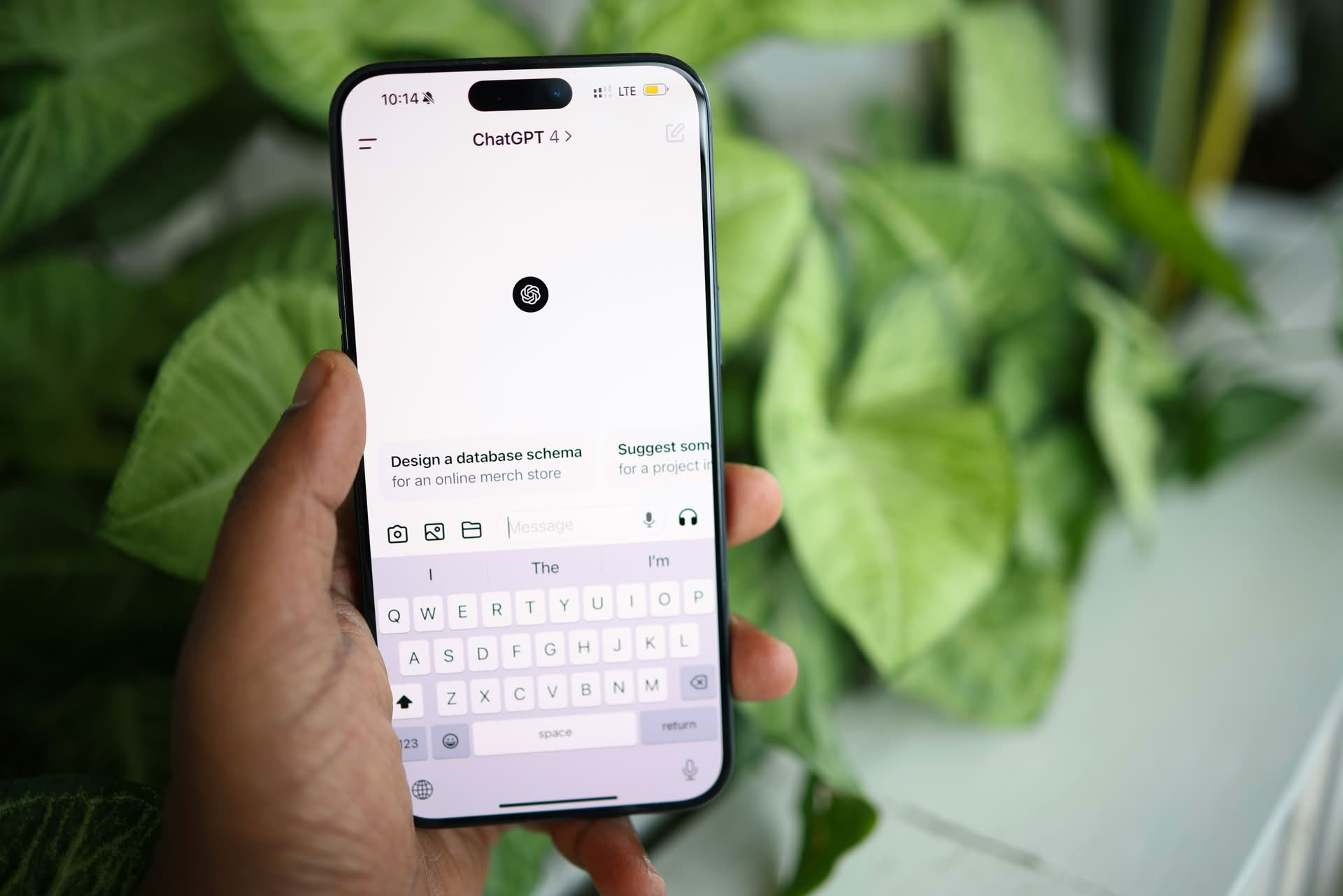
How to replace Apple's Siri with ChatGPT
Once set up, you can activate ChatGPT by saying “Hey ChatGPT” after holding the Side button (Image credit)

Step 3: Add ChatGPT shortcut to your home screen

To make ChatGPT easily accessible, add it to your Home Screen. Hold your finger on the newly created shortcut, tap Details, and then choose Add to Home Screen. You can even customize the icon and color to match your preferences. Once you’re happy with the setup, tap Add in the top-right corner.

This places the ChatGPT shortcut directly on your iPhone’s Home Screen, allowing you to interact with it as easily as you would with any app.

Step 4: How to use ChatGPT as your iPhone assistant?

Once the shortcut is set, activating ChatGPT is simple. Hold the Side button on your iPhone and say, “Hey ChatGPT.” If you own an iPhone 15 Pro, iPhone 15 Pro Max, or a future iPhone 16 model, you can use the phone’s Action Button to activate ChatGPT. Just press the button, and ChatGPT will be ready to respond.

The first time you use the shortcut, the app may ask for permission to access your microphone and other settings. Once configured, ChatGPT will begin listening for your questions or commands and respond out loud, just like Siri.

Step 5: Ending conversations with ChatGPT

When you’re finished interacting with ChatGPT, tap the red “X” button to end the conversation. Be sure to close the session properly, as ChatGPT may continue listening if you only exit to the Home Screen.

Every conversation you have with ChatGPT will be logged in the ChatGPT app as text, just like the interactions you’d have on OpenAI’s website. If at any point you prefer texting over voice commands, you can easily switch to typing out your queries. This flexibility allows you to interact with ChatGPT in whichever way you prefer.
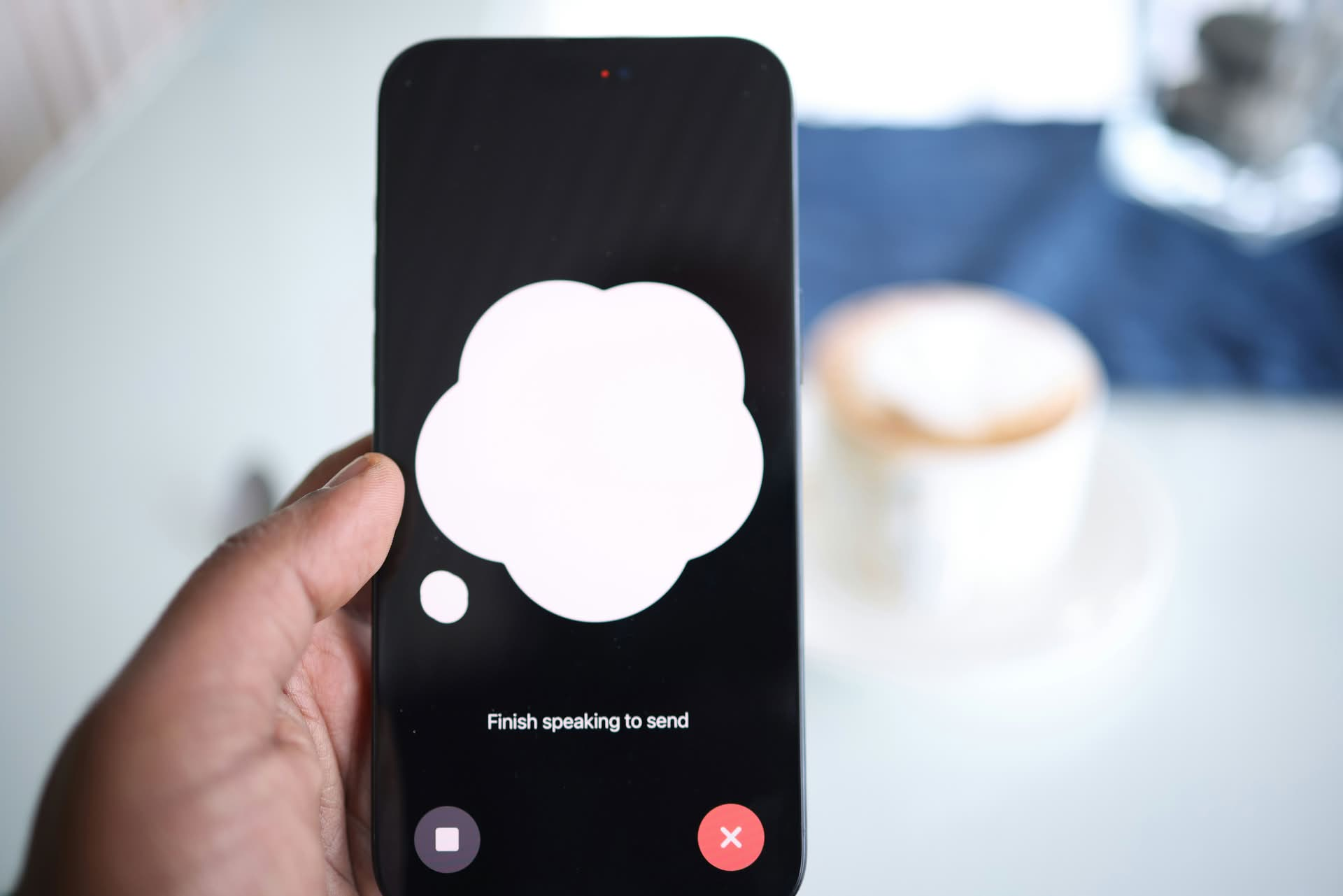
How to replace Apple's Siri with ChatGPT
Siri remains available alongside ChatGPT for tasks like setting reminders or managing calendar events (Image credit)

Siri vs. ChatGPT

While ChatGPT is powerful and arguably more conversational than Siri, there are still reasons to keep both assistants on your iPhone. Siri remains essential for tasks that require deep integration with Apple’s ecosystem, like setting calendar events or managing reminders.

The good news? Adding a ChatGPT shortcut doesn’t remove Siri from your device. To summon Siri, simply hold the Side button and say “Hey Siri,” giving you the flexibility to use both AI assistants whenever you need.

By using Apple’s Shortcuts app, you can create a seamless way to access ChatGPT, enjoy more natural conversations, and take advantage of its deep learning capabilities.

Whether you’re navigating daily activities or exploring the capabilities of advanced AI, ChatGPT offers an exciting alternative to Siri. With just a few steps, you can start using this cutting-edge assistant on your iPhone today.


Featured image credit: Solen Feyissa/Unsplash

Tags: chatgptSiritrends

Related Posts

Xiaomi unveils SkyNomad N90 range-extender SUV

Xiaomi unveils SkyNomad N90 range-extender SUV

July 14, 2026
X algorithm update aims to make replies feel friendlier

X algorithm update aims to make replies feel friendlier

July 14, 2026
Windows 11 Search Box gets less clutter and more control

Windows 11 Search Box gets less clutter and more control

July 14, 2026
Pixel 11 leak shows bold magenta and peach colors

Pixel 11 leak shows bold magenta and peach colors

July 14, 2026
Samsung Galaxy Z TriFold 2 launch may be delayed

Samsung Galaxy Z TriFold 2 launch may be delayed

July 13, 2026
Apple to skip M6 Pro and Max chips, fast-tracks M7 lineup for AI focus

Apple to skip M6 Pro and Max chips, fast-tracks M7 lineup for AI focus

July 13, 2026

LATEST NEWS

OpenAI retires Atlas browser to focus on new ChatGPT superapp

Microsoft tests Copilot’s new PC insights feature in Windows 11

Xiaomi unveils SkyNomad N90 range-extender SUV

X algorithm update aims to make replies feel friendlier

Windows 11 Search Box gets less clutter and more control

Pixel 11 leak shows bold magenta and peach colors

BEST AI MODELS LEADERBOARD

See the best AI models, ranked by intelligence, benchmark results, speed and token price. Find the most suitable LLMs, Text-to-Image, Image Editing, Text-to-Speech, Text-to-Video and Image-to-Video  artificial intelligence model for your tasks and business.

LATEST TOOLS

Mootion

Legacy AI

Copyseeker

ProPhotos

Kuki AI

Create

RemodelAI

AItwitch

Vadoo AI

Greptile AI

Dataconomy

COPYRIGHT © DATACONOMY MEDIA GMBH, ALL RIGHTS RESERVED.

  • About
  • Imprint
  • Contact
  • Legal & Privacy

Follow Us

  • News
    • Artificial Intelligence
    • Cybersecurity
    • DeFi & Blockchain
    • Finance
    • Gaming
    • Startups
    • Tech
  • Industry
  • Research
  • Resources
    • Articles
    • Guides
    • Case Studies
    • Whitepapers
    • AI Models Leaderboard
  • AI tools
  • Newsletter
  • + More
    • Glossary
    • Conversations
    • Events
    • About
      • Who we are
      • Contact
      • Imprint
      • Legal & Privacy
      • Partner With Us
No Result
View All Result
Subscribe

This website uses cookies to improve your experience. You can choose to accept or reject them. Visit our Privacy Policy.