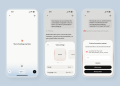
NVIDIA introduced ChatRTX, an experimental AI chatbot that lets users interact with their local data on Windows PCs.
This program stood out for its ability to run large language models (LLMs) directly on a user’s machine, offering a unique blend of privacy and processing power. Now, ChatRTX is gaining even more capabilities with the addition of Google’s Gemma model and voice query support.
ChatRTX offers local chats with global ambitions
Chatbots are a dime a dozen these days, with virtual assistants like Siri and Alexa integrated into many devices. However, these assistants rely on cloud-based processing, meaning your queries and data travel to remote servers. ChatRTX takes a different approach. It creates a local chatbot server accessible through your web browser, allowing you to interact with your data without ever leaving your PC.
This local processing offers several advantages. First, it ensures your data privacy remains under your control. Second, it bypasses the need for a constant internet connection, making ChatRTX usable even in offline scenarios.
Runs Gemma and ChatGLM3
Initially, ChatRTX offered users a choice between two LLMs: Mistral and Llama 2. These models allowed users to analyze documents, generate creative text formats, and answer questions based on the information they provided. With the latest update, ChatRTX expands its LLM arsenal significantly. The first major addition is Google’s Gemma model. Designed for powerful laptops and desktops, Gemma brings the capabilities of Google’s AI research directly to ChatRTX. This integration simplifies the process of using Gemma locally, offering users a powerful tool for tasks like information retrieval and question answering from their personal data collections.
Alongside Gemma, ChatRTX now supports ChatGLM3, a unique LLM for its bilingual capabilities. ChatGLM3 can understand and generate text in both English and Chinese, making it a valuable tool for users who work with data in these languages. This expansion in LLM options empowers users to choose the right model for their specific needs, whether it’s analyzing documents in English, understanding Chinese webpages, or generating creative text formats.
Chatting with your machine without a keyboard
Another exciting addition to ChatRTX is its newfound ability to understand voice queries. This functionality is powered by Whisper, an advanced automatic speech recognition system. Whisper uses AI to convert spoken language into text, allowing users to interact with ChatRTX through voice commands. This hands-free approach opens doors for a more natural and intuitive way to interact with your local data.
Imagine asking ChatRTX to summarize a document you scanned or requesting information from a spreadsheet using just your voice. With Whisper’s integration, these scenarios become a reality within the ChatRTX environment.

How to use ChatRTX
ChatRTX is designed for Windows 11 PCs, but it has specific hardware demands. To run the program smoothly, you’ll need a computer equipped with:
- At least 16GB of RAM
- A powerful NVIDIA GeForce RTX 30 or 40 series graphics card with a minimum of 8GB of VRAM
Downloading and setting up
- Head over to the official NVIDIA website. Look for the ChatRTX download section.
- Download the ChatRTX installer and follow the on-screen instructions to complete the setup process.
Preparing your data
ChatRTX interacts with information stored on your local machine. Before using ChatRTX, make sure the data you want to analyze is organized and accessible. This could involve storing your documents, emails, spreadsheets, and other relevant files in a designated folder.
Launching ChatRTX and choosing an LLM
- Once the setup is complete, launch ChatRTX. The program creates a local server accessible through your web browser.
- ChatRTX offers multiple large language models (LLMs) to choose from. Initially, it provides Mistral and Llama 2, each with its strengths in document analysis, creative text generation, and question answering. The latest update introduces Google’s Gemma model and ChatGLM3, a bilingual model for English and Chinese data.
Feeding your data to ChatRTX
- ChatRTX doesn’t directly access your entire hard drive. Instead, you’ll need to specify the folder containing the data you want the LLM to analyze. The program will then load the information into its library.
Interacting with ChatRTX
There are two main ways to interact with ChatRTX:
-
Text prompts: You can type your questions or instructions directly into the ChatRTX interface. Phrase your prompts clearly and concisely, specifying what you want the LLM to do with your data.
-
Voice queries (New feature): The latest update introduces voice query support powered by Whisper, an automatic speech recognition system. Click on the microphone icon in ChatRTX and speak your question or instruction. Whisper will convert your speech to text, allowing you to interact with ChatRTX hands-free.
Once you’ve fed ChatRTX your data and provided a prompt or question, the chosen LLM will analyze the information and deliver its results within the ChatRTX interface. The format of the results will depend on the type of prompt you provided. It could be a summarized document, an answer to your question, or even a creatively generated text format based on your instructions.

As NVIDIA continues to develop ChatRTX, it will be interesting to see how the platform evolves.
Will even more powerful LLMs be integrated in the future?
Could ChatRTX expand its functionality beyond text analysis and incorporate tools for image or audio processing?
Only time will tell, but ChatRTX’s current update demonstrates NVIDIA’s commitment to pushing the boundaries of local AI interaction.
Featured image credit: NVIDIA