Tactiq
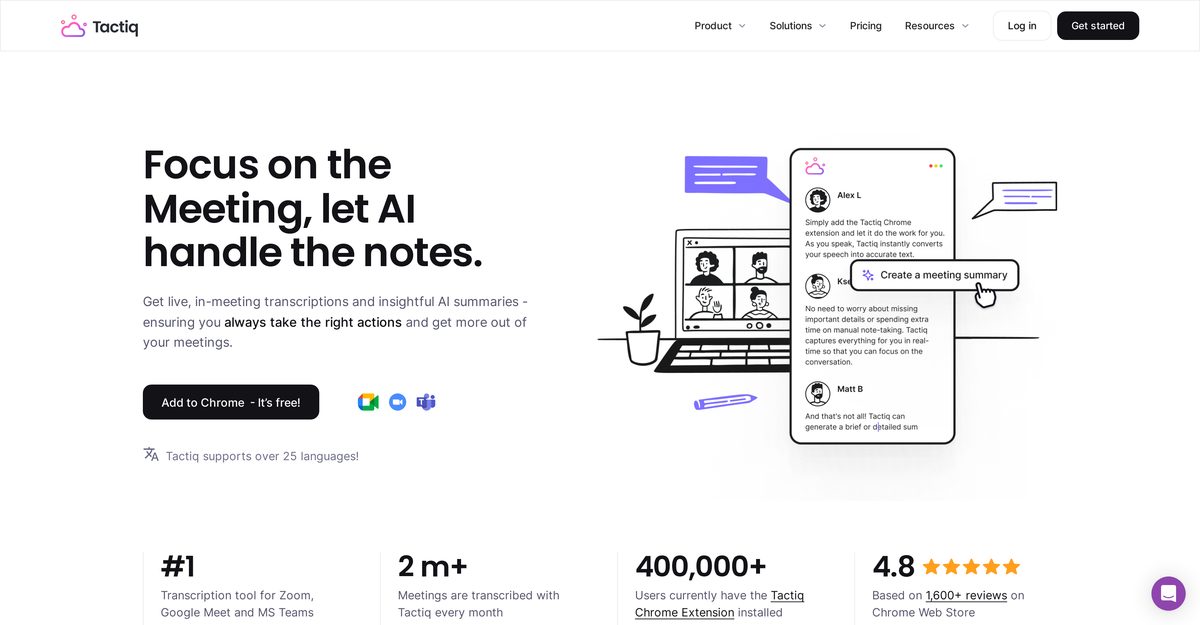
Tactiq is an AI-driven Chrome extension that enhances meeting productivity by providing real-time transcription for Google Meet, Zoom, and Microsoft Teams without recording audio or requiring a bot to join. It features speaker identification, AI-generated summaries, action items, and custom AI prompts, supporting over 30 languages and integrations with tools like Slack, Notion, Google Docs, and Jira. The tool automates post-meeting tasks such as follow-up emails, project updates, and engagement analytics, making it ideal for professionals in sales, management, engineering, and more across various meeting types including one-on-ones and team sessions.
Pros
- Real-time transcription without recording
- Generates AI meeting summaries
- Identifies and assigns action items
- Speaker identification feature
- Supports 25+ languages
- Integrations with Google Docs, Notion, Slack
- Custom AI prompts for workflows
Cons
- Chrome extension only
- Limited to Google Meet, Zoom, MS Teams
- No offline functionality
- Potential transcription errors
- Accuracy issues with multiple speakers
- No video recording capability
- Depends on microphone quality
- Doesn't support all languages
Tactiq is a Chrome extension designed to automatically transcribe conversations held in Google Meet, Zoom, and MS Teams meetings in real time. It integrates through the Chrome browser and does not require an AI bot to join the meetings. This ensures a seamless experience without recording the meetings.
Tactiq uses Open AI's GPT-3 technology to drive its transcription capabilities. It leverages this AI technology to transcribe conversations in real time and generate meeting summaries, action items, and agendas for the next meeting. It is also capable of creating custom AI prompts based on user preferences.
Tactiq is equipped with a speaker identification feature to ensure accuracy in the transcripts provided. The exact degree of accuracy is not specified on the website, but the feature's inclusion ensures that different speakers in a meeting are correctly identified and their speech accurately transcribed.
Tactiq provides engagement analytics to help users get an idea of how engaged their meeting participants are. However, specific details on the kind of metrics or analytics provided are not explicitly stated on their website.
Tactiq integrates with Google Docs, Notion, Confluence, Slack, and Calendars among others. These integrations allow for easy sharing and saving of transcripts, supporting efficient team communication and record keeping.
Tactiq incorporates built-in security features to protect users' information and transcription. Specifically, Tactiq does not record or store the audio of meetings. Transcripts are generated in real time and saved as text. In accordance with OpenAI's enterprise API policies, OpenAI does not use data submitted to train their models or improve their services.
Tactiq provides AI-generated meeting summaries, that highlight key action points and relevant items. AI algorithms are used to collate these summaries, resulting in an easy-to-understand overview of the meeting's main points to aid in post-meeting reviews and action planning.
Tactiq automates post-meeting tasks by curating meeting summaries and action items into a specific format, facilitating updates for team members who were unable to attend the meeting. It can generate a meeting summary, craft follow up emails with action items or format into a project update in a single click.
Yes, Tactiq can transcribe meetings in real-time without recording them. This is enabled by the Tactiq Chrome extension, which transcribes the meeting by speaker, not recording the audio at all.
Tactiq caters to a wide range of roles and industries including product and project managers, sales professionals, designers, marketers, engineers, recruiters, solopreneurs, and entrepreneurs. It's also flexible for various meeting types, spanning from team meetings to one-on-one calls.
Become a Contributor
Sign in to unlock these features:
- ⭐️ Rate this tool with a 1-5 star score
- ✍️ Write a detailed review for the community
- ❤️ Follow this tool to get important updates
Get started in seconds
[jnews_social_login_form]