Detail.co
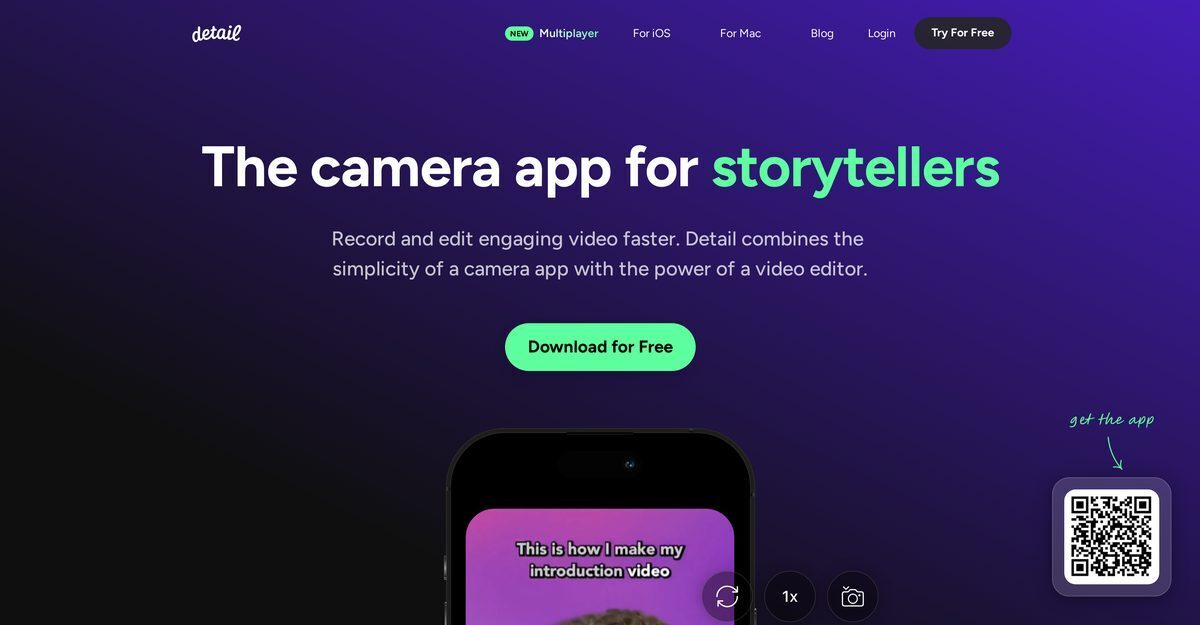
Detail.co is a powerful camera and video editing application available for iOS, iPadOS, and macOS, tailored for storytellers to record and edit videos efficiently. It combines a user-friendly camera interface with AI-powered tools like automatic captions, teleprompter, live green screen editor, podcast auto-edit, and talking head auto-edit. Unique features include dual/multi-camera recording, remote multiplayer collaboration without cables, live streaming to platforms like YouTube and Twitch via RTMP, and support for reaction videos, tutorials, music videos, podcasts, and Reels. Users can import from camera roll or web URLs, add overlays, motion graphics, and use AI Director prompts for seamless content creation.
Pros
- Available for iOS, iPadOS, and macOS
- User-friendly interface combining camera and editor
- Dual and multi-camera recording including front/back
- Remote collaboration with multiple iPhones/iPads without cables
- Live green screen editor for easy background replacement
- Automated AI caption generator with animation and customization
- Built-in teleprompter for efficient script reading during recording
Cons
- Only available on iOS, iPadOS, and macOS
- No Android support for remote recording
- Limited customization options compared to pro editors
- Missing advanced editing features
- Manual setup for dual camera
- No explicit offline features mentioned
- Collaboration limited to same operating system devices
- Unable to import 3rd party materials easily
Detail is a camera application designed especially for storytellers. It allows users to record and edit video content efficiently. Combining the user-friendly interface of a camera app with the set of rich features of a video editor, Detail allows users to add their unique touch to their video content.
Detail is available on iOS, iPadOS, and macOS platforms.
Detail offers a host of unique features for recording videos. It enables dual camera recording, thereby allowing users to capture video from both front and back cameras at the same time. Additionally, users can connect two iPhones for collaborative recording, either remotely or within the same room, without requiring any cables.
Detail provides a varied suite of editing tools including creative captions, customizable backgrounds, live green screen editor, automated caption generator, motion graphics, speed adjustments, and auto-edit for podcasts and talking heads.
Yes, Detail supports live streaming from iPhone/iPad to YouTube, Twitch, Instagram, LinkedIn via RTMP, with the ability to record while streaming.
The teleprompter tool in Detail is a unique feature that allows users to read their scripts and record their videos at the same time. This feature leads to efficient content creation, especially beneficial for recording podcasts, tutorials, online courses, and narrated videos.
Yes, Detail excels in podcast creation with features like podcast auto-edit, multi-camera recording, teleprompter, and AI captions.
Yes, Detail has a Multiplayer feature that allows two iPhones/iPads to connect for collaborative recording remotely or in the same room for multi-angle experiences.
Detail offers a free tier and can be downloaded for free from the App Store for iOS and macOS, with freemium paid options.
Yes, Detail supports AI-generated captions. Users can add, animate, and customize AI-generated captions to their videos through the application's automated caption generator.
Become a Contributor
Sign in to unlock these features:
- ⭐️ Rate this tool with a 1-5 star score
- ✍️ Write a detailed review for the community
- ❤️ Follow this tool to get important updates
Get started in seconds
[jnews_social_login_form]