Pixlr
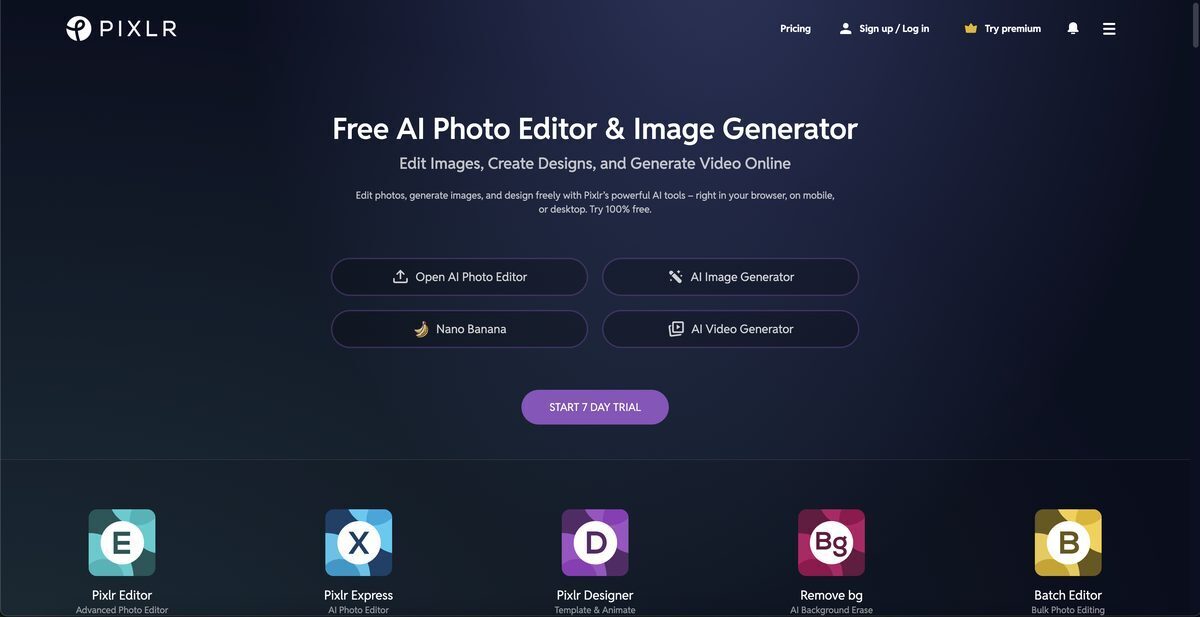
Pixlr is an AI-powered photo editor, animation, and design tool accessible via browser, desktop, and mobile platforms, offering free and premium features for creating stunning visuals. Key capabilities include AI image generation, background and object removal, collage making, cropping, professional templates for social media graphics like YouTube banners and Instagram stories, and animation with presets or timeline editing. Specialized tools like Photomash Studio and Product Shot Creator enable one-click visual assets, while Pixlr E provides advanced layer-based editing and Pixlr X handles quick edits. It supports various image formats including PSD, PNG, and SVG, with a freemium model starting at $1.99/month for ad-free access and more AI credits.
Pros
- Free photo editing and core features available
- Browser-based with no installation required
- Cross-platform compatibility (web, desktop, mobile)
- AI-powered tools like background removal and image generation
- Extensive template library for social media and designs
- User-friendly interface for quick edits
- Low-cost premium plans with high value
Cons
- No offline capabilities
- Limited animation customization options
- No video editing features
- Confusing UI for beginners
- Limited template customization
- Limited features in free version with ads
- Network dependent requiring internet
- Lacks some professional photo editing depth
Pixlr is an AI-powered photo editing, animation, and design tool that can be used through a browser, on a phone, or desktop.
Pixlr offers a suite of features including AI image generation, background and object removal, collage making, cropping, animation capabilities, and access to a template library. Additionally, it provides a one-click visual creator called the Photomash Studio.
Yes, Pixlr offers access to thousands of free and professionally crafted templates. These include YouTube banners, Instagram stories, resumes, brochures, business cards, presentations and more.
Yes, with Pixlr, users can animate any design in just a few clicks using professional presets or detailed timeline editing.
Pixlr supports almost any image format including PSD (Photoshop), PXD, Jpeg, PNG (Transparent), webP, SVG and many more.
Yes, Pixlr offers a free version accessible online with core editing tools and basic AI features; paid plans unlock ad-free experience and advanced tools.
Yes, Pixlr has AI-powered object removal tools to seamlessly erase unwanted elements from images.
Yes, Pixlr can be used on both desktop and mobile devices through browser or dedicated apps with unified account access.
AI credits power generative features like image generation and advanced AI tools; they are included in premium plans or purchasable separately.
Yes, a single Pixlr subscription provides the same access on web, desktop, and mobile using your account.
Become a Contributor
Sign in to unlock these features:
- ⭐️ Rate this tool with a 1-5 star score
- ✍️ Write a detailed review for the community
- ❤️ Follow this tool to get important updates
Get started in seconds
[jnews_social_login_form]