Dataconomy
  • News
    • Artificial Intelligence
    • Cybersecurity
    • DeFi & Blockchain
    • Finance
    • Gaming
    • Startups
    • Tech
  • Industry
  • Research
  • Resources
    • Articles
    • Guides
    • Case Studies
    • Whitepapers
    • AI Models Leaderboard
  • AI toolsNEW
  • Newsletter
  • + More
    • Glossary
    • Conversations
    • Events
    • About
      • Who we are
      • Contact
      • Imprint
      • Legal & Privacy
      • Partner With Us
Subscribe
No Result
View All Result
  • AI
  • Tech
  • Cybersecurity
  • Finance
  • DeFi & Blockchain
  • Startups
  • Gaming
Dataconomy
  • News
    • Artificial Intelligence
    • Cybersecurity
    • DeFi & Blockchain
    • Finance
    • Gaming
    • Startups
    • Tech
  • Industry
  • Research
  • Resources
    • Articles
    • Guides
    • Case Studies
    • Whitepapers
    • AI Models Leaderboard
  • AI toolsNEW
  • Newsletter
  • + More
    • Glossary
    • Conversations
    • Events
    • About
      • Who we are
      • Contact
      • Imprint
      • Legal & Privacy
      • Partner With Us
Subscribe
No Result
View All Result
Dataconomy
No Result
View All Result

Where to find Samsung Messages on Galaxy S25 series?

The Galaxy S25 devices will ship exclusively with Google Messages pre-installed, a shift from previous models that included both Samsung Messages and Google Messages

byKerem Gülen
January 24, 2025
in News, Tech
Home News
Share on FacebookShare on TwitterShare on LinkedInShare on WhatsAppShare on e-mail
Google Preferred Source

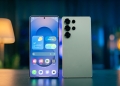
Samsung has announced that its Galaxy S25 series will no longer include the Samsung Messages app, marking the discontinuation of a messaging service that had been a staple on its smartphones.

Samsung switches to Google Messages

The Galaxy S25 devices will ship exclusively with Google Messages pre-installed, a shift from previous models that included both Samsung Messages and Google Messages. The tech giant has been progressively sidelining its own messaging app since it began integrating Google Messages into its devices in 2021, starting with the Galaxy S21 series.

Samsung has indicated that the move to Google Messages is part of a broader strategy that embraces Rich Communication Services (RCS) messaging, which enhances user experience for Android-to-Android messaging and across platforms. This transition aligns with Apple’s recent adoption of the same standard.

Stay Ahead of the Curve!

Don't miss out on the latest insights, trends, and analysis in the world of data, technology, and startups. Subscribe to our newsletter and get exclusive content delivered straight to your inbox.

Samsung’s decision to sunset Samsung Messages follows its current-generation foldable devices, which had already replaced Samsung Messages with Google Messages. Samsung stated, “With the close collaboration between Google and Samsung, we have opted to migrate all services to Google Messages and are sunsetting Samsung Messages.” The statement further clarified that the Samsung Messages app is no longer available in the Google Play Store, although users who have it installed can continue to utilize the app.


What Samsung’s Galaxy S25 AI platform means for you


Although Samsung Messages has been available for download on Samsung devices from the Galaxy Store, there is uncertainty regarding whether it will receive future updates or features. New users of the Galaxy S25 will only have access to Google Messages, consolidating the messaging experience.

Notably, Samsung previously announced in July 2024 its plans to make Google Messages the default messaging app on new devices. This decision was apparent with the launch of the Galaxy Z Fold 6 and Z Flip 6, which featured Google Messages as the primary option, while still retaining Samsung Messages for switching purposes.

The removal of Samsung Messages may impact users accustomed to particular features unique to the stock app, such as user-created chat folders and advanced message organization.

How to download and install Samsung Messages?

The Samsung Messages app will no longer come pre-installed on the Galaxy S25 series, as Samsung fully transitions to Google Messages. However, users who prefer Samsung Messages should still be able to download and install it from the Galaxy Store:

  • If you prefer using Samsung Messages on your Galaxy S25, you can still download and install it manually.
  • Open the Galaxy Store app on your Galaxy S25.
  • Use the search bar to find the Samsung Messages app.
  • Tap on the app and select Install to download it onto your device.
  • Go to your phone’s Settings app.
  • Scroll down and tap on Apps or Default apps (varies by device).
  • Look for the Default apps section and select Messaging app.
  • From the list of available apps, select Samsung Messages as your default option.
  • Ensure Samsung Messages has the necessary permissions for messaging, notifications, and contacts.
  • Manually back up your messages if possible and import them into Samsung Messages.
  • Send a few messages to verify that it works as expected and that notifications appear correctly.

Featured image credit: Samsung

Tags: galaxy s25Samsung

Related Posts

ByteDance launches Doubao 2.1 Pro language model

ByteDance launches Doubao 2.1 Pro language model

June 24, 2026
OpenAI expands cybersecurity efforts with Patch the Planet

OpenAI expands cybersecurity efforts with Patch the Planet

June 24, 2026
Meta launches 9 smart glasses under its own brand

Meta launches $299 smart glasses under its own brand

June 24, 2026
Claude Tag brings shared AI assistant to Slack channels

Claude Tag brings shared AI assistant to Slack channels

June 24, 2026
PlayStation 6 leak points to 2027 release window

PlayStation 6 leak points to 2027 release window

June 23, 2026
Samsung unveils UFS 5.0 storage for future Galaxy phones

Samsung unveils UFS 5.0 storage for future Galaxy phones

June 23, 2026

LATEST NEWS

ByteDance launches Doubao 2.1 Pro language model

OpenAI expands cybersecurity efforts with Patch the Planet

Meta launches $299 smart glasses under its own brand

Claude Tag brings shared AI assistant to Slack channels

PlayStation 6 leak points to 2027 release window

Samsung unveils UFS 5.0 storage for future Galaxy phones

BEST AI MODELS LEADERBOARD

See the best AI models, ranked by intelligence, benchmark results, speed and token price. Find the most suitable LLMs, Text-to-Image, Image Editing, Text-to-Speech, Text-to-Video and Image-to-Video  artificial intelligence model for your tasks and business.

LATEST TOOLS

Moonbeam

Charisma AI

Essay Writer by Papertyper

Slite

Wonderin AI

Spur

Stenography

Calldesk

MaxAI.me

PhotoRestore

Dataconomy

COPYRIGHT © DATACONOMY MEDIA GMBH, ALL RIGHTS RESERVED.

  • About
  • Imprint
  • Contact
  • Legal & Privacy

Follow Us

  • News
    • Artificial Intelligence
    • Cybersecurity
    • DeFi & Blockchain
    • Finance
    • Gaming
    • Startups
    • Tech
  • Industry
  • Research
  • Resources
    • Articles
    • Guides
    • Case Studies
    • Whitepapers
    • AI Models Leaderboard
  • AI tools
  • Newsletter
  • + More
    • Glossary
    • Conversations
    • Events
    • About
      • Who we are
      • Contact
      • Imprint
      • Legal & Privacy
      • Partner With Us
No Result
View All Result
Subscribe

This website uses cookies to improve your experience. You can choose to accept or reject them. Visit our Privacy Policy.