Legacy AI
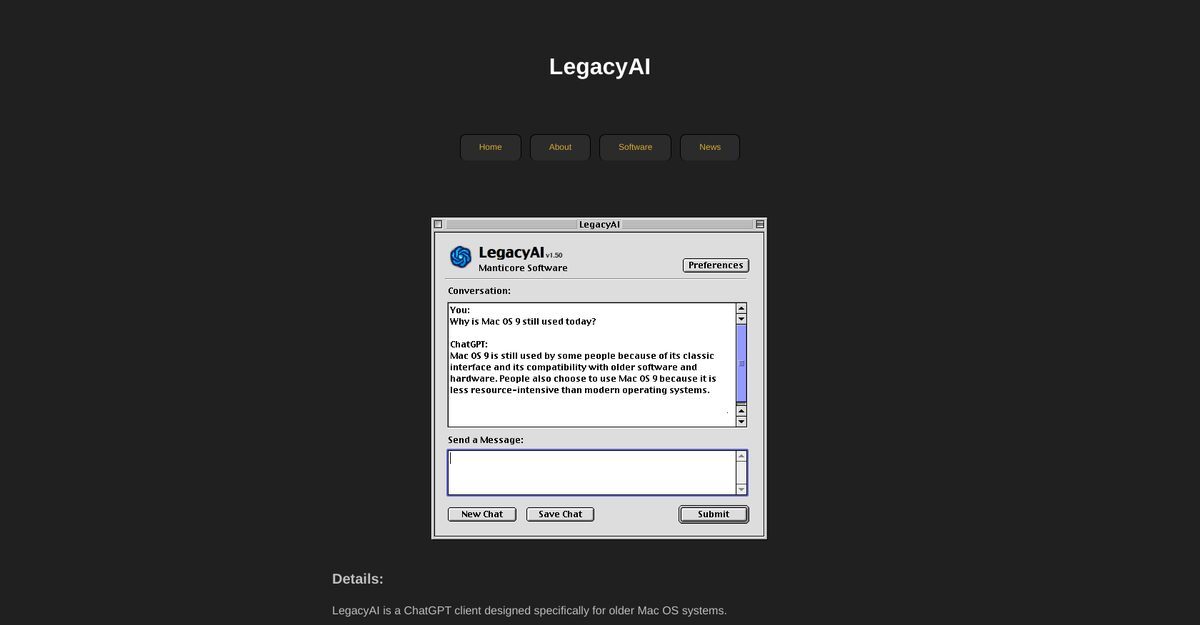
LegacyAI is a ChatGPT client designed specifically for older Mac OS systems, enabling users to converse with OpenAI's ChatGPT directly from their desktops. It serves as an AI-powered personal assistant for users of Macintosh computers running Mac OS 9 to 10.6.8. The tool allows users to choose AI models, save conversations, set proxy servers, and customize their preferences. While it is free to use, API access depends on donations to cover running costs.
Pros
- Designed for older Mac systems
- Supports Mac OS 9 - 10.6.8
- Acts as a personal assistant
- Ability to set proxy servers
- Free to use
- Dependent on donations for API access
- Can save previous conversations
- Customizable user preferences
- Requires only 1MB of disk space
- Compatible with low RAM machines
Cons
- Limited to older Mac OS
- No HTTPS for transmissions
- API access is donation dependent
- Works best on G3 Processor
- Requires minimum 16MB RAM
- Not suitable for sensitive subjects
- Transmissions are not secure
- No continuous updates support
LegacyAI is a ChatGPT client designed specifically for older Mac OS systems, enabling users to converse with OpenAI's ChatGPT directly from their desktops.
LegacyAI was created by Manticore Software, a New Zealand-based software development agency.
LegacyAI supports Mac OS 9 - 10.6.8, specifically for older Macintosh systems.
Users can change and adapt AI models based on their specific requirements for a personalized experience.
LegacyAI allows users to save conversations for future reference, enhancing its utility as a personal assistant.
Yes, LegacyAI is free to use; however, API access is dependent on donations.
Donations are required to cover the running costs related to using OpenAI's API and server hosting.
Users need a Macintosh computer running Mac OS 9 - 10.6.8, preferably a G3 processor, with at least 16MB RAM and 1MB disk space.
LegacyAI does not transmit data over HTTPS because Mac OS 9 was developed before HTTPS became the standard protocol.
Yes, LegacyAI serves as an AI-powered personal assistant, particularly useful for older Macintosh users.
Become a Contributor
Sign in to unlock these features:
- ⭐️ Rate this tool with a 1-5 star score
- ✍️ Write a detailed review for the community
- ❤️ Follow this tool to get important updates
Get started in seconds
[jnews_social_login_form]