AI Voice Cloning – AnyVoice
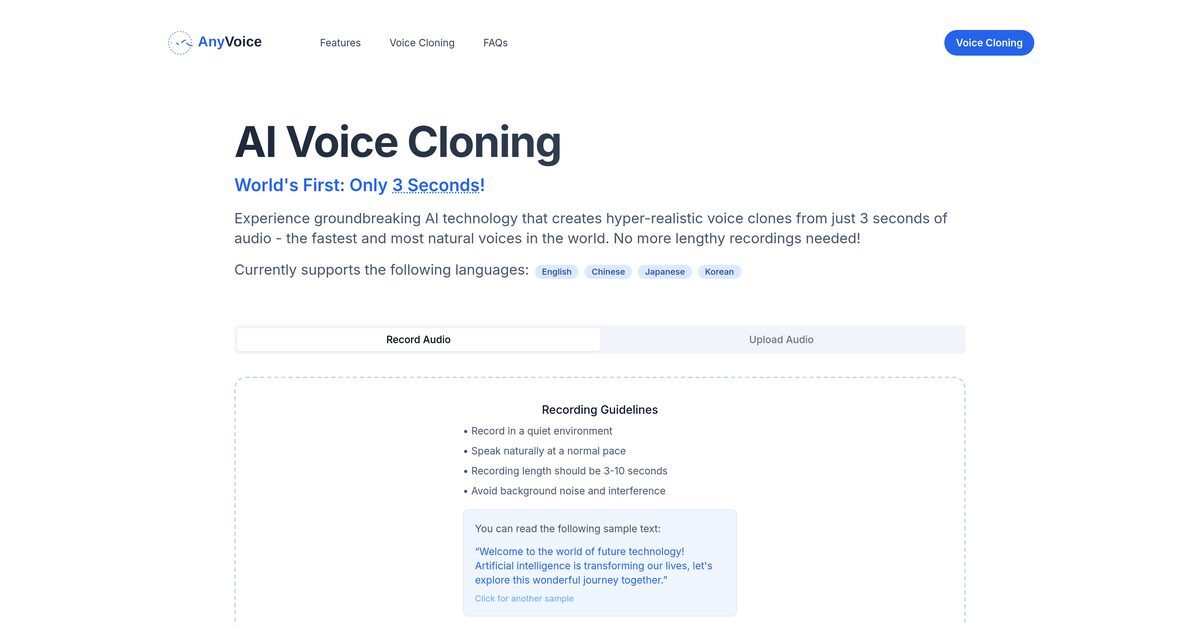
AnyVoice is an AI tool that specializes in ultra-realistic voice cloning, allowing users to replicate voices from just a 3-second audio sample. The technology captures subtle nuances and inflections in speech, resulting in high-fidelity voice clones that feel remarkably natural. It supports multiple languages, including English, Chinese, Japanese, and Korean, making it accessible to a global audience. The user-friendly interface simplifies the recording process, guiding users to achieve optimal audio quality for voice cloning.
Pros
- Ultra-realistic voice cloning
- Quick cloning process requiring only 3 seconds of audio
- Multilingual support for English, Chinese, Japanese, and Korean
- User-friendly interface for easy navigation
- High fidelity voice clones that mimic natural speech
- Minimal audio sample requirement
- Guidance provided for high-quality recordings
- Ability to replicate speech nuances and inflections
- Real-time audio generation
- Secure handling of audio data
Cons
- Limited to 120 characters per generation in the free plan
- Monthly limit of 900 seconds of audio generation on the free plan
- Voice style customization not currently supported
- Dependent on high audio quality for optimal results
- Requires a quiet recording environment
- Short recording length may limit voice diversity
- Limited accessibility for disabled users
- May not effectively handle various accents
- Commercial license terms are unclear
- Not suitable for noisy environments
AnyVoice is an advanced AI tool that specializes in ultra-realistic voice cloning. It creates vivid vocal imitations from just a few seconds of audio, eliminating the need for lengthy voice recordings.
AnyVoice works by replicating natural voices from a small audio sample (3 to 10 seconds long). Users record the audio in a quiet environment and speak naturally at a normal pace.
The voice recording for AnyVoice should be between 3 to 10 seconds long, allowing for the capture of necessary vocal qualities.
AnyVoice can clone voices in multiple languages, including English, Chinese, Japanese, and Korean.
Poor audio quality results in decreased voice fidelity, so it's crucial to avoid background noise and interference during recording.
AnyVoice can mimic any type of natural voices, capturing and reproducing subtle nuances and inflections.
AnyVoice's interface is designed for ease of use, allowing users to navigate and create voice clones without technical expertise.
Only paid users can use generated voices for commercial projects; free users are limited to personal use.
Users should record in a quiet environment, speak naturally at a normal pace, and avoid background noise.
Voice fidelity refers to the accuracy and realism of the cloned voice, with higher fidelity indicating greater similarity to the original voice.
Become a Contributor
Sign in to unlock these features:
- ⭐️ Rate this tool with a 1-5 star score
- ✍️ Write a detailed review for the community
- ❤️ Follow this tool to get important updates
Get started in seconds
[jnews_social_login_form]