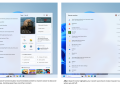
Google has launched two new features in its Chrome browser to enhance user experience. The first feature introduces vertical tabs that allow users to view tabs along the side of the window, moving away from the traditional horizontal layout.
This vertical tab feature aligns Chrome with competitors like Microsoft Edge and Mozilla Firefox. Users can enable the vertical tab layout by right-clicking on Chrome and selecting “Show Tabs Vertically.” This change allows users to read full page titles and manage tab groups more efficiently, particularly when multiple tabs are open.
The second new feature updates Chrome’s Reading Mode. The updated mode offers a full-page interface designed to simplify webpages by hiding distractions. Users can access this mode by right-clicking any page and selecting “Open in reading mode.”
Video: Google
Google announced these features in a blog post on Tuesday, illustrating their functionality through video clips. The recent rollout is part of a series of updates Google has implemented in Chrome over recent months.
Last month, Google introduced the Gemini side panel for Chrome users in India, which currently lacks the Auto Browse feature available in the US version. Additionally, in February, Chrome received updates including Split View and built-in PDF markup tools.