Dataconomy
  • News
    • Artificial Intelligence
    • Cybersecurity
    • DeFi & Blockchain
    • Finance
    • Gaming
    • Startups
    • Tech
  • Industry
  • Research
  • Resources
    • Articles
    • Guides
    • Case Studies
    • Whitepapers
    • AI Models Leaderboard
  • AI toolsNEW
  • Newsletter
  • + More
    • Glossary
    • Conversations
    • Events
    • About
      • Who we are
      • Contact
      • Imprint
      • Legal & Privacy
      • Partner With Us
Subscribe
No Result
View All Result
  • AI
  • Tech
  • Cybersecurity
  • Finance
  • DeFi & Blockchain
  • Startups
  • Gaming
Dataconomy
  • News
    • Artificial Intelligence
    • Cybersecurity
    • DeFi & Blockchain
    • Finance
    • Gaming
    • Startups
    • Tech
  • Industry
  • Research
  • Resources
    • Articles
    • Guides
    • Case Studies
    • Whitepapers
    • AI Models Leaderboard
  • AI toolsNEW
  • Newsletter
  • + More
    • Glossary
    • Conversations
    • Events
    • About
      • Who we are
      • Contact
      • Imprint
      • Legal & Privacy
      • Partner With Us
Subscribe
No Result
View All Result
Dataconomy
No Result
View All Result

NVIDIA Control Panel crashes: Fixing custom resolution errors

Sometimes, corruption in the control panel application can cause issues like this

byKerem Gülen
October 21, 2024
in Tech
Home News Tech
Share on FacebookShare on TwitterShare on LinkedInShare on WhatsAppShare on e-mail
Google Preferred Source

When managing custom monitor resolutions through the NVIDIA Control Panel, users sometimes encounter frustrating technical issues.

One Redditor called TheLazyDucky recently shared their struggle with a specific problem: after setting up a custom resolution for a portrait monitor, the resolution appears stretched. When they try to turn off this stretched setting through the NVIDIA Control Panel, the application crashes, preventing any changes from being saved. To make matters worse, the system logs an error, offering little clarity on how to resolve the issue.

The post of TheLazyDucky:

Stay Ahead of the Curve!

Don't miss out on the latest insights, trends, and analysis in the world of data, technology, and startups. Subscribe to our newsletter and get exclusive content delivered straight to your inbox.

“I’ve added a custom resolution for my portrait monitor that stretches, and I’ve been trying to turn it off. However, every time I go to the NVIDIA Control Panel to disable the stretched resolution, the program crashes when I click apply. It doesn’t save my changes and throws an error in the Event Viewer under the Application category.

Here’s the error I’m getting:

Faulting application name: nvcplui.exe, version: 8.1.940.0, time stamp: 0x660c5657
Faulting module name: nvcplui.exe, version: 8.1.940.0, time stamp: 0x660c5657
Exception code: 0xc0000409
Fault offset: 0x0000000000295155
Faulting process id: 0x441c
Faulting application start time: 0x01db23afd187086f
Faulting application path: C:\Program Files\WindowsApps\NVIDIACorp.NVIDIAControlPanel_8.1.966.0_x64__56jybvy8sckqj\nvcplui.exe
Faulting module path: C:\Program Files\WindowsApps\NVIDIACorp.NVIDIAControlPanel_8.1.966.0_x64__56jybvy8sckqj\nvcplui.exe
Report Id: cded37f7-eecc-4808-97ef-6caa12186bca
Faulting package full name: NVIDIACorp.NVIDIAControlPanel_8.1.966.0_x64__56jybvy8sckqj
Faulting package-relative application ID: NVIDIACorp.NVIDIAControlPanel

Does anyone know of a solution to this problem?”

Quick fixes for custom resolution issues on NVIDIA Control Panel

Here’s a closer look at some potential solutions that could help.

Reinstall or repair the NVIDIA Control Panel

Sometimes, corruption in the control panel application can cause issues like this. Try reinstalling the NVIDIA Control Panel from the Microsoft Store or directly from the NVIDIA website to ensure you have the latest and uncorrupted version. You can also try repairing the app through the Apps & Features settings in Windows.

Recreate the custom resolution using the NVIDIA Control Panel

The issue might stem from how the custom resolution was created. Try deleting the current custom resolution and recreating it from scratch within the NVIDIA Control Panel. Be sure to test with different settings for scaling (like no scaling or preserving aspect ratio) and refresh rates to see if that resolves the stretching problem.
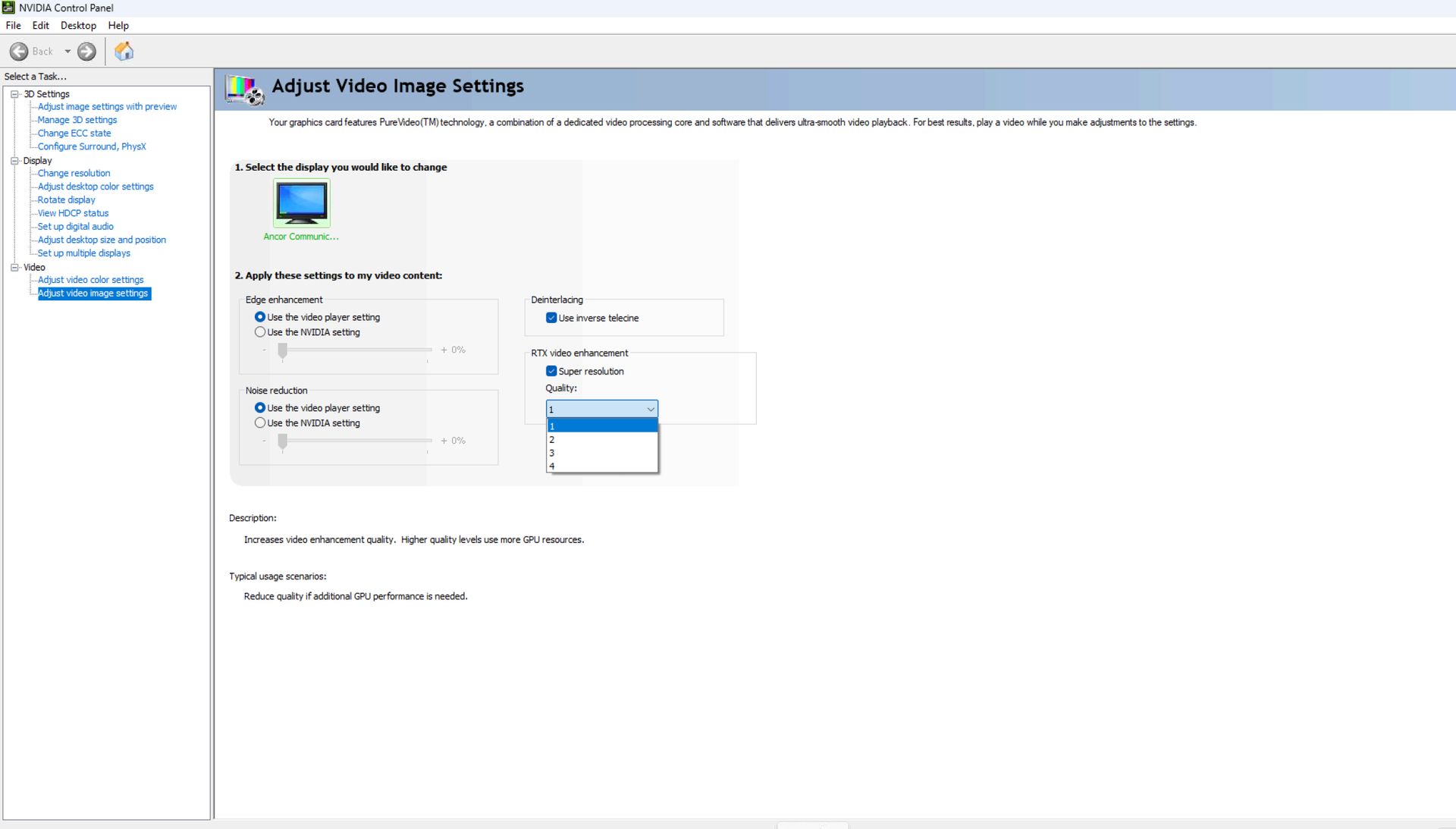
nvidia control panel custom resolution errors
nvidia control panel custom resolution errors (Image credit)

Check for GPU driver updates

Ensure your GPU drivers are up to date by downloading the latest drivers from the NVIDIA website. Often, driver issues can be behind crashes like this, especially when using custom resolutions. Updating might fix the underlying issue causing the crash.

Disable NVIDIA overlay or background services

NVIDIA GeForce Experience and other background services could be interfering with the Control Panel. Disable the in-game overlay feature in GeForce Experience or try stopping other NVIDIA background processes through Task Manager to see if that resolves the issue.

Roll back to an earlier version

If the problem started after a recent update, try rolling back to a previous version of the NVIDIA driver or the control panel app. Sometimes newer versions introduce bugs that may not yet have been addressed.


Featured image credit: Kerem Gülen/Ideogram

Tags: Nvidiatrends

Related Posts

“Free robots are an illusion”: Why we’ll pay for system intelligence, not delivery workers

“Free robots are an illusion”: Why we’ll pay for system intelligence, not delivery workers

June 12, 2026
How Henrique Schmaiske led Meteor.js through its biggest transformation

How Henrique Schmaiske led Meteor.js through its biggest transformation

June 12, 2026
Huawei launches HarmonyOS 7 developer beta with upgraded API 26

Huawei launches HarmonyOS 7 developer beta with upgraded API 26

June 12, 2026
Instagram adds new feature letting users personalize their feed algorithm

Instagram adds new feature letting users personalize their feed algorithm

June 11, 2026
YouTube brings back direct messages after six-year hiatus

YouTube brings back direct messages after six-year hiatus

June 11, 2026
iOS 27 adds Mac-like recovery mode for iPhone and iPad

iOS 27 adds Mac-like recovery mode for iPhone and iPad

June 11, 2026

LATEST NEWS

“Free robots are an illusion”: Why we’ll pay for system intelligence, not delivery workers

How Henrique Schmaiske led Meteor.js through its biggest transformation

Proven privacy: Why ‘no-log’ claims need real evidence today

ChatGPT hits 1 billion users as global AI adoption surges despite backlash

Huawei launches HarmonyOS 7 developer beta with upgraded API 26

OpenAI Codex referral program rewards users with extra rate resets

BEST AI MODELS LEADERBOARD

See the best AI models, ranked by intelligence, benchmark results, speed and token price. Find the most suitable LLMs, Text-to-Image, Image Editing, Text-to-Speech, Text-to-Video and Image-to-Video  artificial intelligence model for your tasks and business.

LATEST TOOLS

Roboto AI

Pickaxe

Pfpmaker

MindPal

Syllaby

ScreenApp

FinanceBrain

GitHub Spark

Hints

VisionStory AI

Dataconomy

COPYRIGHT © DATACONOMY MEDIA GMBH, ALL RIGHTS RESERVED.

  • About
  • Imprint
  • Contact
  • Legal & Privacy

Follow Us

  • News
    • Artificial Intelligence
    • Cybersecurity
    • DeFi & Blockchain
    • Finance
    • Gaming
    • Startups
    • Tech
  • Industry
  • Research
  • Resources
    • Articles
    • Guides
    • Case Studies
    • Whitepapers
    • AI Models Leaderboard
  • AI tools
  • Newsletter
  • + More
    • Glossary
    • Conversations
    • Events
    • About
      • Who we are
      • Contact
      • Imprint
      • Legal & Privacy
      • Partner With Us
No Result
View All Result
Subscribe

This website uses cookies to improve your experience. You can choose to accept or reject them. Visit our Privacy Policy.