Dataconomy
  • News
    • Artificial Intelligence
    • Cybersecurity
    • DeFi & Blockchain
    • Finance
    • Gaming
    • Startups
    • Tech
  • Industry
  • Research
  • Resources
    • Articles
    • Guides
    • Case Studies
    • Whitepapers
    • AI Models Leaderboard
  • AI toolsNEW
  • Newsletter
  • + More
    • Glossary
    • Conversations
    • Events
    • About
      • Who we are
      • Contact
      • Imprint
      • Legal & Privacy
      • Partner With Us
Subscribe
No Result
View All Result
  • AI
  • Tech
  • Cybersecurity
  • Finance
  • DeFi & Blockchain
  • Startups
  • Gaming
Dataconomy
  • News
    • Artificial Intelligence
    • Cybersecurity
    • DeFi & Blockchain
    • Finance
    • Gaming
    • Startups
    • Tech
  • Industry
  • Research
  • Resources
    • Articles
    • Guides
    • Case Studies
    • Whitepapers
    • AI Models Leaderboard
  • AI toolsNEW
  • Newsletter
  • + More
    • Glossary
    • Conversations
    • Events
    • About
      • Who we are
      • Contact
      • Imprint
      • Legal & Privacy
      • Partner With Us
Subscribe
No Result
View All Result
Dataconomy
No Result
View All Result

How to uninstall Windows Recall

Microsoft decides to stop Windows' Recall push after massive criticism

byEmre Çıtak
September 3, 2024
in Tech
Home News Tech
Share on FacebookShare on TwitterShare on LinkedInShare on WhatsAppShare on e-mail
Google Preferred Source

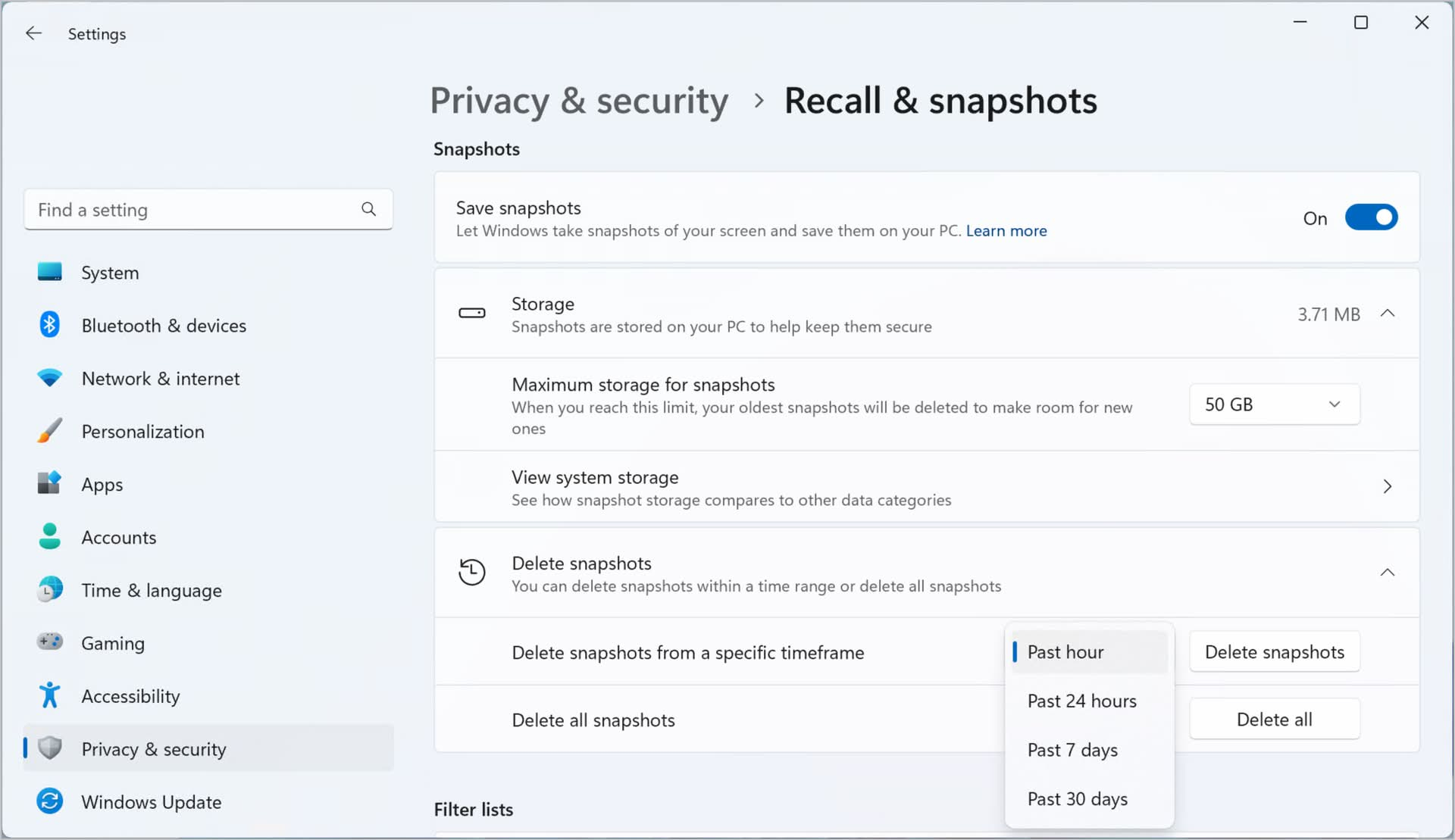
The controversial AI feature introduced by Microsoft, has been met with mixed reactions from users and many were left wondering if there is a way to uninstall Windows Recall.

While some found the new feature helpful, others expressed concerns about its privacy implications and potential for misuse. In response to user feedback,

Microsoft has now added the option to completely uninstall Windows Recall from Copilot+ PCs.

Stay Ahead of the Curve!

Don't miss out on the latest insights, trends, and analysis in the world of data, technology, and startups. Subscribe to our newsletter and get exclusive content delivered straight to your inbox.

How to uninstall Windows Recall

Windows Recall is a feature designed to assist users by suggesting relevant information and actions based on their context and history. However, some users felt that Windows Recall was overly intrusive and collected too much personal data.

Microsoft’s decision to allow users to uninstall Windows Recall demonstrates its commitment to user choice and privacy. By providing users with the option to remove the feature, Microsoft is empowering them to customize their Windows experience and decide what level of AI assistance they are comfortable with.
How to uninstall Windows Recall
(Image credit)

Here are steps to Uninstall Windows Recall

  1. Access the “Turn Windows Features on or Off” Window:
    • Press the Start button and search for “Turn Windows features on or off.”
    • Alternatively, press Win+R to open the Run dialog and enter “optionalfeatures.”
  2. Locate and Uncheck Recall:
    • Scroll down the list of features and find “Recall.”
    • Uncheck the box next to “Recall.”
  3. Confirm and Restart:
    • Click “OK” to confirm your changes.
    • Restart your computer for the changes to take effect.

Keep in mind that:

  • Windows Recall will be available for testing by Windows Insiders starting in October.
  • The option to uninstall Windows Recall is currently available only on Copilot+ PCs.
  • Microsoft has emphasized the importance of user feedback in shaping the development of Windows Recall.
How to uninstall Windows Recall
(Image credit)

What does Windows 11 Recall do?

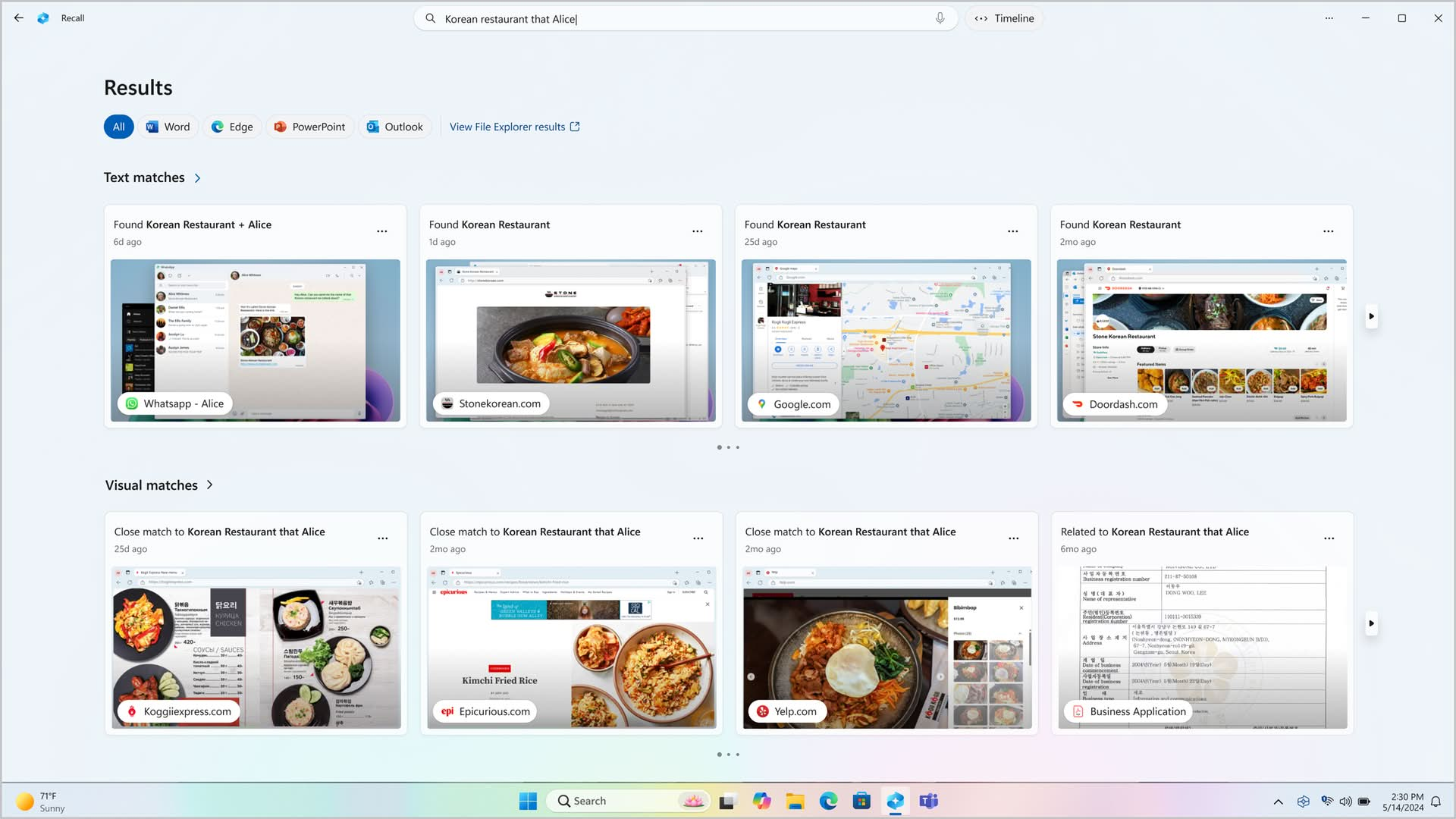
Windows Recall is a new AI feature introduced in Windows 11 that aims to enhance your productivity and streamline your workflow.

It essentially acts as a “search engine” for your computer’s history, allowing you to quickly find and access information you’ve seen or interacted with.

Here’s a breakdown of what Windows Recall does:

  • Snapshotting: Every few seconds, Windows Recall takes snapshots of your screen to capture the content you’re viewing.
  • Local storage: These snapshots are stored locally on your device, ensuring your privacy.
  • Semantic search: Recall uses AI to analyze these snapshots and index their content. You can then search for information using natural language queries.
  • Content retrieval: By describing what you’re looking for, Recall can find relevant snapshots from your past, including images, links, or text.

Essentially, Windows Recall provides a visual search capability for your computer’s history, making it easier to find and revisit information.


Featured image credit: Windows/YouTube

Tags: recalltrendswindows 11

Related Posts

Meta launches 9 smart glasses under its own brand

Meta launches $299 smart glasses under its own brand

June 24, 2026
Samsung unveils UFS 5.0 storage for future Galaxy phones

Samsung unveils UFS 5.0 storage for future Galaxy phones

June 23, 2026
Instagram for TV launches on Samsung TVs in the US

Instagram for TV launches on Samsung TVs in the US

June 23, 2026
Apple releases iOS 27 beta 2 with new “Write with Siri” feature

Apple releases iOS 27 beta 2 with new “Write with Siri” feature

June 23, 2026
Samsung Galaxy S27 Pro leak points to built-in Privacy Display

Samsung Galaxy S27 Pro leak points to built-in Privacy Display

June 22, 2026
Perseverance rover completes a marathon on Mars

Perseverance rover completes a marathon on Mars

June 22, 2026

LATEST NEWS

Rockstar confirms GTA 6 pricing and pre-order details

ByteDance launches Doubao 2.1 Pro language model

OpenAI expands cybersecurity efforts with Patch the Planet

Meta launches $299 smart glasses under its own brand

Claude Tag brings shared AI assistant to Slack channels

PlayStation 6 leak points to 2027 release window

BEST AI MODELS LEADERBOARD

See the best AI models, ranked by intelligence, benchmark results, speed and token price. Find the most suitable LLMs, Text-to-Image, Image Editing, Text-to-Speech, Text-to-Video and Image-to-Video  artificial intelligence model for your tasks and business.

LATEST TOOLS

Vrew

Fireflies

SpeedLegal

Teachable Machine

Unriddle

VidAU

Qualified

character.ai

Interview Coder

Moonbeam

Dataconomy

COPYRIGHT © DATACONOMY MEDIA GMBH, ALL RIGHTS RESERVED.

  • About
  • Imprint
  • Contact
  • Legal & Privacy

Follow Us

  • News
    • Artificial Intelligence
    • Cybersecurity
    • DeFi & Blockchain
    • Finance
    • Gaming
    • Startups
    • Tech
  • Industry
  • Research
  • Resources
    • Articles
    • Guides
    • Case Studies
    • Whitepapers
    • AI Models Leaderboard
  • AI tools
  • Newsletter
  • + More
    • Glossary
    • Conversations
    • Events
    • About
      • Who we are
      • Contact
      • Imprint
      • Legal & Privacy
      • Partner With Us
No Result
View All Result
Subscribe

This website uses cookies to improve your experience. You can choose to accept or reject them. Visit our Privacy Policy.