Dataconomy
  • News
    • Artificial Intelligence
    • Cybersecurity
    • DeFi & Blockchain
    • Finance
    • Gaming
    • Startups
    • Tech
  • Industry
  • Research
  • Resources
    • Articles
    • Guides
    • Case Studies
    • Whitepapers
    • AI Models Leaderboard
  • AI toolsNEW
  • Newsletter
  • + More
    • Glossary
    • Conversations
    • Events
    • About
      • Who we are
      • Contact
      • Imprint
      • Legal & Privacy
      • Partner With Us
Subscribe
No Result
View All Result
  • AI
  • Tech
  • Cybersecurity
  • Finance
  • DeFi & Blockchain
  • Startups
  • Gaming
Dataconomy
  • News
    • Artificial Intelligence
    • Cybersecurity
    • DeFi & Blockchain
    • Finance
    • Gaming
    • Startups
    • Tech
  • Industry
  • Research
  • Resources
    • Articles
    • Guides
    • Case Studies
    • Whitepapers
    • AI Models Leaderboard
  • AI toolsNEW
  • Newsletter
  • + More
    • Glossary
    • Conversations
    • Events
    • About
      • Who we are
      • Contact
      • Imprint
      • Legal & Privacy
      • Partner With Us
Subscribe
No Result
View All Result
Dataconomy
No Result
View All Result

Meet Apple Math Notes, the new iPad feature that simplifies math

byEray Eliaçık
June 11, 2024
in Artificial Intelligence
Home News Artificial Intelligence
Share on FacebookShare on TwitterShare on LinkedInShare on WhatsAppShare on e-mail
Google Preferred Source

Imagine having a personal math wizard right at your fingertips, ready to solve any problem you throw its way. Well, with Apple Math Notes in iPadOS 18, that’s exactly what you get. Powered by Apple Intelligence, this revolutionary feature takes the hassle out of math, making it easier and more intuitive than ever before.

WWDC 2024: A closer look at Apple Math Notes in iPadOS 18

Apple Math Notes is a groundbreaking feature introduced in iPadOS 18, designed to revolutionize the way users engage with mathematical concepts on their iPads.

It integrates seamlessly with the native Calculator app, offering a comprehensive suite of tools for both basic arithmetic and advanced mathematical computations.

Stay Ahead of the Curve!

Don't miss out on the latest insights, trends, and analysis in the world of data, technology, and startups. Subscribe to our newsletter and get exclusive content delivered straight to your inbox.

Here is what Apple Math Notes can do:

  • Write or type equations: You can now write out your math problems using the Apple Pencil or just type them like usual. No need to hunt for symbols or buttons.
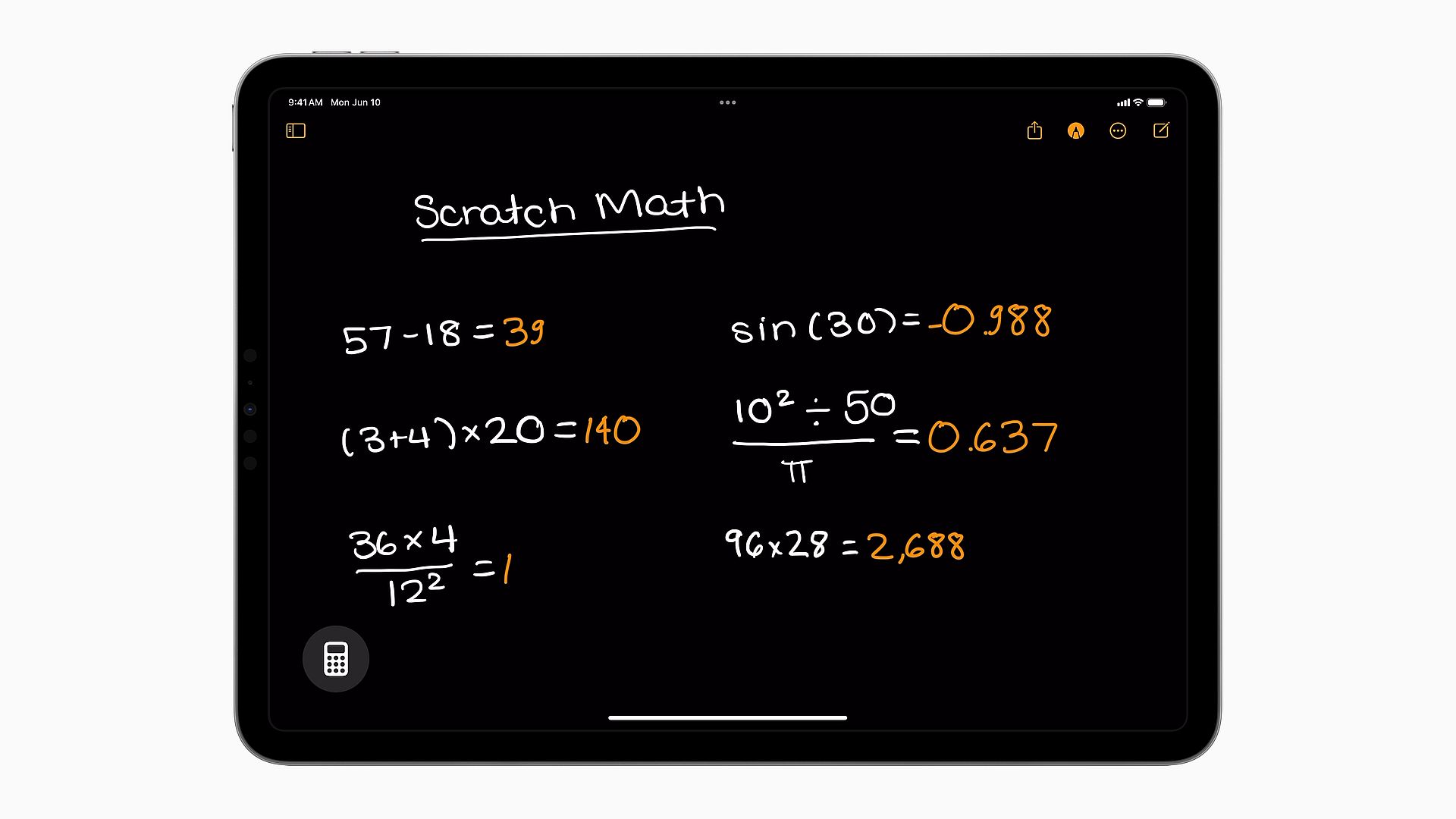
Meet your personal math wizard: Apple Math Notes, powered by Apple Intelligence, in iPadOS 18. Explore how to use it!
(Image credit)
  • Get instant answers: As soon as you finish writing or typing your equation, Math Notes gives you the answer right away. It’s like having a super-fast calculator right at your fingertips.
  • Play with variables: You can also play around with numbers by assigning them to letters or symbols. This is great for learning or experimenting with different scenarios.
  • Graphing made easy: Want to see your math problem visually? Just tap a button, and Math Notes will draw a graph for you. It’s perfect for understanding how equations work.
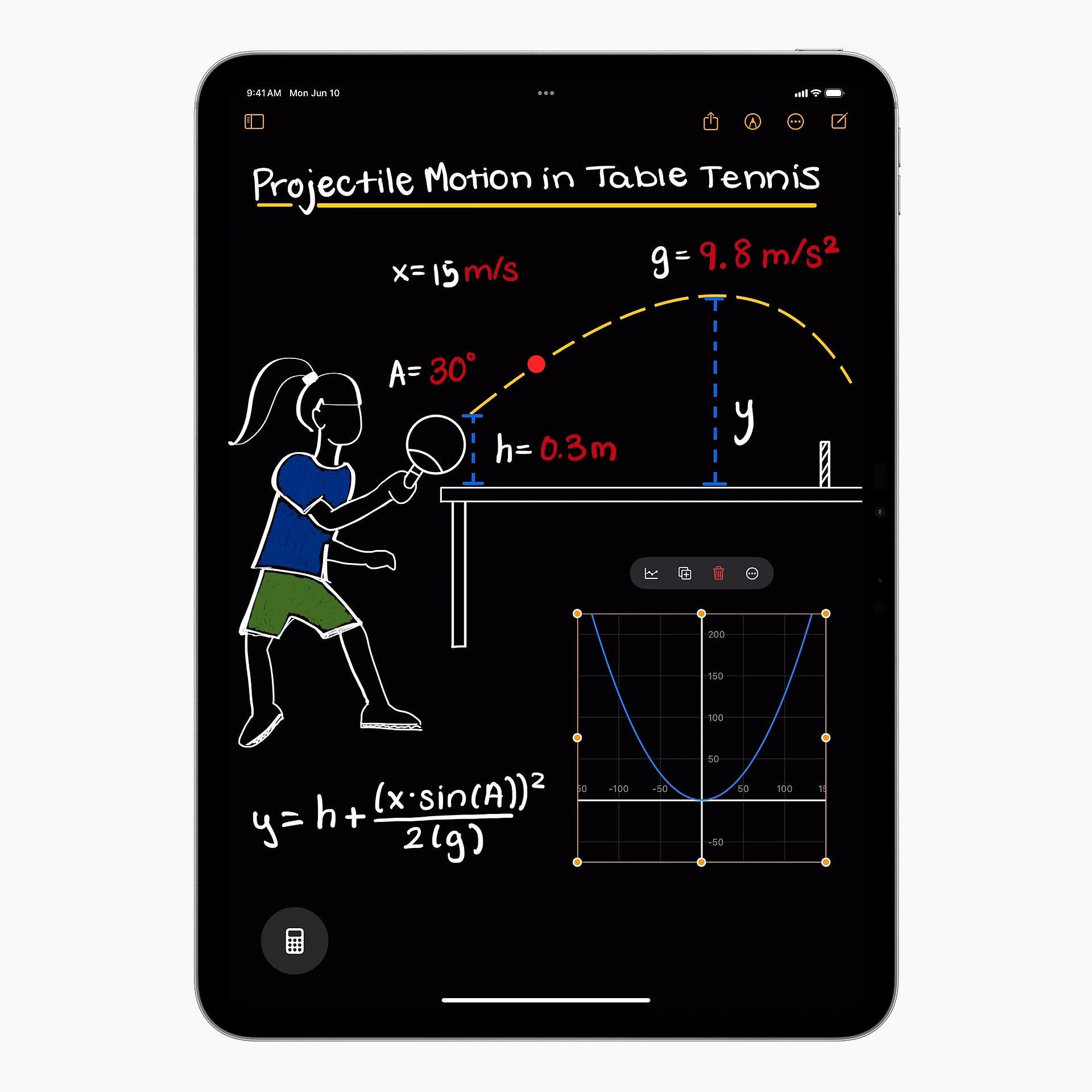
Meet your personal math wizard: Apple Math Notes, powered by Apple Intelligence, in iPadOS 18. Explore how to use it!
(Image credit)

All your math notes are neatly organized in the Notes app, so you can keep track of everything in one place.


11 new iOS 18 features you need to know


How to use Apple Math Notes

Using Apple Math Notes is simple and straightforward. Here’s a step-by-step guide to get you started:

  • Open the Calculator app on your iPad.
  • Use your Apple Pencil or keyboard to write or type the mathematical expression you want to solve. Alternatively, you can use the buttons on the Calculator interface.
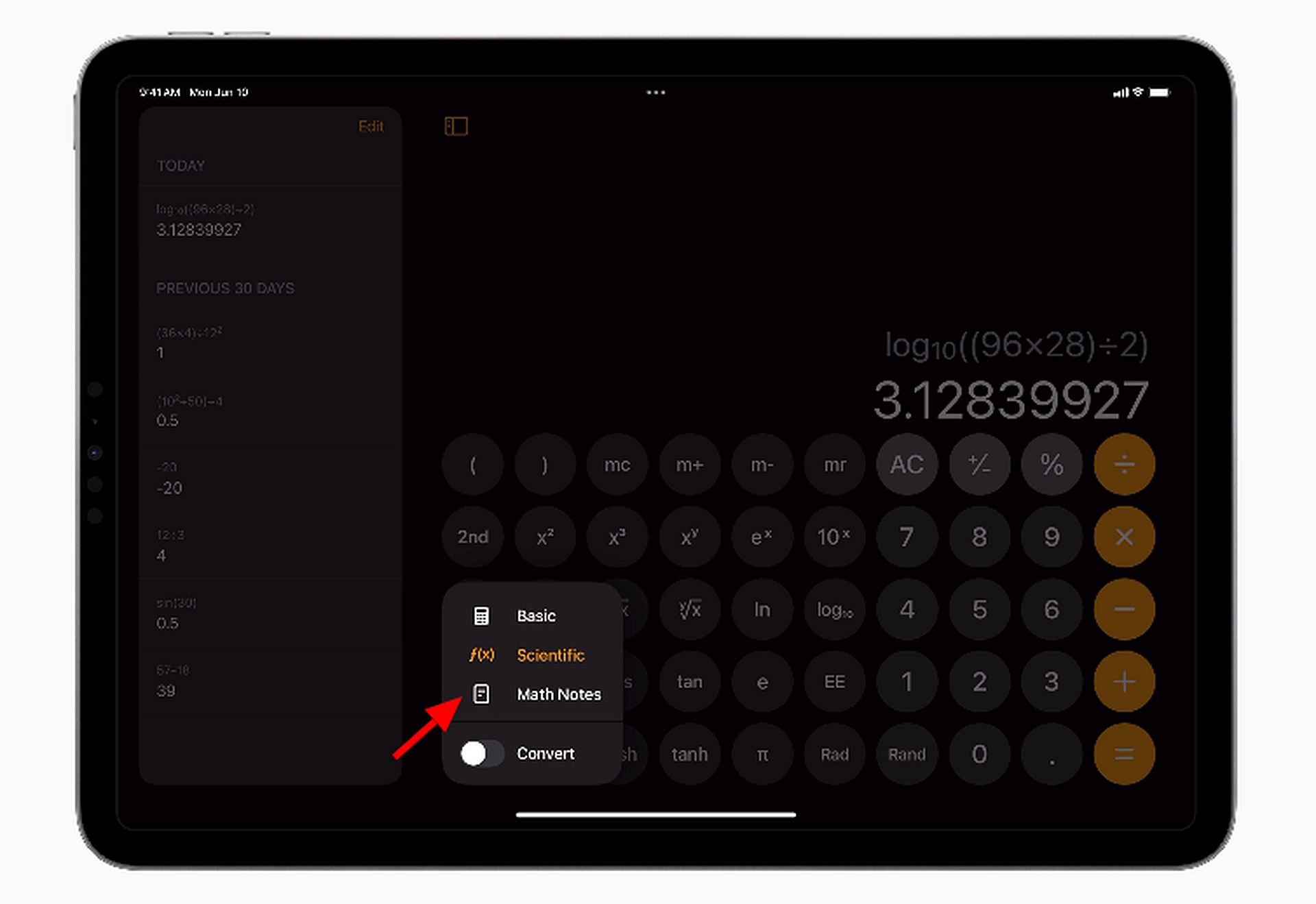
Meet your personal math wizard: Apple Math Notes, powered by Apple Intelligence, in iPadOS 18. Explore how to use it!
(Image credit)
  • As you write or type, Apple Math Notes will recognize the equations and instantly provide solutions. You’ll see the answers appear on the screen as you input the math problems.

If your equation involves variables, you can assign values to them to see how the solutions change. Simply tap on the variables and input the desired values.

To visualize your equations, tap on the appropriate button to generate a graph. Math Notes will plot the graph based on the equation you’ve entered, giving you a visual representation of the mathematical relationship.

All your math notes are automatically saved in the Notes app. You can find them in a dedicated folder, making it easy to organize and access your mathematical calculations.

If you need to revisit or edit your math notes, simply open the Notes app and locate the folder containing your calculations. From there, you can review, edit, or share your work as needed.


Learn how to use Genmoji and generate your own iOS 18 emojis


With these simple steps, you can harness the power of Apple Math Notes to solve math problems quickly and efficiently on your iPad. Whether you’re a student, teacher, or math enthusiast, Apple Math Notes makes it easy to tackle mathematical challenges with confidence and ease.


Featured image credit: Apple

Tags: Appleipad

Related Posts

Does your AI clock in without you?

Does your AI clock in without you?

June 3, 2026
Anthropic invites 150 more organizations into Project Glasswing

Anthropic invites 150 more organizations into Project Glasswing

June 3, 2026
Microsoft unveils Project Solara for an agent-first future

Microsoft unveils Project Solara for an agent-first future

June 3, 2026
OpenAI expands Codex with enterprise plug-ins and new Sites feature

OpenAI expands Codex with enterprise plug-ins and new Sites feature

June 3, 2026
Google will let websites opt out of AI search results

Google will let websites opt out of AI search results

June 3, 2026
Best AI game maker tools and guide to AI game development

Best AI game maker tools and guide to AI game development

June 2, 2026

LATEST NEWS

Why Telegram Mini Apps have become the optimal ecosystem for launching AI SaaS products

Crypto investors are watching one date closely in 2026

How Telegram Creators test post visibility before running growth campaigns

Does your AI clock in without you?

Why secure software delivery depends on better release management

Sony reveals God of War: Laufey for PS5

BEST AI MODELS LEADERBOARD

See the best AI models, ranked by intelligence, benchmark results, speed and token price. Find the most suitable LLMs, Text-to-Image, Image Editing, Text-to-Speech, Text-to-Video and Image-to-Video  artificial intelligence model for your tasks and business.

LATEST TOOLS

Veed.io

Paper Pilot

IsOn24

Magnific

DADABOTS

Rosebud AI

Prome

Pageon AI

Vyond

Centauri AI

Dataconomy

COPYRIGHT © DATACONOMY MEDIA GMBH, ALL RIGHTS RESERVED.

  • About
  • Imprint
  • Contact
  • Legal & Privacy

Follow Us

  • News
    • Artificial Intelligence
    • Cybersecurity
    • DeFi & Blockchain
    • Finance
    • Gaming
    • Startups
    • Tech
  • Industry
  • Research
  • Resources
    • Articles
    • Guides
    • Case Studies
    • Whitepapers
    • AI Models Leaderboard
  • AI tools
  • Newsletter
  • + More
    • Glossary
    • Conversations
    • Events
    • About
      • Who we are
      • Contact
      • Imprint
      • Legal & Privacy
      • Partner With Us
No Result
View All Result
Subscribe

This website uses cookies to improve your experience. You can choose to accept or reject them. Visit our Privacy Policy.