Dataconomy
  • News
    • Artificial Intelligence
    • Cybersecurity
    • DeFi & Blockchain
    • Finance
    • Gaming
    • Startups
    • Tech
  • Industry
  • Research
  • Resources
    • Articles
    • Guides
    • Case Studies
    • Whitepapers
    • AI Models Leaderboard
  • AI toolsNEW
  • Newsletter
  • + More
    • Glossary
    • Conversations
    • Events
    • About
      • Who we are
      • Contact
      • Imprint
      • Legal & Privacy
      • Partner With Us
Subscribe
No Result
View All Result
  • AI
  • Tech
  • Cybersecurity
  • Finance
  • DeFi & Blockchain
  • Startups
  • Gaming
Dataconomy
  • News
    • Artificial Intelligence
    • Cybersecurity
    • DeFi & Blockchain
    • Finance
    • Gaming
    • Startups
    • Tech
  • Industry
  • Research
  • Resources
    • Articles
    • Guides
    • Case Studies
    • Whitepapers
    • AI Models Leaderboard
  • AI toolsNEW
  • Newsletter
  • + More
    • Glossary
    • Conversations
    • Events
    • About
      • Who we are
      • Contact
      • Imprint
      • Legal & Privacy
      • Partner With Us
Subscribe
No Result
View All Result
Dataconomy
No Result
View All Result

How to edit images in DALL-E

byKerem Gülen
April 2, 2024
in Artificial Intelligence
Home News Artificial Intelligence
Share on FacebookShare on TwitterShare on LinkedInShare on WhatsAppShare on e-mail
Google Preferred Source

OpenAI introduced a tool for editing through an interface that enables modifications via text descriptions of the desired changes. Let’s learn how to edit images in DALL-E today!

A new feature allows users to target and modify particular sections of an image on desktop interfaces, employing a selection tool represented by an icon resembling a curving paintbrush. Following selection, users have the option to augment, delete, or refine the chosen segment within the editor’s textbox by inputting commands such as “add flowers.”

This selection functionality is also accessible on the ChatGPT mobile application, where areas can be designated for editing by touch.

Stay Ahead of the Curve!

Don't miss out on the latest insights, trends, and analysis in the world of data, technology, and startups. Subscribe to our newsletter and get exclusive content delivered straight to your inbox.

To highlight part of the image and make edits to specific parts of the picture on desktop, there’s a new select button depicted as a swooping paintbrush icon. From there, you can add, remove, or enhance the highlighted part in the editor text box by giving prompts like, “add flowers.” You can also use the select tool the ChatGPT mobile app and highlight areas with your finger.

-OpenAI

Editing images in DALL-E step by step

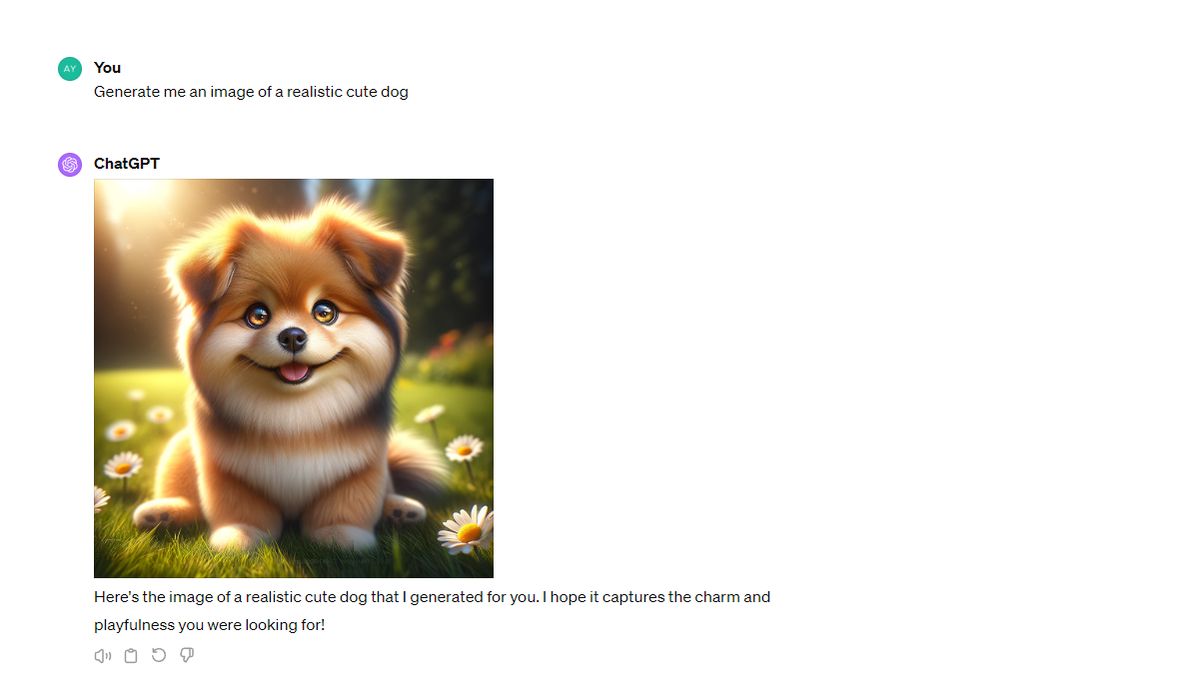
  • Let’s try it out ourselves. First enter a prompt to create an image.

We said: “Generate me an image of a realistic cute dog.”
How to edit images in DALL-E
Step 1

The output:

How to edit images in DALL-E
The input
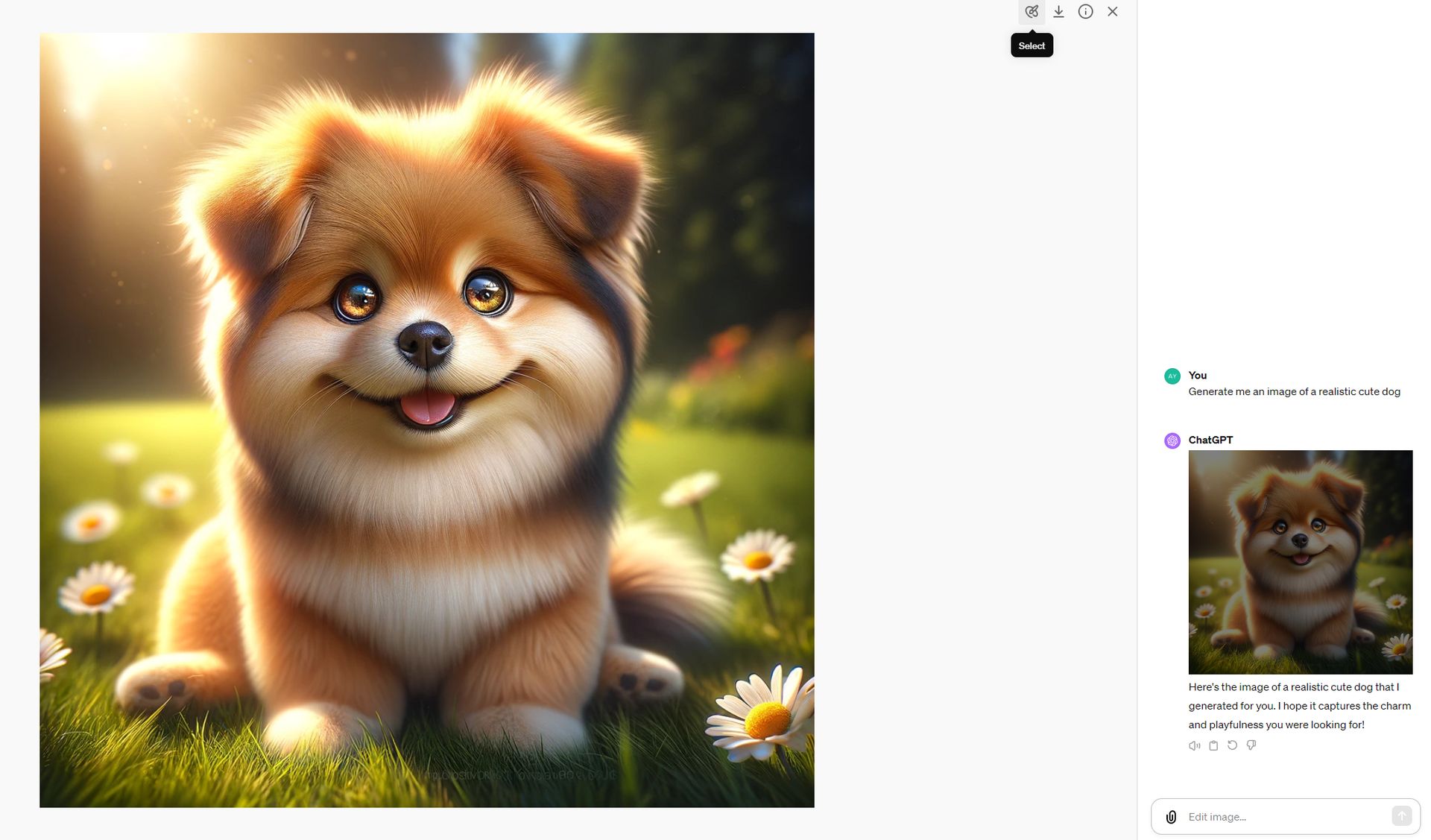
  • To open the dialogue box, click on the generated image.
  • Then, click on the pen icon located on the upper right part.
How to edit images in DALL-E
Step 2
  • Select the are you want to edit.
How to edit images in DALL-E
Step 3
  • After selecting, enter a prompt to edit the image.

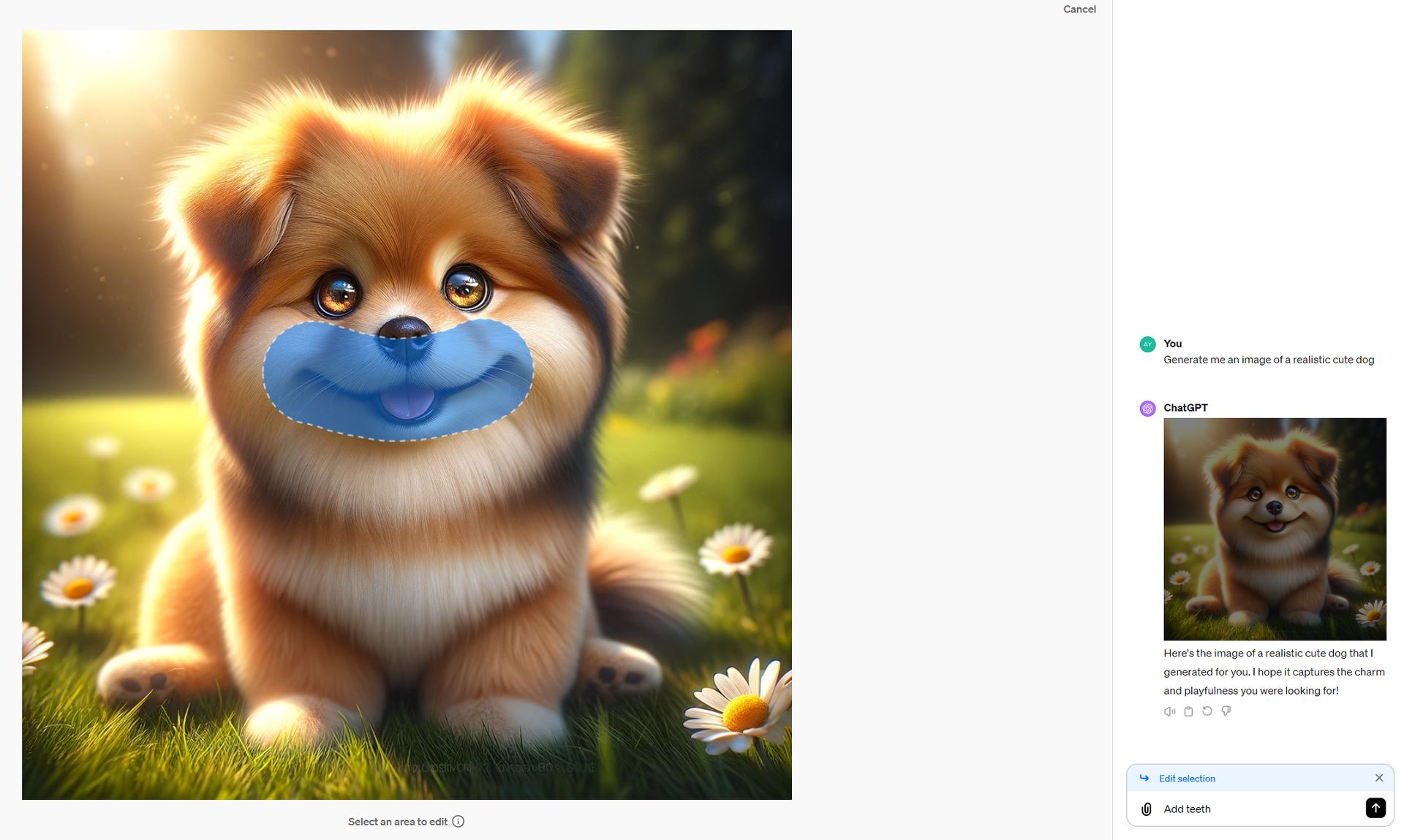
Our prompt: “Add teeth.”

The output:

How to edit images in DALL-E
The output

At least it works…

The outcome isn’t exactly as anticipated, but we can take comfort in knowing that the feature works. Previously, to achieve a specific image outcome, users were required to adjust or completely redo their text inputs, a method that was not always successful. The current editor interface introduces the capability for users to precisely alter images. This is done by choosing a part of the image they wish to modify and detailing the desired edits directly within the conversation.


Featured image credit: Kerem Gülen/DALL-E 3

Tags: AIartificial intelligencedall-e 3

Related Posts

OpenAI expands cybersecurity efforts with Patch the Planet

OpenAI expands cybersecurity efforts with Patch the Planet

June 24, 2026
Claude Tag brings shared AI assistant to Slack channels

Claude Tag brings shared AI assistant to Slack channels

June 24, 2026
Getty Images partners with OpenAI to supply licensed visuals for ChatGPT

Getty Images partners with OpenAI to supply licensed visuals for ChatGPT

June 23, 2026
Samsung adopts ChatGPT Enterprise and Codex across global workforce

Samsung adopts ChatGPT Enterprise and Codex across global workforce

June 22, 2026
OpenAI improves health responses for free ChatGPT users

OpenAI improves health responses for free ChatGPT users

June 19, 2026
Steam Next Fest sees one in five demos labeled for generative AI

Steam Next Fest sees one in five demos labeled for generative AI

June 17, 2026

LATEST NEWS

Meta launches $299 smart glasses under its own brand

Claude Tag brings shared AI assistant to Slack channels

PlayStation 6 leak points to 2027 release window

Samsung unveils UFS 5.0 storage for future Galaxy phones

Getty Images partners with OpenAI to supply licensed visuals for ChatGPT

Instagram for TV launches on Samsung TVs in the US

BEST AI MODELS LEADERBOARD

See the best AI models, ranked by intelligence, benchmark results, speed and token price. Find the most suitable LLMs, Text-to-Image, Image Editing, Text-to-Speech, Text-to-Video and Image-to-Video  artificial intelligence model for your tasks and business.

LATEST TOOLS

Moonbeam

Charisma AI

Essay Writer by Papertyper

Slite

Wonderin AI

Spur

Stenography

Calldesk

MaxAI.me

PhotoRestore

Dataconomy

COPYRIGHT © DATACONOMY MEDIA GMBH, ALL RIGHTS RESERVED.

  • About
  • Imprint
  • Contact
  • Legal & Privacy

Follow Us

  • News
    • Artificial Intelligence
    • Cybersecurity
    • DeFi & Blockchain
    • Finance
    • Gaming
    • Startups
    • Tech
  • Industry
  • Research
  • Resources
    • Articles
    • Guides
    • Case Studies
    • Whitepapers
    • AI Models Leaderboard
  • AI tools
  • Newsletter
  • + More
    • Glossary
    • Conversations
    • Events
    • About
      • Who we are
      • Contact
      • Imprint
      • Legal & Privacy
      • Partner With Us
No Result
View All Result
Subscribe

This website uses cookies to improve your experience. You can choose to accept or reject them. Visit our Privacy Policy.