Yes, what you see is true. Google AI image generator on Search feature is online and lets you easily bring your creative visions to life. Whether you’re an artist, a designer, or simply someone with a unique vision, this feature can empower you to transform your ideas into visual reality with just a few words and a search query. The good news is Google’s new feature is highly promising; you can successfully edit them and generate writing. The bad news is you may not use it immediately.
It’s essential to provide you with a heads-up. For now, this feature is exclusively accessible in English and exclusively for users within the United States. To use the Google AI image generator on Search, a couple of criteria exist to meet. One, you must opt into the SGE experiment; two, you must be at least 18 years old. So, if you’re eager to explore this remarkable capability, ensuring you meet these requirements is important. But don’t worry; the only prerequisite for enjoying Google’s latest AI feature is to continue reading!
SGE: Google AI image generator in Search explained
The Google AI image generator in Search is a groundbreaking feature that allows users to transform their textual descriptions into visually stunning images using the power of artificial intelligence. This innovative tool is part of Google’s Search Generative AI (SGE) experience, which enables individuals to bring their creative ideas and concepts to life effortlessly.
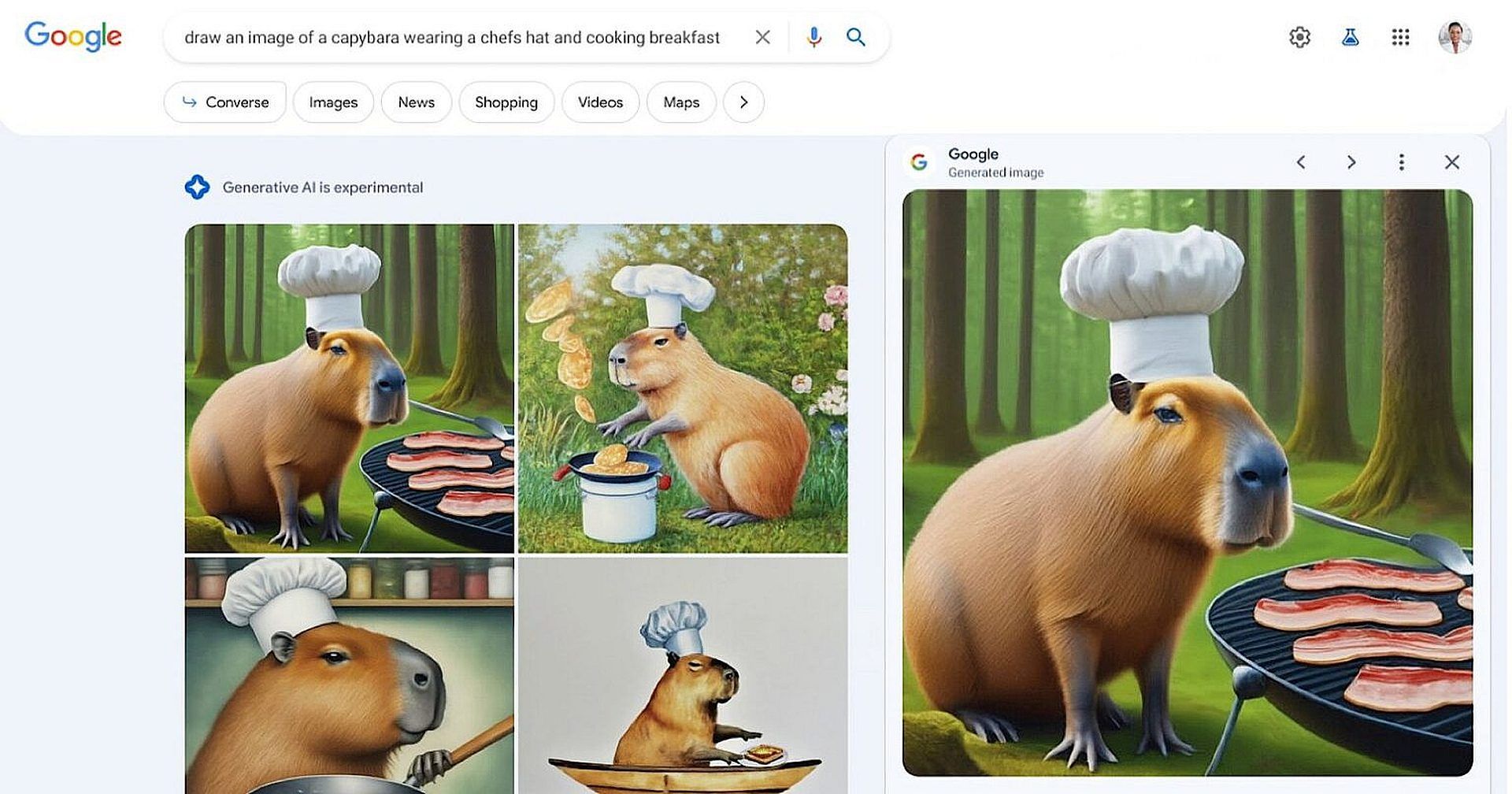
Image generation with Google involves using a feature called Search Generative AI (SGE). To create an image, selected users enter a detailed textual description of the image they have in mind into the Google search bar. The more specific and imaginative the description, the better the AI-generated image matches the user’s vision.
Once the user hits the “Search” button, Google’s advanced AI algorithms go to work. They analyze the descriptive prompt and generate a set of images based on the provided description. Typically, users receive up to four image options, each offering a unique prompt interpretation.
After viewing the generated images, users can fine-tune their selection. By clicking on one of the presented images, Google provides an expanded initial query with detailed elements added by the AI. Users can edit this description further to add specific details, thus ensuring the generated image aligns closely with their creative vision.
How to use Google AI image generator in Search
Here’s a step-by-step guide on how to use Google AI image generator in Search:
- Google AI image generator has specific eligibility criteria, including location, age, and opting into the SGE experiment.
- Visit the Google Labs page or the relevant Google Search settings to enable the “SGE generative AI in Search” option. This activation is necessary to utilize the AI image generator.
- With the SGE feature enabled, you can begin by creating a clear and detailed textual description of the image you want to generate. The more specific and imaginative your description, the better the AI-generated image will align with your vision.
- The more specific and imaginative your prompt, the better the Google AI image generator will match your vision. After crafting your detailed prompt, input it into the Google search bar and press “Search.” This action prompts Google’s advanced AI algorithms to initiate the image generation process.
- Fine-tuning is a key feature of the Google AI image generator, allowing users to edit and refine the generated images. Click on one of the presented images, and Google will provide you with an expanded initial query containing additional descriptive elements. You can edit this description further to add specific details and bring the image closer to your creative vision.
You're already done!
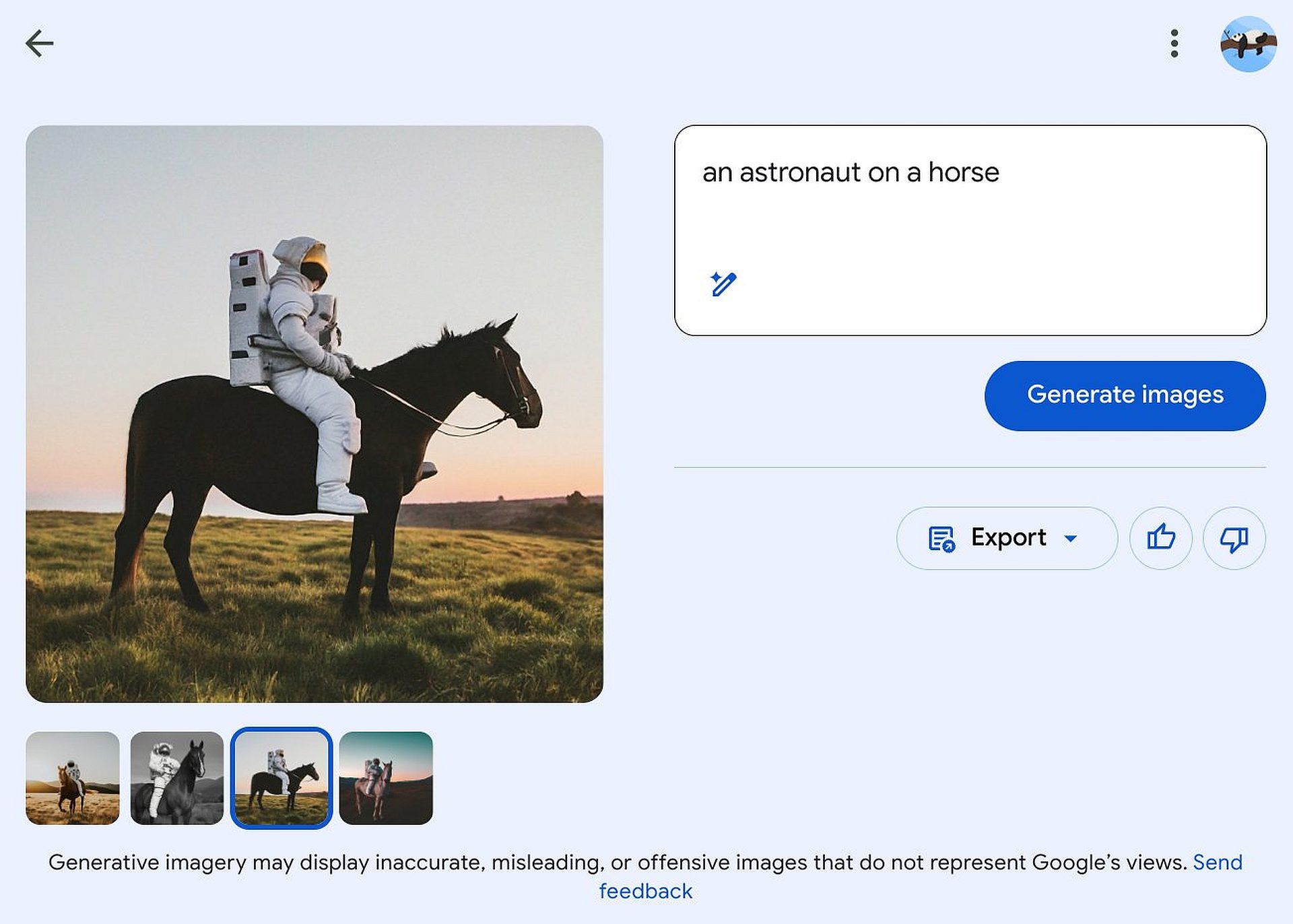
Now you can type any prompt to generate AI images.
Some tips:
– Click the wand to automatically improve your prompt
– This model can generate text like Dall-E 3!
– Download your image by clicking on "Export" then "Download" (or import it into Google… pic.twitter.com/VpbDOCZx9R
— Paul Couvert (@itsPaulAi) October 19, 2023
- Upon completing the search, Google’s AI generates a set of images based on your descriptive prompt. Typically, you’ll receive up to four image options, each offering a unique interpretation of your prompt.
- Once you’re satisfied with the edited description, your AI-generated image is ready for various applications. This image can be used for personal projects, creative endeavors, content creation, and much more.
Following these steps, you can unlock the potential of Google AI image generator on Search, turning your imaginative ideas into visual realities. This feature offers a glimpse into the exciting possibilities that AI technology brings to the world of creativity and problem-solving.
Google AI image generator in Search emerges as a powerful conduit, breaking the barriers of image creation with a traditional way.
The story of the Google AI image generator reflects the ongoing evolution of search. It’s not just about typing keywords and scrolling through results anymore. Now, with a few words and a click, you can visualize your ideas, personalize content, and embark on creative journeys like never before.
Featured image credit: Google