SongDonkey
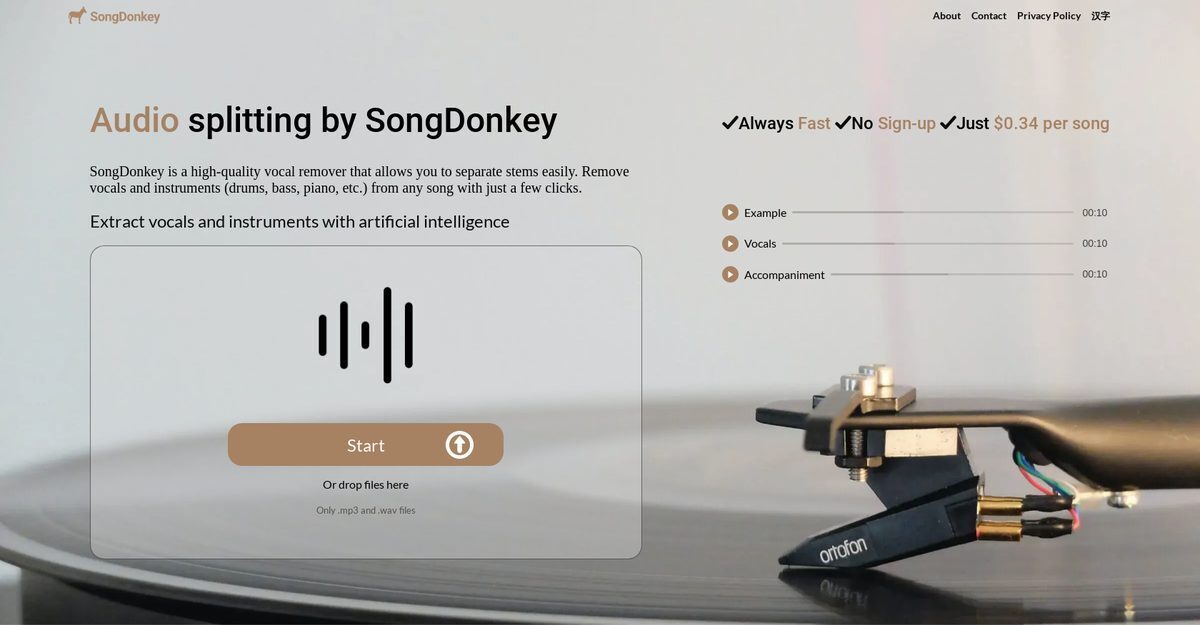
SongDonkey is an AI-powered online audio splitting tool that uses advanced algorithms like Deezer Spleeter to separate vocals, drums, bass, piano, and other instruments from any song with high-quality results. It supports MP3 and WAV file formats for input up to 10 minutes, offers 2, 4, or 5 stem extraction options, and allows drag-and-drop uploads without requiring signup or registration. Processing is fast, around 1 minute 20 seconds, with preview before download in MP3 or WAV, automatic data deletion for privacy, and affordable pricing starting at $0.34 per song. The tool provides troubleshooting tips, customer support, and options like vocals-only or full accompaniment extraction for music production, remixing, and karaoke creation.
Pros
- High-quality vocal removal
- Supports MP3 and WAV formats
- Fast and efficient processing
- No signup required
- Affordable pricing from $0.34
- Multiple extraction options (2/4/5 stems)
- Drag and drop functionality
Cons
- Limited to MP3 and WAV input formats
- Payment required per song
- Maximum 10 minutes per song
- Restricted to 2, 4, or 5 stems only
- Occasional error issues
- May require reattempts for server readiness
- Specific output format selection needed
- No free tier confirmed consistently
SongDonkey is an AI-powered online tool for audio splitting and vocal removing. It allows users to separate a variety of elements such as vocals, drums, bass, piano, and other instruments from any song efficiently.
SongDonkey supports both MP3 and WAV file formats for input. Users can also download output files in either MP3 or WAV format as per their preference.
No, SongDonkey does not require users to sign up or create an account. It is accessible to anyone who wants to use it.
Yes, SongDonkey allows the extraction of specific instruments such as vocals, drums, bass, piano, or other instruments from any song. It offers users a choice of 2 (vocals, accompaniment), 4 (vocals, bass, drums, other), or 5 (vocals, bass, drums, other, piano) stems.
There is a maximum limit of 10 minutes per song on SongDonkey.
SongDonkey's pricing starts at $0.34 per song for processing full-length audio.
Yes, SongDonkey offers an option to download all the extracted tracks at once.
If an error occurs during the process, SongDonkey suggests several troubleshooting steps like ensuring the song is within the maximum time limit, using compatible file formats, selecting a lower number of stems, or trying a different output format. If the error persists, the user can contact SongDonkey's customer support.
Yes, SongDonkey provides troubleshooting suggestions for errors and affirms customer support availability for any persisting issues.
For audio file uploads on SongDonkey, users may either directly upload their audio files or use a drag-and-drop method onto the platform.
Become a Contributor
Sign in to unlock these features:
- ⭐️ Rate this tool with a 1-5 star score
- ✍️ Write a detailed review for the community
- ❤️ Follow this tool to get important updates
Get started in seconds
[jnews_social_login_form]