Relume Site Builder
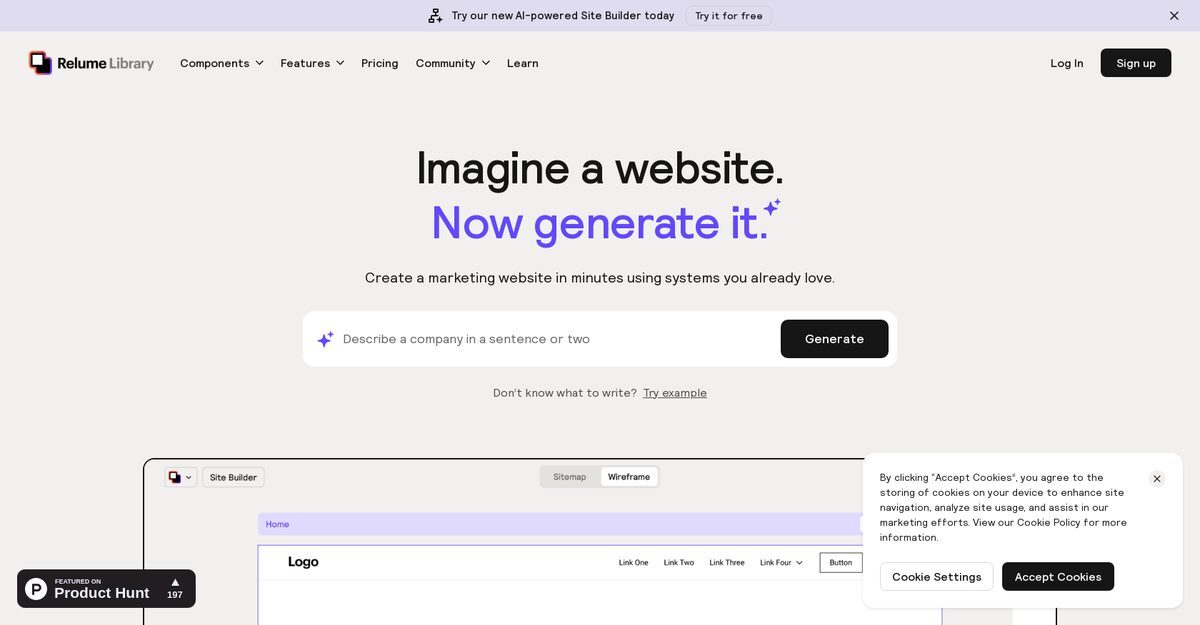
The Relume Site Builder is an AI-powered tool designed for users looking to create sitemaps and wireframes efficiently. It streamlines the website creation process by allowing users to export their designs to popular platforms like Figma and Webflow. With a library of over 1000 components and a built-in design system, users can customize their website structures seamlessly. Additionally, the tool generates copy for all pages, ensuring effective communication of messages. Ideal for designers and developers alike, the Relume Site Builder simplifies the creation of professional-quality websites.
Pros
- Generates production-quality sitemaps and wireframes quickly
- Exports creations to Figma and Webflow
- Built-in design system for easy customization
- Library of over 1000 components available
- AI-generated copy for all pages
- Offers a component switch for infinite variations
- Seamless integration with other tools
- Syncs with style guides for quick changes
- Mobile-responsive designs
- Collaborative features for team sharing
Cons
- Limited design flexibility compared to full-fledged design tools
- Exports only to Figma and Webflow, limiting options
- No support for Safari browser
- Pricing can be expensive for unlimited use
- Limited to 3 projects in Starter plans
- Available only in English
- Manual sync required for style guides
- Free version has limited components
- Shared component count contributes to total limit
- Some components may have functionality issues
Relume Site Builder generates sitemaps and wireframes by leveraging artificial intelligence, speeding up the website-building process and requiring less effort.
No, currently Relume Site Builder only supports export to Figma and Webflow.
The tool provides a library of over 1000 components including nav bars, footers, headers, feature sections, and more.
The AI understands the website's context to create relevant and effective copy for each page.
Switching components is easy; users can prompt, plug, and play with various components from the library.
It integrates with major design tools including Webflow and Figma for smooth element transfer.
Yes, it creates designs that are automatically responsive to mobile devices.
Yes, you can share your sitemaps and wireframes using a generated link for view-only access.
Support is provided via Slack, where experts assist users with issues they encounter.
The number of websites depends on the subscription plan: free allows one project, Starter allows three, and Pro allows unlimited.
Become a Contributor
Sign in to unlock these features:
- ⭐️ Rate this tool with a 1-5 star score
- ✍️ Write a detailed review for the community
- ❤️ Follow this tool to get important updates
Get started in seconds
[jnews_social_login_form]