Momentic
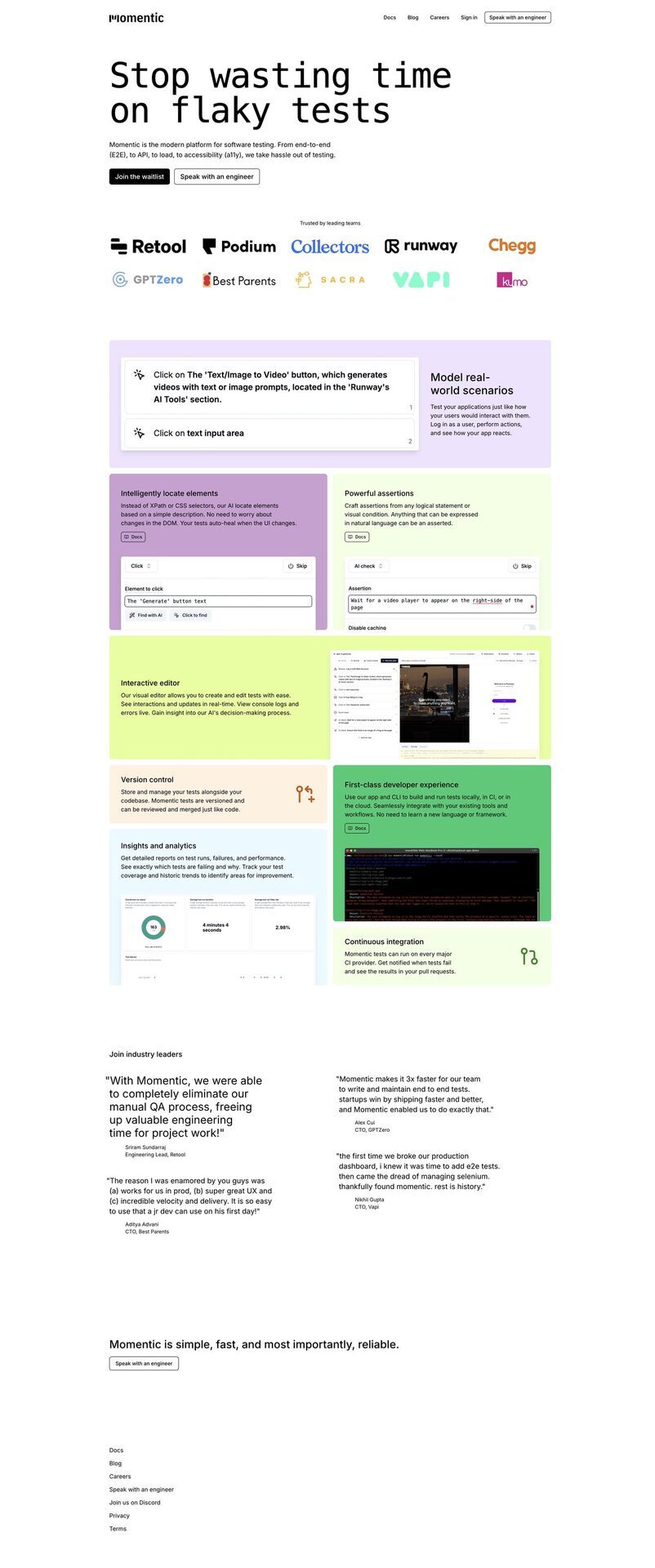
Momentic is an AI-powered low-code platform for automating software testing across end-to-end (E2E), UI, API, accessibility (a11y), and load testing for web and mobile apps. It uses AI to explore apps, identify elements via visual presence and accessibility attributes, generate self-healing tests from natural language or recorded user interactions, and perform visual comparisons without XPath or CSS selectors. The tool supports local development, CI/CD integration, arbitrary JavaScript execution, and keeps tests updated in the codebase, reducing authoring time by 10x and minimizing flaky tests. It handles dynamic DOM, non-deterministic outputs like LLMs, and provides insights with seamless workflow integration from dev to production.
Pros
- Low-code platform for quick test creation
- Automates E2E, API, load, and a11y testing
- AI-powered self-healing locators and tests
- Visual element identification and comparisons
- Integrates with CI/CD and local development
- Reduces test authoring time by 10x
- Handles flaky tests and non-deterministic outputs
Cons
- Depends on visual presence of elements
- No support for XPath or CSS selectors
- Requires local app for testing
- Needs JavaScript code execution
- Potential execution delays with auto-waiting
- Limited to supported browsers and platforms
- Requires initial setup for local testing
- May need adjustments for complex scenarios
Momentic is a low-code platform that leverages artificial intelligence to automate the process of software testing. It enables developers to quickly construct end-to-end tests, reducing the time needed for elaborate setup periods.
Momentic employs AI to manage complex processes such as identifying elements based on visual presence and accessibility attributes. It can reason about assertions, conduct visual comparisons, and orchestrate complete tests.
Yes, Momentic offers test recording features. It can record user interactions and use these records for test generation, simplifying the process and improving test relevance.
Momentic integrates seamlessly into a Continuous Integration/Continuous Deployment (CI/CD) environment by allowing tests to be executed in any CI/CD provider environment. It further supports this by storing tests within the codebase and keeping them updated during development.
Yes, elements can be located based on their visual presence and accessibility attributes. XPath or CSS selectors are not necessary.
Yes, arbitrary JavaScript code can be executed in Momentic. This allows developers to establish the necessary environment for a test.
The Auto-waiting feature in Momentic automatically tracks in-flight requests and waits for their completion. This improves test effectiveness by ensuring every step of the process is completed before moving ahead.
Yes, Momentic uses self-healing locators and AI-powered assertions to reduce flakiness and false positives.
Yes, it supports API, load, and accessibility testing in addition to E2E UI testing.
Yes, tests created using Momentic can be saved within the codebase. This feature aids in managing and tracking test versions conveniently.
Become a Contributor
Sign in to unlock these features:
- ⭐️ Rate this tool with a 1-5 star score
- ✍️ Write a detailed review for the community
- ❤️ Follow this tool to get important updates
Get started in seconds
[jnews_social_login_form]