Jamorphosia
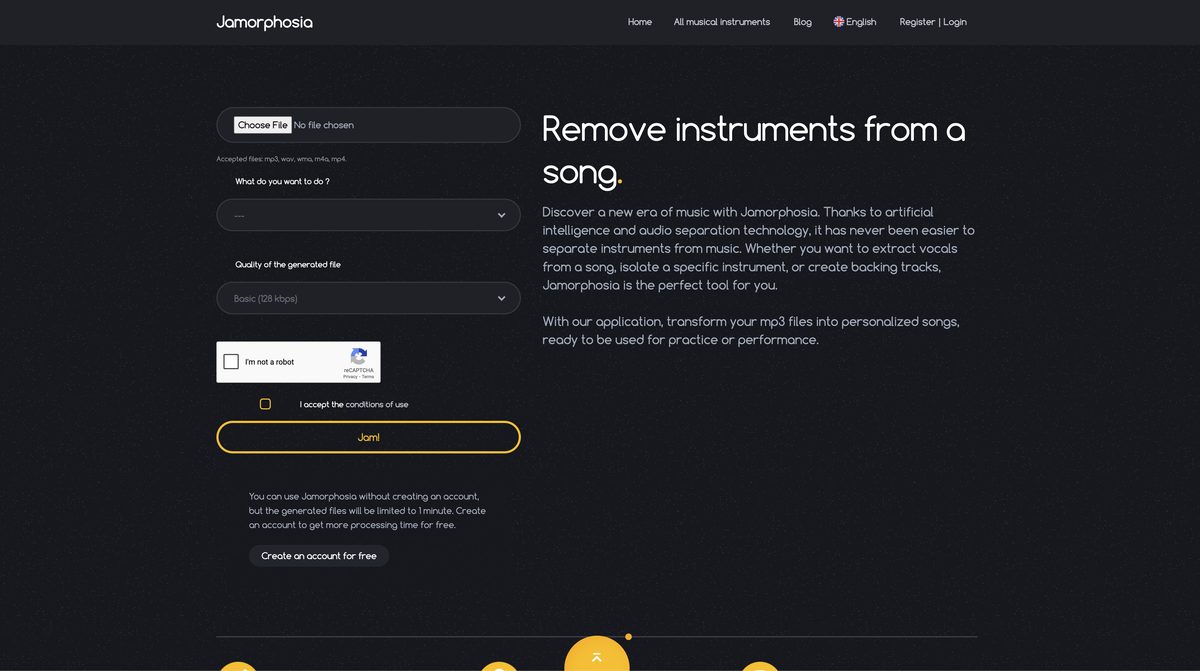
Jamorphosia is an AI-powered tool that uses a backtrack algorithm to analyze uploaded audio files like MP3, WAV, FLAC, and others, splitting them into separate tracks for individual instruments and vocals. Musicians can remove specific instruments, isolate tracks for practice, or create karaoke versions by eliminating vocals, with generated tracks stored in a personal library. It offers quality options from basic (128kbps) to maximum (320kbps), supports free use limited to 1-minute processing without an account, and provides extended time plus credits via free or paid accounts starting around $3.30-$12. The web-based platform enhances music production, practice, and customization for rehearsals or education.
Pros
- Splits audio into multiple tracks
- Allows instrument-specific isolation
- Removes vocals for karaoke
- Creates backing tracks
- Stores generated tracks in library
- Various file quality options
- High-quality audio outputs
Cons
- Only supports mp3 uploads
- Limited file size (10MB)
- 1 minute limit without account
- No batch processing
- No option for lossless quality
- No API for integrations
- Doesn't support all musical instruments
- No mobile app available
Jamorphosia is an AI-powered tool designed to analyze and split music tracks into separate tracks for each instrument. It provides various features to musicians, such as removing specific instruments from a song, isolating a particular musical instrument, or even erasing vocals to create a karaoke version of a song.
Jamorphosia's AI uses a backtrack algorithm to analyze uploaded mp3 files. It identifies different instrumental and vocal components within the music and then automatically divides these components into separate tracks representing each instrument.
Yes, Jamorphosia is proficient at removing vocals from a song. This feature allows users to create a karaoke version of the song.
Jamorphosia offers numerous utilities to musicians. It allows them to remove any instrument from a song or isolate a particular musical instrument. This way, musicians can practice their own part along with the original music or they can create new music by adding their recordings onto tracks with instruments removed.
Jamorphosia provides different quality options for the generated files. These include Basic quality with 128 kbps, Superior quality with 192 kbps, and Maximum quality with 320 kbps.
Yes, if you use Jamorphosia without an account, the processing time for files is capped at 1 minute.
Yes, Jamorphosia supports multiple audio file formats for splitting. These include mp3, wav, wma, m4a, mp4, and flac.
Yes, the tracks that users create in Jamorphosia are stored in their library for later use.
Yes, Jamorphosia allows users to remove specific instruments from a song. The user can select whether they want to keep or remove the track of each instrument present in the song.
Jamorphosia accepts music files up to a maximum size of 10MB.
Become a Contributor
Sign in to unlock these features:
- ⭐️ Rate this tool with a 1-5 star score
- ✍️ Write a detailed review for the community
- ❤️ Follow this tool to get important updates
Get started in seconds
[jnews_social_login_form]