ChatGPT Outlook Plugin
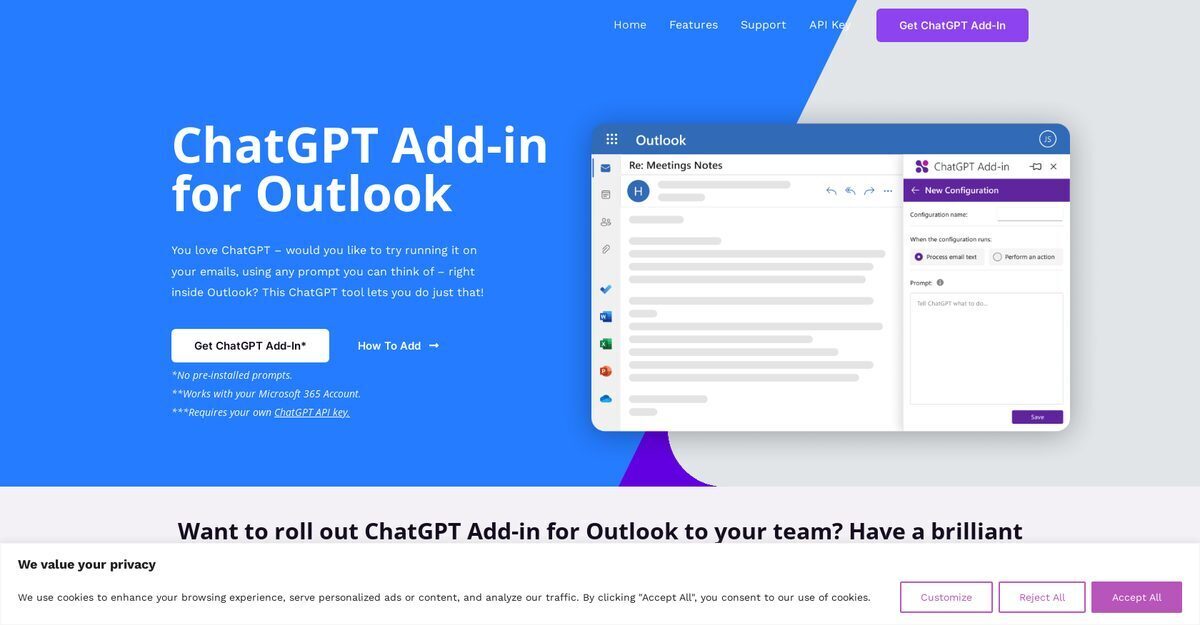
ChatGPT for Outlook is an add-in developed by Blueberry Consultants that integrates ChatGPT directly into the Outlook email client, allowing users to generate summaries, highlights, or responses using custom prompts and their own ChatGPT API key. It supports processing entire emails or specific sections like the body, subject, or attachments, with output displayed in a separate window or replacing the original body for easy comparison. The tool automatically updates email importance, such as flagging high-priority items, and enables management of multiple configurations for various scenarios. Custom versions can be rolled out to teams or businesses for internal use or resale, enhancing email efficiency within Microsoft 365 environments.
Pros
- Email summarization and highlighting
- Response and draft automation
- Custom prompts installation
- Flexible processing of email sections
- Separate output display or body replacement
- Automatic email importance updates
- Multiple configurations for scenarios
Cons
- Requires own ChatGPT API key
- No pre-installed prompts
- Limited to Outlook client
- Depends on user's prompts quality
- No multi-platform support
- Customization costs extra
- Doesn't process attachments
- Potential privacy concerns
ChatGPT for Outlook is an add-in that allows users to run ChatGPT within the Outlook email client to generate responses or summaries based on custom prompts.
It uses custom prompts to process emails or sections, displaying output separately or replacing the body, and updates email importance automatically.
Yes, users can install custom prompts to generate relevant summaries or highlights tailored to specific needs.
Features include custom prompts, section-specific processing, output display options, automatic importance updates, and multiple configurations.
It can process attachments as one of the specific sections, along with body and subject.
Yes, it automatically flags emails as high priority or important based on generated output.
Users can manage setups for different email types, each with conditions, prompts, and display preferences.
Yes, custom versions can be rolled out to teams and businesses, with options for resale.
A Microsoft 365 account and personal ChatGPT API key are required.
Blueberry Consultants, a Microsoft Partner not affiliated with OpenAI.
Become a Contributor
Sign in to unlock these features:
- ⭐️ Rate this tool with a 1-5 star score
- ✍️ Write a detailed review for the community
- ❤️ Follow this tool to get important updates
Get started in seconds
[jnews_social_login_form]