Carousel generator
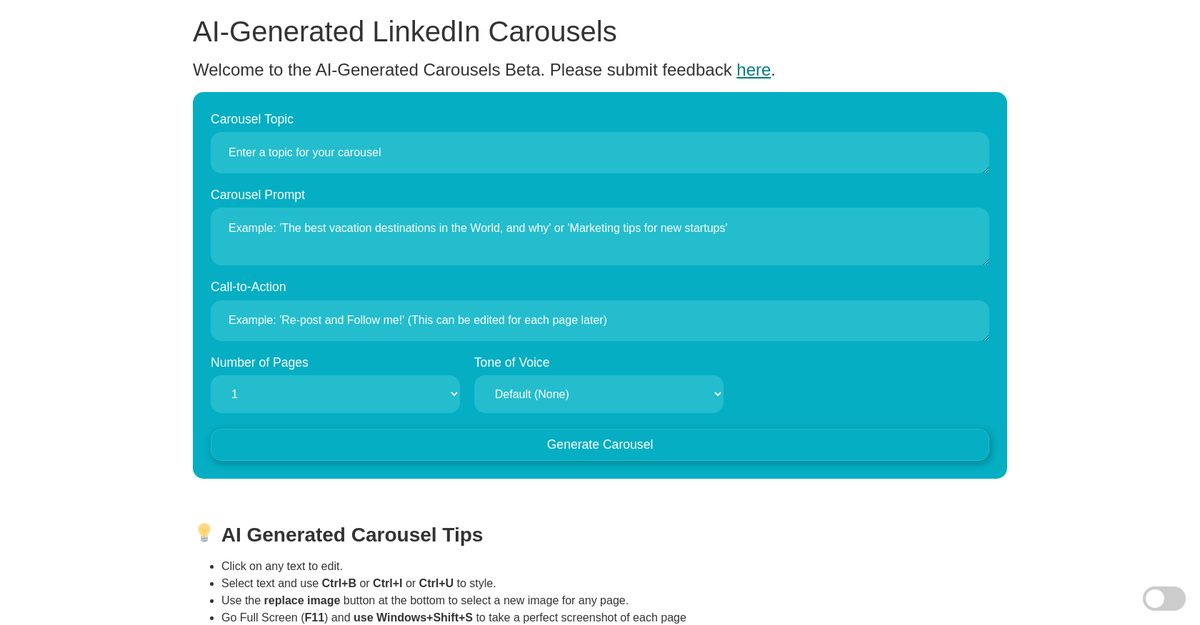
The AI Carousel Generator is a tool that enables users to generate LinkedIn carousels automatically using AI technology. It is designed for marketers, social media managers, and individuals who regularly create LinkedIn carousels. Users can customize their carousels with various options, including topic, prompt, call-to-action, and tone of voice. The tool also allows for editing carousel pages, replacing images, and converting the final product into PDF format.
Pros
- Generates LinkedIn carousels automatically
- High customization options for carousel content
- Editable text with styling options (bold, italic, underline)
- Ability to replace images within the carousel
- Screenshot feature for capturing high-quality visuals
- Converts carousels into PDF format
- Provides tips for optimizing AI-generated carousels
- Feedback submission form available for users
- Multiple tone of voice options for content
- Reduces time needed to create LinkedIn carousels
Cons
- Invite-only accessibility currently in beta
- Limited customization options for certain features
- No cover page generator available
- Difficulties with PDF conversion from HTML
- No mobile support indicated
- Lack of clarity on data privacy policies
- No direct user support provided
- Unreliable conversion from HTML to PDF
- Limited tone of voice options compared to potential needs
- Website does not explain how AI technology works
The AI Carousel Generator is a beta-stage tool that uses artificial intelligence to automatically generate LinkedIn carousels.
Users input their preferences such as topic, prompt, tone of voice, call-to-action, and number of pages to create carousels.
It offers text editing, style application, image replacement, screenshot capturing, and conversion to PDF.
You can customize by clicking on text to edit it, applying styles, replacing images, and setting parameters like topic and tone.
It is currently in beta and only accessible to invited users.
Enter full screen mode (F11) and use Windows+Shift+S to capture a screenshot.
It allows users to capture high-quality images of their carousel for PDF conversion.
It refers to the style of language used in the carousel content, with various options available.
There's a feedback form on the platform for users to submit their thoughts.
A cover page generator feature is mentioned as coming soon, but details are not provided.
Become a Contributor
Sign in to unlock these features:
- ⭐️ Rate this tool with a 1-5 star score
- ✍️ Write a detailed review for the community
- ❤️ Follow this tool to get important updates
Get started in seconds
[jnews_social_login_form]