AutoCut
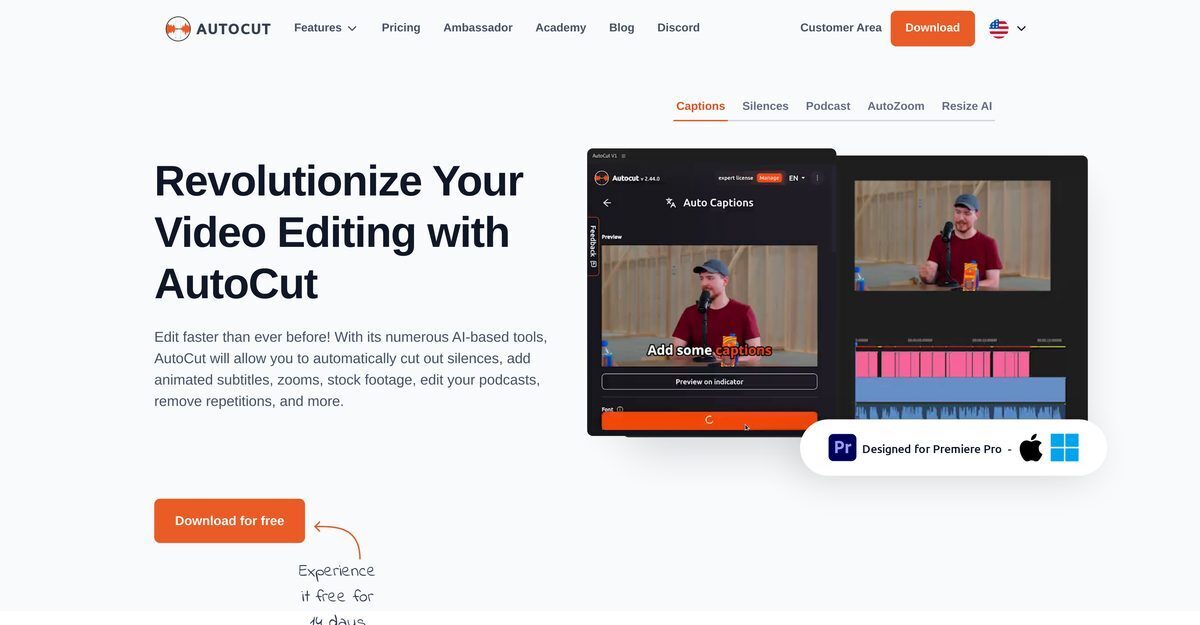
AutoCut is an AI-powered plugin primarily for Adobe Premiere Pro, with mentions of DaVinci Resolve compatibility, designed to automate and streamline video and podcast editing processes. It intelligently removes silences, detects and eliminates repetitions, applies automatic J-Cut and L-Cut edits, and deploys relevant B-roll footage to enhance narratives. The tool adds animated subtitles synced with audio for better engagement, features AutoResize and AutoZoom for subject-focused videos, and includes an AutoProfanity filter to mask inappropriate language. It also supports podcast editing by activating cameras based on microphone inputs, creating dynamic content with zooms, animations, and transitions.
Pros
- Adobe Premiere Pro integration
- Automates video editing
- Streamlines podcast editing
- Automatic silence removal
- Adds animated subtitles
- AutoZoom feature enhances subject focus
- Free 14-day trial with no credit card required
Cons
- Only for Adobe Premiere Pro
- Less effective indoor recording
- Possible over-cutting errors
- Subscription needed for all features
- Inadequate handling of complex scenes
- Prone to detecting false positives
- Limited language support on AutoCaptions
- Animated subtitles may not align perfectly
AutoCut applies AI-based mechanisms to remove silences in the video editing process. It intelligently identifies moments of silence in a video and removes them to create a more fluid and engaging audiovisual experience.
AutoCut's repetition detection function meticulously examines the content being edited, identifies repeated phrases or takes, and keeps only the best ones. It effectively helps to streamline the video or podcast editing process by getting rid of unnecessary repetitions.
AutoCut's AutoB-Roll feature automates the integration of relevant B-roll stock footage in the video edits. This intelligent automation is executed using advanced artificial intelligence mechanisms, providing visually enriching transitions and narratives in the video edits.
AutoCut improves user engagement by adding animated subtitles that sync with the audio. This makes the content more interactive, helping to keep the viewer engaged.
AutoCut's AutoResize and AutoZoom features are intended to improve the visibility and focus on the subject in videos, thereby making the content more immersive. AutoZoom functions by applying a sophisticated automatic zoom that captures the audience's attention. AutoResize generates new sequences in selected social network formats.
AutoCut uses the AutoProfanity filter feature that automates the detection and masking of profanities in video dialogues. It uses advanced audio analysis methods to identify inappropriate language and replace it with discreet sound effects.
AutoCut aids in the editing of podcasts by detecting which camera to activate based on the sound input from each guest's microphone. It simplifies the process of podcast editing, makes it faster, and more efficient.
Currently, AutoCut is compatible only with Adobe Premiere Pro 2021, 2022, and 2023. The team is working on integrating AutoCut with other video editing software such as Final Cut Pro and DaVinci.
Yes, AutoCut offers a 14-day free trial with no credit card required.
AutoCut offers two pricing options – a Basic plan billed at $6.6/month (billed yearly) and the AI plan billed at $14.9/month (billed yearly).
Become a Contributor
Sign in to unlock these features:
- ⭐️ Rate this tool with a 1-5 star score
- ✍️ Write a detailed review for the community
- ❤️ Follow this tool to get important updates
Get started in seconds
[jnews_social_login_form]