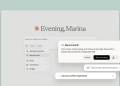
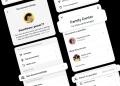
Google has introduced a new log-in option for its accounts that allows users to authenticate their identity using selfie videos. This feature supplements existing methods, such as face unlock via mobile devices and biometric verification through passkey login. Selfie video log-in is particularly beneficial for users who may be locked out of their accounts or lack access to their usual devices.
To enable selfie video log-in, users must navigate to Google’s My Account page and select the Security & sign-in option. Under the “How you sign in to Google” section, they will click on “Selfie video” and then proceed to the Add selfie for sign-in page, clicking continue to begin the setup. If a computer has a camera, users can record the selfie video directly. If not, a QR code will be provided for users to scan with their mobile devices to complete the setup.
During the setup, users are required to remove any glasses or masks and to ensure that the background is simple and uncluttered. Google advises that users must turn their heads in different directions during verification to guard against impersonation attempts, particularly those using deepfake technology. The company will save the recorded selfie video securely and will encrypt it for future login sessions.
Users wishing to delete their selfie video can do so at any time via the Video Verification page by selecting the delete option next to the corresponding video. However, this log-in feature is currently unavailable for Workspace accounts, child accounts, and users enrolled in Google’s Advanced Protection Program.