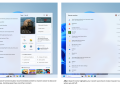
Google’s “Ask Gemini in Drive” feature, initially announced in March, is now available to eligible Google Workspace, AI Pro, and Ultra subscribers, allowing users to search through Gmail for specific emails, files, and folders. Users can ask questions regarding Gmail threads, such as “find the email where I received approval for the Jenkins project,” to retrieve relevant messages efficiently.
The feature enhances data accessibility by enabling high-context, multi-turn conversations. According to Google’s Workspace Updates blog, users can get answers grounded in a complete view of their business context, which includes emails, files, and folders. To utilize the feature, subscribers need to select Gmail from the sources in the left pane and click the “Ask Gemini” button at the top right.
The rollout marks the transition of “Ask Gemini in Drive” from beta status to general availability for eligible users. Google emphasizes that this development will provide more helpful and accurate responses for those managing their information across various platforms.