Dataconomy
  • News
    • Artificial Intelligence
    • Cybersecurity
    • DeFi & Blockchain
    • Finance
    • Gaming
    • Startups
    • Tech
  • Industry
  • Research
  • Resources
    • Articles
    • Guides
    • Case Studies
    • Whitepapers
    • AI Models Leaderboard
  • AI toolsNEW
  • Newsletter
  • + More
    • Glossary
    • Conversations
    • Events
    • About
      • Who we are
      • Contact
      • Imprint
      • Legal & Privacy
      • Partner With Us
Subscribe
No Result
View All Result
  • AI
  • Tech
  • Cybersecurity
  • Finance
  • DeFi & Blockchain
  • Startups
  • Gaming
Dataconomy
  • News
    • Artificial Intelligence
    • Cybersecurity
    • DeFi & Blockchain
    • Finance
    • Gaming
    • Startups
    • Tech
  • Industry
  • Research
  • Resources
    • Articles
    • Guides
    • Case Studies
    • Whitepapers
    • AI Models Leaderboard
  • AI toolsNEW
  • Newsletter
  • + More
    • Glossary
    • Conversations
    • Events
    • About
      • Who we are
      • Contact
      • Imprint
      • Legal & Privacy
      • Partner With Us
Subscribe
No Result
View All Result
Dataconomy
No Result
View All Result

Microsoft is adding powerful new ways to link your phone and PC

A new "access PC’s clipboard" toggle was found in recent Windows Insider builds, allowing PC-to-phone clipboard syncing

byKerem Gülen
July 24, 2025
in Tech, News
Home News Tech
Share on FacebookShare on TwitterShare on LinkedInShare on WhatsAppShare on e-mail
Google Preferred Source

Microsoft is reportedly testing new features enabling Android phone users to remotely lock and access their PC’s clipboard, enhancing integration with Windows PCs.

Microsoft Phone Link facilitates interactions between Android phones and Windows PCs, allowing access to notifications, texts, and photos. Upcoming updates will introduce remote PC locking and clipboard access directly from Android phones.

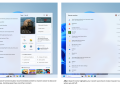
Initial setup of Phone Link requires activating specific features. For instance, using an Android phone as a PC webcam or accessing its files through Windows File Explorer necessitates enabling these options in Windows Settings. Users navigate to Bluetooth & devices > Mobile devices > Manage devices, then toggle on “Use as a connected camera” and “Show mobile device in File Explorer.” This menu also contains toggles for “Get new photo notifications” and “Show device name in Windows Share.”

Stay Ahead of the Curve!

Don't miss out on the latest insights, trends, and analysis in the world of data, technology, and startups. Subscribe to our newsletter and get exclusive content delivered straight to your inbox.

Users on recent Windows Insider Preview Builds observe additional features in the mobile devices menu. Telegram user Lance Adams, on the Dev channel, noted a new “access PC’s clipboard” toggle. This feature allows a connected Android phone to access text and images copied on the PC. Currently, this syncing is unidirectional, from PC to phone.

Full two-way clipboard synchronization typically uses SwiftKey’s “sync across devices” or Phone Link’s “cross-device copy and paste.” The latter is exclusive to phones with pre-installed Phone Link, excluding Google Pixel devices. This makes the new PC-to-phone sync particularly beneficial for Pixel users, who previously lacked native clipboard integration prevalent in Samsung, OnePlus, HONOR, and Xiaomi devices.

The Link to Windows app is also undergoing improvements on the phone side. Telegram user Legofan, on the Canary build, reported that the updated app displays a history of items copied to the PC’s clipboard, not just the most recent entry. Legofan additionally observed a “lock PC” button within the app, enabling remote locking of a Windows PC from the phone. This feature activates upon enabling the “Remote PC controls” toggle in Windows’ mobile devices menu.



Featured image credit

Tags: AndroidFeaturedMicrosoftwindows 11

Related Posts

Rockstar confirms GTA 6 pricing and pre-order details

Rockstar confirms GTA 6 pricing and pre-order details

June 24, 2026
ByteDance launches Doubao 2.1 Pro language model

ByteDance launches Doubao 2.1 Pro language model

June 24, 2026
OpenAI expands cybersecurity efforts with Patch the Planet

OpenAI expands cybersecurity efforts with Patch the Planet

June 24, 2026
Meta launches 9 smart glasses under its own brand

Meta launches $299 smart glasses under its own brand

June 24, 2026
Claude Tag brings shared AI assistant to Slack channels

Claude Tag brings shared AI assistant to Slack channels

June 24, 2026
PlayStation 6 leak points to 2027 release window

PlayStation 6 leak points to 2027 release window

June 23, 2026

LATEST NEWS

Rockstar confirms GTA 6 pricing and pre-order details

ByteDance launches Doubao 2.1 Pro language model

OpenAI expands cybersecurity efforts with Patch the Planet

Meta launches $299 smart glasses under its own brand

Claude Tag brings shared AI assistant to Slack channels

PlayStation 6 leak points to 2027 release window

BEST AI MODELS LEADERBOARD

See the best AI models, ranked by intelligence, benchmark results, speed and token price. Find the most suitable LLMs, Text-to-Image, Image Editing, Text-to-Speech, Text-to-Video and Image-to-Video  artificial intelligence model for your tasks and business.

LATEST TOOLS

Vrew

Fireflies

SpeedLegal

Teachable Machine

Unriddle

VidAU

Qualified

character.ai

Interview Coder

Moonbeam

Dataconomy

COPYRIGHT © DATACONOMY MEDIA GMBH, ALL RIGHTS RESERVED.

  • About
  • Imprint
  • Contact
  • Legal & Privacy

Follow Us

  • News
    • Artificial Intelligence
    • Cybersecurity
    • DeFi & Blockchain
    • Finance
    • Gaming
    • Startups
    • Tech
  • Industry
  • Research
  • Resources
    • Articles
    • Guides
    • Case Studies
    • Whitepapers
    • AI Models Leaderboard
  • AI tools
  • Newsletter
  • + More
    • Glossary
    • Conversations
    • Events
    • About
      • Who we are
      • Contact
      • Imprint
      • Legal & Privacy
      • Partner With Us
No Result
View All Result
Subscribe

This website uses cookies to improve your experience. You can choose to accept or reject them. Visit our Privacy Policy.