Dataconomy
  • News
    • Artificial Intelligence
    • Cybersecurity
    • DeFi & Blockchain
    • Finance
    • Gaming
    • Startups
    • Tech
  • Industry
  • Research
  • Resources
    • Articles
    • Guides
    • Case Studies
    • Whitepapers
  • AI toolsNEW
  • Newsletter
  • + More
    • Glossary
    • Conversations
    • Events
    • About
      • Who we are
      • Contact
      • Imprint
      • Legal & Privacy
      • Partner With Us
Subscribe
No Result
View All Result
  • AI
  • Tech
  • Cybersecurity
  • Finance
  • DeFi & Blockchain
  • Startups
  • Gaming
Dataconomy
  • News
    • Artificial Intelligence
    • Cybersecurity
    • DeFi & Blockchain
    • Finance
    • Gaming
    • Startups
    • Tech
  • Industry
  • Research
  • Resources
    • Articles
    • Guides
    • Case Studies
    • Whitepapers
  • AI toolsNEW
  • Newsletter
  • + More
    • Glossary
    • Conversations
    • Events
    • About
      • Who we are
      • Contact
      • Imprint
      • Legal & Privacy
      • Partner With Us
Subscribe
No Result
View All Result
Dataconomy
No Result
View All Result

How to do the Viggle AI basketball TikTok trend

The Viggle AI basketball trend has become a hit on TikTok, enabling users to create captivating basketball-themed videos using Viggle AI

byEmre Çıtak
June 24, 2024
in Artificial Intelligence
Home News Artificial Intelligence
Share on FacebookShare on TwitterShare on LinkedInShare on WhatsAppShare on e-mail

The Viggle AI basketball trend has taken TikTok by storm, and now, thanks to the innovative AI tool, Viggle AI, you can easily join the fun.

Whether you’re a seasoned TikToker or a newbie looking to make a splash, this step-by-step guide will teach you how to create your own captivating Viggle AI basketball trend video using the viral video generation tool.

How to do the Viggle AI basketball TikTok trend

To be a part of the Viggle AI basketball TikTok trend, follow these steps:

Stay Ahead of the Curve!

Don't miss out on the latest insights, trends, and analysis in the world of data, technology, and startups. Subscribe to our newsletter and get exclusive content delivered straight to your inbox.

Access Viggle AI:

  1. Go to the Viggle AI website and join the beta if you haven’t already.
  2. Select a template:
    • In the search bar, type “NBA slam dunk contest”.

Create your video:

  1. Select the desired basketball move and click on it to populate the video editor.
  2. Upload a photo of yourself that you’d like to animate.
  3. Scroll down to the “Background” option and change it to “Original”.
  4. Click “Generate” and wait for the video to be created.
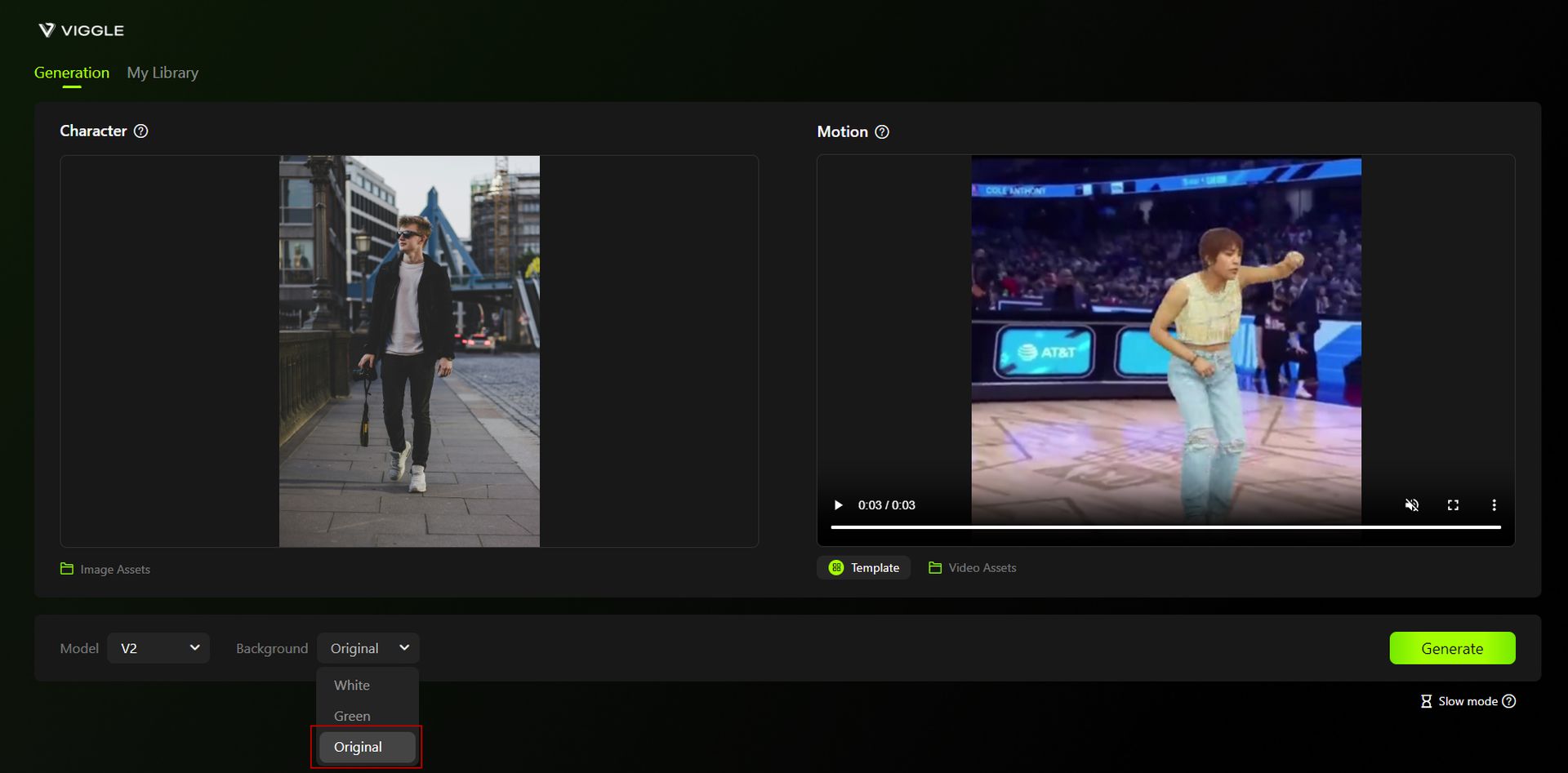
Viggle AI basketball trend
Choose a basketball move, upload a photo, set the background to “Original,” and click “Generate” (Image credit)

Download and edit (optional):

  1. Once the video is ready, click “Download”. It will save directly to your files, not your camera roll.
  2. Import the video into a video editing app like CapCut for further editing if desired.

Share on TikTok:

  1. Open TikTok and create a new post.
  2. Upload the video you created from your files.
  3. Add any additional effects, text, or sound you want.
  4. Share your video with the TikTok community using relevant hashtags like #basketballtrend, #aidance, and #viggle.

And that is it! Here is my take on the Viggle AI basketball TikTok trend:
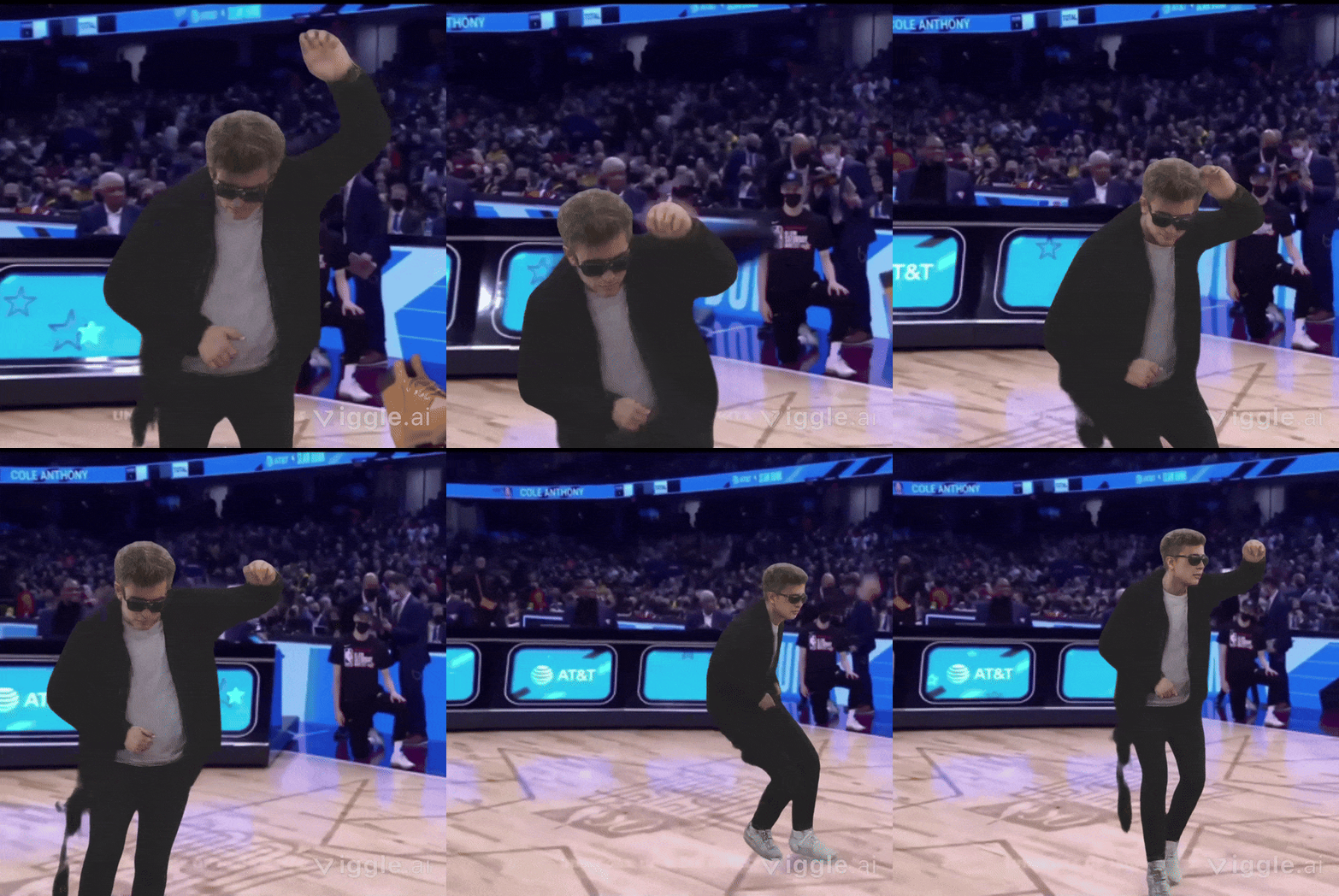
Viggle AI basketball trend
Download the video and optionally edit it using apps like CapCut (Image credit)

Remember to use a clear photo with a suitable body posture for the desired basketball move. To get the best Viggle AI basketball trend result, don’t forget:

  • Viggle AI offers various moves, so try out different ones to see what works best for you.
  • Select a clear photo of yourself where your body posture is suitable for the move you want to create.

If you would like to be a part of the Viggle AI basketball TikTok trend as a version of yourself with the iconic Jordan dunk, make sure to upload your own video asset instead. Doing so will get you an output like this:
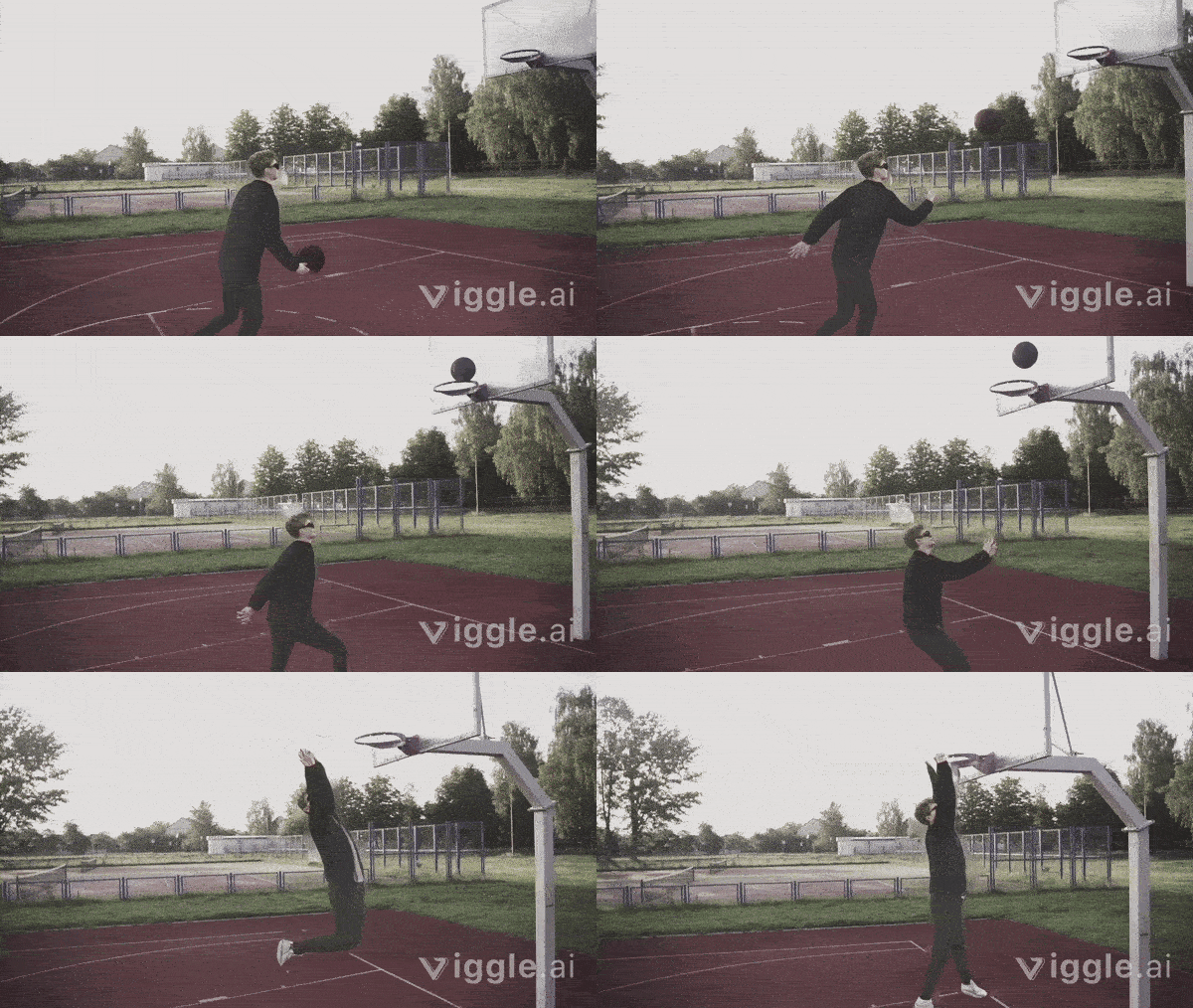
Viggle AI basketball TikTok trend
Viggle AI provides tools for generating animated videos, helping users create fresh and engaging content for TikTok (Image credit)

Here are other amazing trends you can recreate with Viggle AI:

  • Viggle AI rock your hips trend
  • Viggle AI head top trend

Is Viggle AI free to use?

Viggle AI offers a free tier that allows you to generate up to two videos per day. For those seeking more advanced features and greater creative control, Viggle AI has introduced a subscription model called Viggle Pro.

Viggle Pro Subscription Details:

  • Price: $9.99 per month
  • Benefits:
    • 80 credits per month (equivalent to 20 minutes of video)
    • Priority generation
    • Up to 10 running jobs at once
    • Remove watermark
    • Unlimited generated video duration
    • Option to purchase additional credits

This subscription model is perfect for users who want to maximize their creativity and take full advantage of Viggle AI’s capabilities. The free plan is an excellent way to get started, but Viggle Pro unlocks the full potential of the tool, making it easier to create high-quality, engaging content for your TikTok audience. Whether you stick with the free version or upgrade to Viggle Pro, you’ll find plenty of ways to make your videos stand out.

Viggle AI has changed the way TikTok users create content by providing easy-to-use tools for generating animated videos. With trends like the basketball, Daboy, and Rock Your Hips challenges, you can keep your content fresh and engaging. By exploring different moves and styles, you can find what works best for you and your audience.

Whether you’re using the free version or have subscribed to Viggle Pro, the possibilities are endless. So, get creative, have fun, and let Viggle AI help you become the next TikTok sensation!


Featured image credit: Markus Spiske/Unsplash

Tags: Viggle AI

Related Posts

Mother of one of Elon Musk’s children sues xAI over sexual Grok deepfakes

Mother of one of Elon Musk’s children sues xAI over sexual Grok deepfakes

January 16, 2026
US Senate slams tech giants over “failing” deepfake guardrails

US Senate slams tech giants over “failing” deepfake guardrails

January 16, 2026
OpenAI launches standalone ChatGPT Translate

OpenAI launches standalone ChatGPT Translate

January 15, 2026
DeepSeek V4 and R2 launch timing stays hidden

DeepSeek V4 and R2 launch timing stays hidden

January 15, 2026
Gemini gains Personal Intelligence to synthesize data from Gmail and Photos

Gemini gains Personal Intelligence to synthesize data from Gmail and Photos

January 15, 2026
Google integrates Gemini AI into redesigned Trends Explore page

Google integrates Gemini AI into redesigned Trends Explore page

January 15, 2026

LATEST NEWS

Is Twitter down? Users report access issues as X won’t open

Paramount+ raises subscription prices and terminates free trials for 2026

Capcom reveals Resident Evil Requiem gameplay and February release date

Mother of one of Elon Musk’s children sues xAI over sexual Grok deepfakes

Samsung revamps Mobile Gaming Hub to fix broken game discovery

Bluesky launches Live Now badge and cashtags in major update

Dataconomy

COPYRIGHT © DATACONOMY MEDIA GMBH, ALL RIGHTS RESERVED.

  • About
  • Imprint
  • Contact
  • Legal & Privacy

Follow Us

  • News
    • Artificial Intelligence
    • Cybersecurity
    • DeFi & Blockchain
    • Finance
    • Gaming
    • Startups
    • Tech
  • Industry
  • Research
  • Resources
    • Articles
    • Guides
    • Case Studies
    • Whitepapers
  • AI tools
  • Newsletter
  • + More
    • Glossary
    • Conversations
    • Events
    • About
      • Who we are
      • Contact
      • Imprint
      • Legal & Privacy
      • Partner With Us
No Result
View All Result
Subscribe

This website uses cookies. By continuing to use this website you are giving consent to cookies being used. Visit our Privacy Policy.