Dataconomy
  • News
    • Artificial Intelligence
    • Cybersecurity
    • DeFi & Blockchain
    • Finance
    • Gaming
    • Startups
    • Tech
  • Industry
  • Research
  • Resources
    • Articles
    • Guides
    • Case Studies
    • Whitepapers
    • AI Models Leaderboard
  • AI toolsNEW
  • Newsletter
  • + More
    • Glossary
    • Conversations
    • Events
    • About
      • Who we are
      • Contact
      • Imprint
      • Legal & Privacy
      • Partner With Us
Subscribe
No Result
View All Result
  • AI
  • Tech
  • Cybersecurity
  • Finance
  • DeFi & Blockchain
  • Startups
  • Gaming
Dataconomy
  • News
    • Artificial Intelligence
    • Cybersecurity
    • DeFi & Blockchain
    • Finance
    • Gaming
    • Startups
    • Tech
  • Industry
  • Research
  • Resources
    • Articles
    • Guides
    • Case Studies
    • Whitepapers
    • AI Models Leaderboard
  • AI toolsNEW
  • Newsletter
  • + More
    • Glossary
    • Conversations
    • Events
    • About
      • Who we are
      • Contact
      • Imprint
      • Legal & Privacy
      • Partner With Us
Subscribe
No Result
View All Result
Dataconomy
No Result
View All Result

Google reveals “Circle to Search” for Pixel and S24

Here is everything you need to know about Google's latest feature...

byOnur Demirkol
January 17, 2024
in News
Home News
Share on FacebookShare on TwitterShare on LinkedInShare on WhatsAppShare on e-mail
Google Preferred Source

Google has a new feature called “Circle to Search,” and it’s about making using our phones easier, but what is Circle to Search? This feature lets you quickly search for anything you see in an app. Whether it’s something in a video, a picture, or text, you can just circle it and get info about it right away without leaving the app.

Let’s look at the details and answer your question, “What is Circle to Search?”
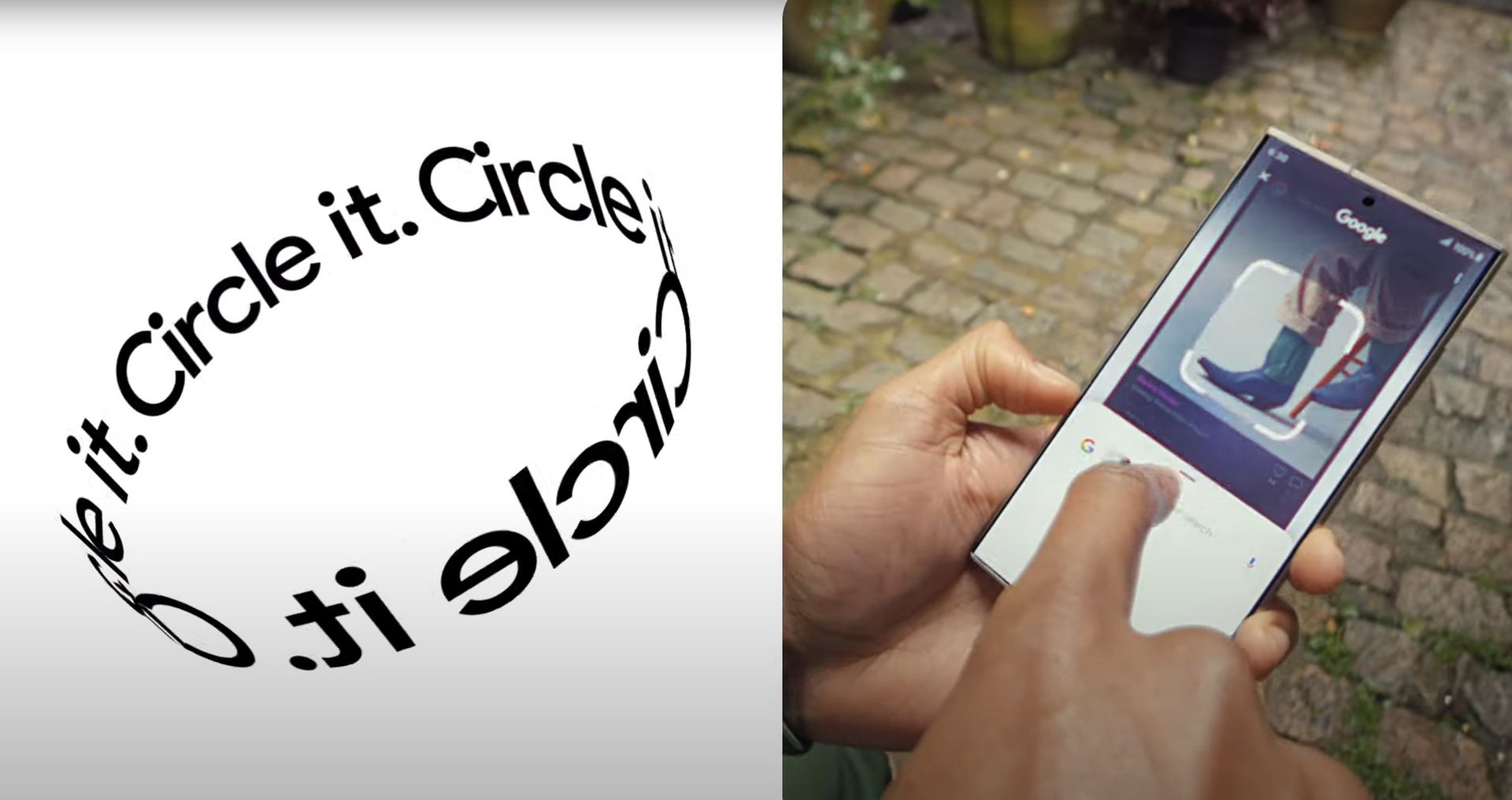
What is Circle to Search
So, what is Circle to Search? (Image Credit)

What is Circle to Search?

Exciting news for Android users! Google just rolled out a brand new feature called “Circle to Search.” It’s a game-changer for how we interact with stuff on our phones. So, what is Circle to Search? Basically, you can now circle, highlight, or tap on anything you see in an app – like a photo, video, or even a line of text – and voila! You get instant search results for that thing right there without having to leave your app.

Stay Ahead of the Curve!

Don't miss out on the latest insights, trends, and analysis in the world of data, technology, and startups. Subscribe to our newsletter and get exclusive content delivered straight to your inbox.

How to fix the Google Pay YC error code easily

This cool feature is a part of the latest Android update and is super easy to use. It’s available on the latest Pixel 8 and Samsung S24 phones. You just need to gesture or long-press the navigation bar at the bottom of your screen to bring it up. Let’s say you see a cool pair of boots or an interesting microphone in a video – just circle it, and Google will show you search results for that item. It’s kind of like Google Lens but even more focused on the specific stuff you’re interested in.

Imagine you’re watching a fashion video and want to know where to buy the sunglasses the creator is wearing. Just activate Circle to Search, circle the sunglasses, and you’ll see shopping options from various retailers. You can do the same with a bag or boots – all without having to stop watching the video. When you’re done, just swipe away and return to what you were doing. This is the exact example Google gave in its official statement.

Which apps support Circle to Search?

One of the best things about Circle to Search is that it works with pretty much any app on your device. During their press demo, Google showed us how it works on a YouTube video, a photo, and even text messages.

Second wave of Google layoffs 2024 hits AR, Pixel, FitBit, and more

Think about how useful this can be, especially for shopping. If you’re watching a YouTuber and see an awesome light setup in the background, you don’t have to go through the hassle of searching for what light it is. Just circle the light, and Google finds it for you, showing shopping links and more. It’s like having a personal assistant who does your hard work.
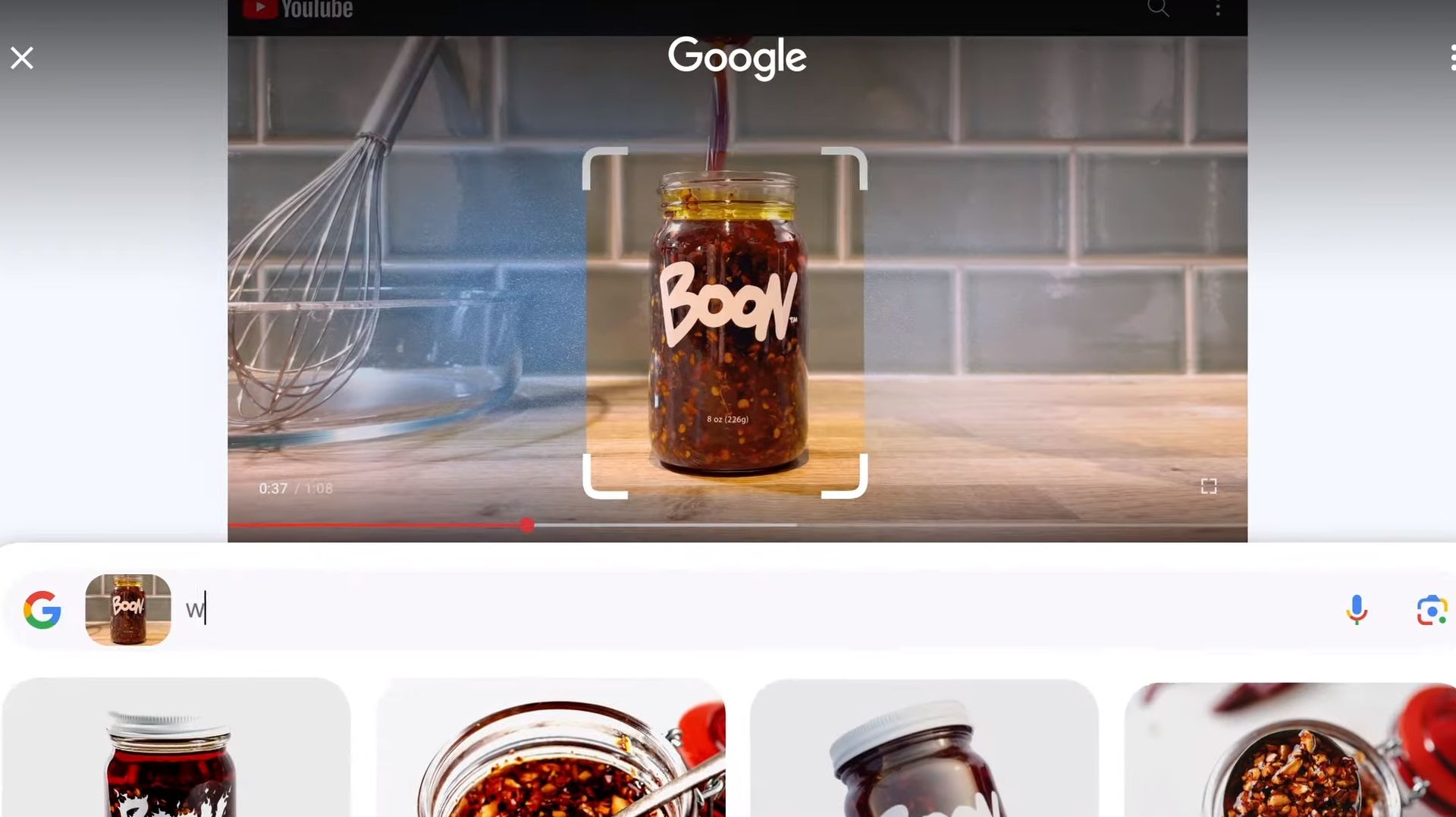
What is Circle to Search
This feature will surely make our lives easier by improving user experience (Image Credit)

Which phones support Circle to Search?

Circle to Search is available globally on some of the top Android smartphones starting January 31. The feature is exclusive to the latest Google and Samsung flagships. Here’s the list of phones where you can enjoy this new feature:

  • Pixel 8
  • Pixel 8 Pro
  • Samsung Galaxy S24 series

Today, we answered your question, “What is Circle to Search?” Google’s Circle to Search is definitely shaping up to be a handy tool for Android users, making searching for things within apps easier and more intuitive than ever. With its launch, it seems we’re stepping into a new era of smart, seamless mobile experiences.

Featured image credit: Google

Tags: FeaturedGoogle

Related Posts

OpenAI launches ChatGPT Work productivity app

OpenAI launches ChatGPT Work productivity app

July 10, 2026
Meta files patent for AI-powered emotional monitoring device

Meta files patent for AI-powered emotional monitoring device

July 10, 2026
Xiaomi 18 Pro to debut in September with Snapdragon 8 Elite Gen 6 chip

Xiaomi 18 Pro to debut in September with Snapdragon 8 Elite Gen 6 chip

July 10, 2026
Google rolls out ‘How this ad was made’ for AI ads

Google rolls out ‘How this ad was made’ for AI ads

July 10, 2026
OpenAI launches GPT-5.6 with Sol, Terra, and Luna models

OpenAI launches GPT-5.6 with Sol, Terra, and Luna models

July 10, 2026
SpaceXAI launches Grok 4.5 as new flagship AI model

SpaceXAI launches Grok 4.5 as new flagship AI model

July 10, 2026

LATEST NEWS

OpenAI launches ChatGPT Work productivity app

Meta files patent for AI-powered emotional monitoring device

Xiaomi 18 Pro to debut in September with Snapdragon 8 Elite Gen 6 chip

Google rolls out ‘How this ad was made’ for AI ads

OpenAI launches GPT-5.6 with Sol, Terra, and Luna models

SpaceXAI launches Grok 4.5 as new flagship AI model

BEST AI MODELS LEADERBOARD

See the best AI models, ranked by intelligence, benchmark results, speed and token price. Find the most suitable LLMs, Text-to-Image, Image Editing, Text-to-Speech, Text-to-Video and Image-to-Video  artificial intelligence model for your tasks and business.

LATEST TOOLS

Capmonster

Superhuman

Pixelvibe

Punchlines

Leadfwd

AI RoastBot

Bit.ai

Pikzels

Aflow

Chai AI

Dataconomy

COPYRIGHT © DATACONOMY MEDIA GMBH, ALL RIGHTS RESERVED.

  • About
  • Imprint
  • Contact
  • Legal & Privacy

Follow Us

  • News
    • Artificial Intelligence
    • Cybersecurity
    • DeFi & Blockchain
    • Finance
    • Gaming
    • Startups
    • Tech
  • Industry
  • Research
  • Resources
    • Articles
    • Guides
    • Case Studies
    • Whitepapers
    • AI Models Leaderboard
  • AI tools
  • Newsletter
  • + More
    • Glossary
    • Conversations
    • Events
    • About
      • Who we are
      • Contact
      • Imprint
      • Legal & Privacy
      • Partner With Us
No Result
View All Result
Subscribe

This website uses cookies to improve your experience. You can choose to accept or reject them. Visit our Privacy Policy.