Dataconomy
  • News
    • Artificial Intelligence
    • Cybersecurity
    • DeFi & Blockchain
    • Finance
    • Gaming
    • Startups
    • Tech
  • Industry
  • Research
  • Resources
    • Articles
    • Guides
    • Case Studies
    • Whitepapers
    • AI Models Leaderboard
  • AI toolsNEW
  • Newsletter
  • + More
    • Glossary
    • Conversations
    • Events
    • About
      • Who we are
      • Contact
      • Imprint
      • Legal & Privacy
      • Partner With Us
Subscribe
No Result
View All Result
  • AI
  • Tech
  • Cybersecurity
  • Finance
  • DeFi & Blockchain
  • Startups
  • Gaming
Dataconomy
  • News
    • Artificial Intelligence
    • Cybersecurity
    • DeFi & Blockchain
    • Finance
    • Gaming
    • Startups
    • Tech
  • Industry
  • Research
  • Resources
    • Articles
    • Guides
    • Case Studies
    • Whitepapers
    • AI Models Leaderboard
  • AI toolsNEW
  • Newsletter
  • + More
    • Glossary
    • Conversations
    • Events
    • About
      • Who we are
      • Contact
      • Imprint
      • Legal & Privacy
      • Partner With Us
Subscribe
No Result
View All Result
Dataconomy
No Result
View All Result

Runway Motion Brush mesmerizes users, here is how it works

Wow, just wow...

byOnur Demirkol
November 28, 2023
in Artificial Intelligence
Home News Artificial Intelligence
Share on FacebookShare on TwitterShare on LinkedInShare on WhatsAppShare on e-mail
Google Preferred Source

Artificial intelligence continues to mesmerize everyone, and the Runway Motion Brush is just another addition to the list. The tool is actually very interesting in that it went viral on social media as some people tried its features. Today, we will explain its details, features, and how to use it!

The spotlight now shines on Runway’s latest creation: the second generation of its Motion Brush tool. This cutting-edge tool has ignited a wave of excitement as it seamlessly integrates with popular generators, such as Midjourney, to breathe life into AI-generated images.
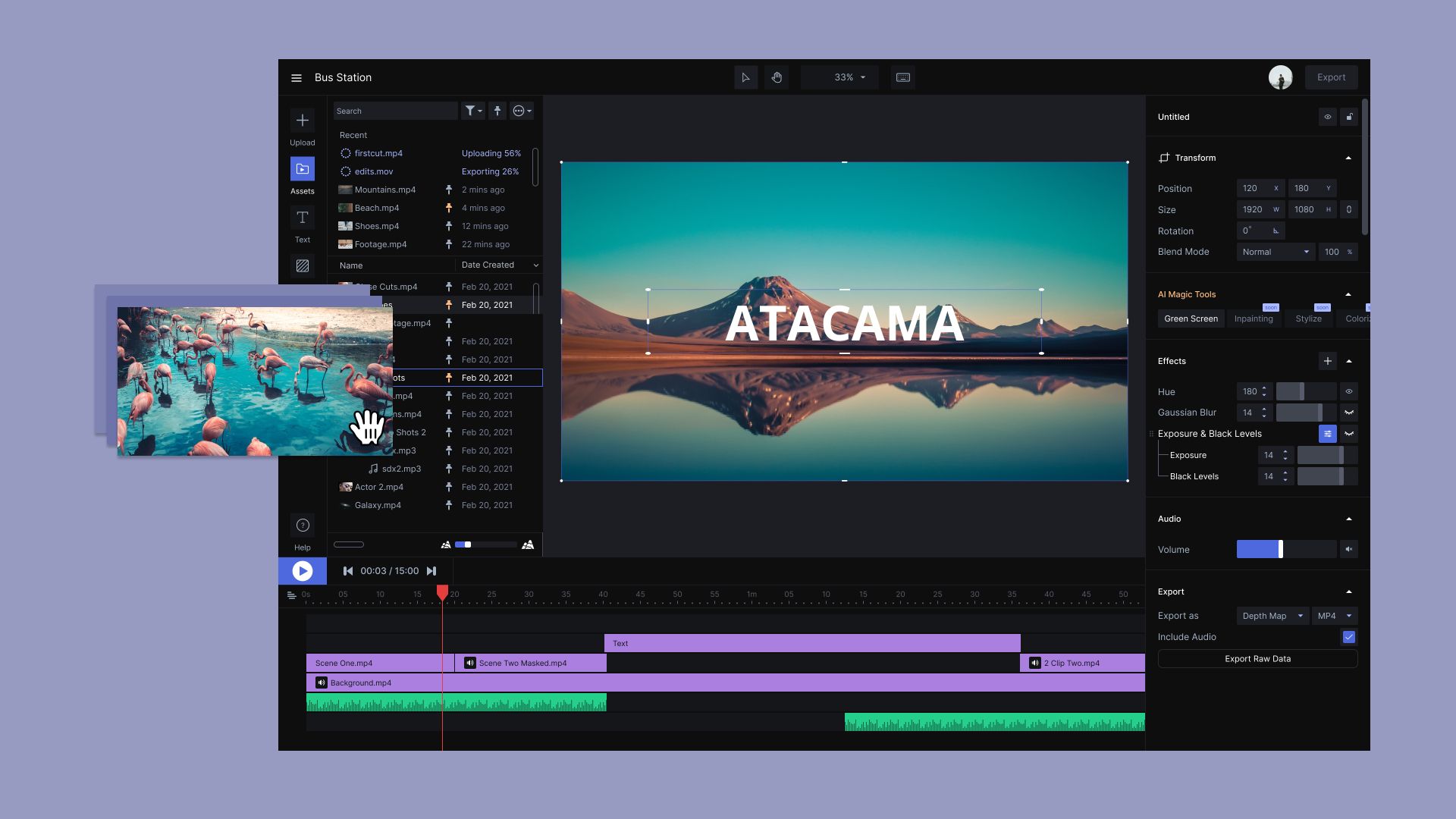
Runway Motion Brush
Runway has once again managed to impress everyone (Image Credit)

What is Runway Motion Brush?

Runway Motion Brush, a star player in Gen-2, emerges as a testament to the transformative potential of AI in creative realms. At its core, this tool possesses the enchanting ability to metamorphose static images into dynamic narratives with just a few clicks. It’s like waving a digital magic wand, ushering in a significant leap in video editing capabilities, delivering unmatched clarity and detail through its high-resolution prowess.

Stay Ahead of the Curve!

Don't miss out on the latest insights, trends, and analysis in the world of data, technology, and startups. Subscribe to our newsletter and get exclusive content delivered straight to your inbox.

Motion brush in runway…damn good.

Much better control.

This was very needed.#runwayml #midjourneyV52 #AIArtCommuity #aiart pic.twitter.com/r8ZhM0GnAd

— Rory Flynn (@Ror_Fly) November 24, 2023

Creators across the spectrum are already immersing themselves in the magic of Motion Brush. Whether it’s trucks cruising down dusty roads, nature panoramas, animated people and animals, swirling leaves in the wind, or drifting clouds, this tool breathes life into static scenes. Runway has even showcased its versatility with examples ranging from cascading waterfalls and fish in a tank to dynamic fire and the wafting smoke from a burning cigarette.

Runway AI Gen-2 makes text-to-video AI generator a reality

又一个runway motion brush很好的演示。 by @_bryanmarleypic.twitter.com/P0OW1Vx0yQ

— 遁一子 (@jesselaunz) November 27, 2023

How to use Runway Motion Brush

Today we're releasing new features and updates to provide more control, greater fidelity and even more expressiveness when using Runway.

We are excited to introduce Motion Brush, Gen-2 Style Presets, updated Camera Controls and more.

Thread below pic.twitter.com/VdF6MyCUSK

— Runway (@runwayml) November 20, 2023

Using the Motion Brush is easy! Just follow these steps:

  1. Put Your Picture In: First, put your still picture into Runway.
  2. Choose Motion Brush: Click on the Motion Brush tool after you start with your picture.
  3. Draw and Highlight: Use the brush to draw on the part of the picture you want to move.
  4. Set Controls: Tell the tool which way you want things to move – up, down, left, right.
  5. Save and Make Video: Save your changes, then click a button to turn your picture into a video. You can make it longer if you want!
  6. Download and Share: Your moving picture is ready! You can download it, share it with friends, and use it in other editing tools.

RunwayML text to video and image to video features are here to change the game
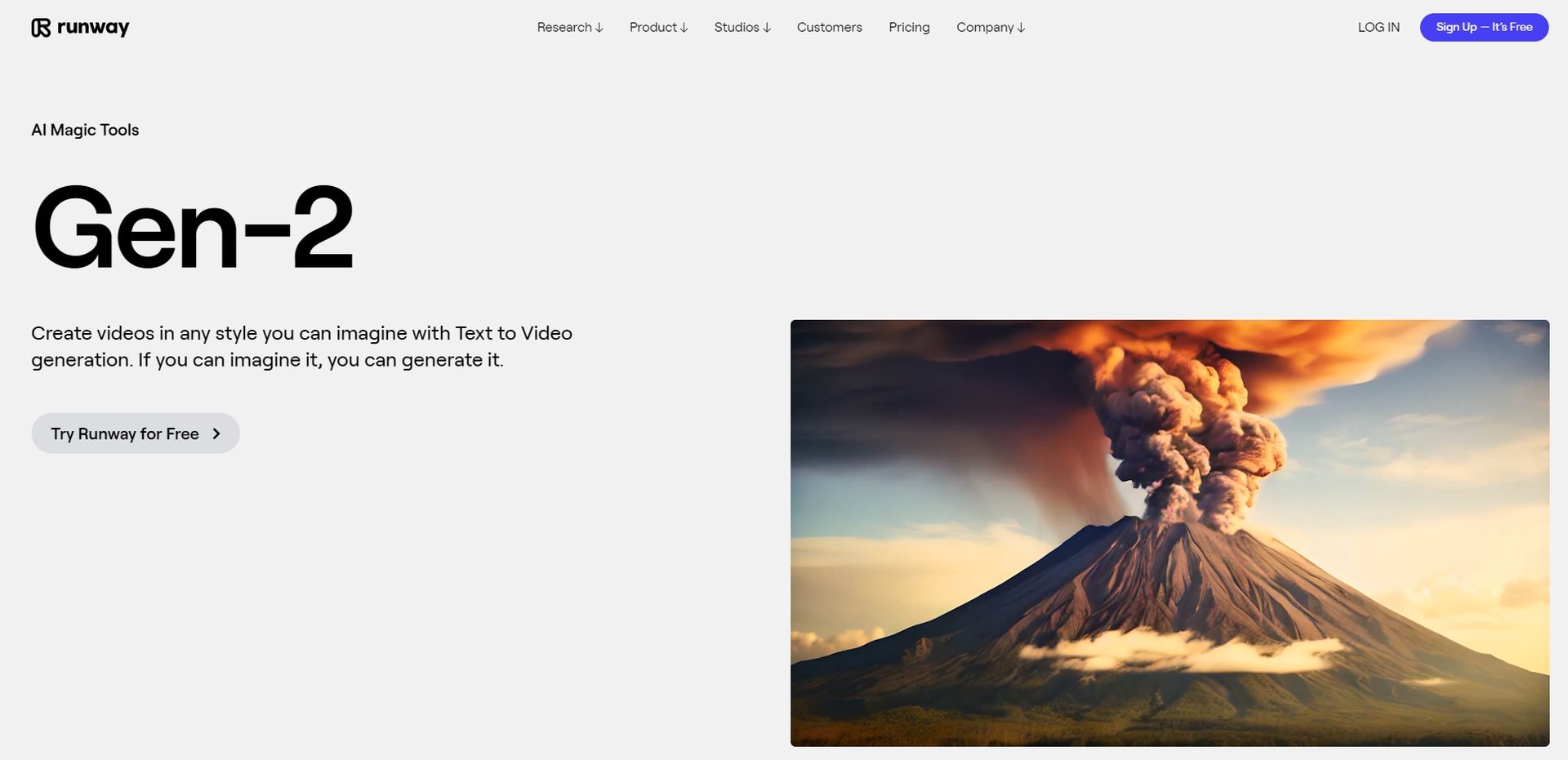
Runway Motion Brush
Runway’s Gen-2 is actually very impressive (Image Credit)

Runway Motion Brush features and pricing

Motion Brush isn’t just about animation; it’s a toolkit for your creativity. Check out these features that add extra flair to your art:

  • Motion Brush and Camera Controls: Make things move while the camera zooms or pans.
  • Gen-2 Style Presets: Add style without needing prompts, making your content even better.
  • Director Mode Updates: Fine-tune camera moves with precision in a fraction of a second.

The user interface is familiar, like most image or video editors. Your access depends on your pricing tier, ranging from basic to Enterprise. Currently, Motion Brush is in beta, meaning all Runway members can give it a try and explore the exciting possibilities of AI-driven creativity.

Besides Motion Brush, Runway has also introduced new Gen-2 Style Presets and updates to Camera Controls, showing their commitment to staying at the forefront of AI innovation. Dive into the future of creativity with Runway, where every image can become a canvas for something magical.

Featured image credit: Runway ML
Related Posts

OpenAI launches ChatGPT Work productivity app

OpenAI launches ChatGPT Work productivity app

July 10, 2026
Meta files patent for AI-powered emotional monitoring device

Meta files patent for AI-powered emotional monitoring device

July 10, 2026
Google rolls out ‘How this ad was made’ for AI ads

Google rolls out ‘How this ad was made’ for AI ads

July 10, 2026
OpenAI launches GPT-5.6 with Sol, Terra, and Luna models

OpenAI launches GPT-5.6 with Sol, Terra, and Luna models

July 10, 2026
SpaceXAI launches Grok 4.5 as new flagship AI model

SpaceXAI launches Grok 4.5 as new flagship AI model

July 10, 2026
Claude gets Reflect dashboard to track AI usage

Claude gets Reflect dashboard to track AI usage

July 10, 2026

LATEST NEWS

OpenAI launches ChatGPT Work productivity app

Meta files patent for AI-powered emotional monitoring device

Xiaomi 18 Pro to debut in September with Snapdragon 8 Elite Gen 6 chip

Google rolls out ‘How this ad was made’ for AI ads

OpenAI launches GPT-5.6 with Sol, Terra, and Luna models

SpaceXAI launches Grok 4.5 as new flagship AI model

BEST AI MODELS LEADERBOARD

See the best AI models, ranked by intelligence, benchmark results, speed and token price. Find the most suitable LLMs, Text-to-Image, Image Editing, Text-to-Speech, Text-to-Video and Image-to-Video  artificial intelligence model for your tasks and business.

LATEST TOOLS

Capmonster

Superhuman

Pixelvibe

Punchlines

Leadfwd

AI RoastBot

Bit.ai

Pikzels

Aflow

Chai AI

Dataconomy

COPYRIGHT © DATACONOMY MEDIA GMBH, ALL RIGHTS RESERVED.

  • About
  • Imprint
  • Contact
  • Legal & Privacy

Follow Us

  • News
    • Artificial Intelligence
    • Cybersecurity
    • DeFi & Blockchain
    • Finance
    • Gaming
    • Startups
    • Tech
  • Industry
  • Research
  • Resources
    • Articles
    • Guides
    • Case Studies
    • Whitepapers
    • AI Models Leaderboard
  • AI tools
  • Newsletter
  • + More
    • Glossary
    • Conversations
    • Events
    • About
      • Who we are
      • Contact
      • Imprint
      • Legal & Privacy
      • Partner With Us
No Result
View All Result
Subscribe

This website uses cookies to improve your experience. You can choose to accept or reject them. Visit our Privacy Policy.