Wispr Flow
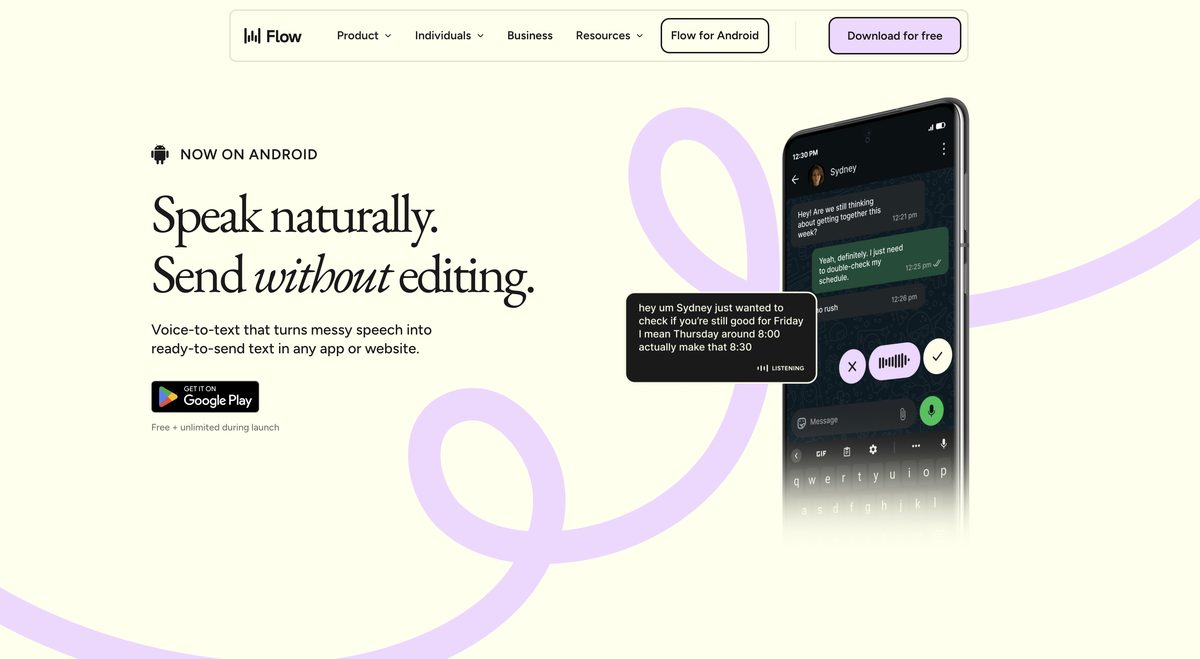
Wispr Flow is a voice dictation tool designed for quick and clear writing by translating spoken words into written text across various applications. It offers efficient and intelligent dictation capabilities, making it particularly beneficial for professionals and writers. The tool features auto-edit capabilities and supports over 100 languages, enhancing accessibility and productivity. Wispr Flow adapts to the user's speech style and provides intuitive editing options, allowing users to articulate ideas seamlessly.
Pros
- Translates spoken word efficiently
- Auto-edit capabilities
- Supports 100+ languages
- Adapts to user's speech style
- Intuitive user experience
- Quick edits in real-time
- Assists in formulating sentences
- Context-aware for capturing uncommon names
- Seamlessly works in any application
- Enhances productivity and reduces interruptions
Cons
- Limited free version
- Pricey for premium features
- Dependent on clear pronunciations
- May struggle with accents
- Potential privacy concerns
- Requires internet connection
- No offline functionality
- May have transcription inaccuracies
- Mobile app not available yet
- Possibly unsuitable for multilingual users
Wispr Flow is a voice dictation tool that translates spoken words into written text across different applications.
Main features include auto-edit capabilities, adaptation to a user's speech style, and context-awareness for capturing uncommon names.
Wispr Flow supports over 100 languages.
It learns how a user communicates in different applications to provide personalized voice-to-text dictation.
The tool uses AI to anticipate user input and provide sentence completion assistance.
'Context-aware' means the tool understands the context of the speech, allowing it to accurately capture names and terms.
AI commands enable users to control their documents through voice commands.
There is no limit; it works seamlessly across any application that supports text input.
It enables users to write faster and more accurately, speeding up work processes.
A mobile app is included in the Pro package, but its availability is marked as 'coming soon'.
Become a Contributor
Sign in to unlock these features:
- ⭐️ Rate this tool with a 1-5 star score
- ✍️ Write a detailed review for the community
- ❤️ Follow this tool to get important updates
Get started in seconds
[jnews_social_login_form]