Dynaboard AI
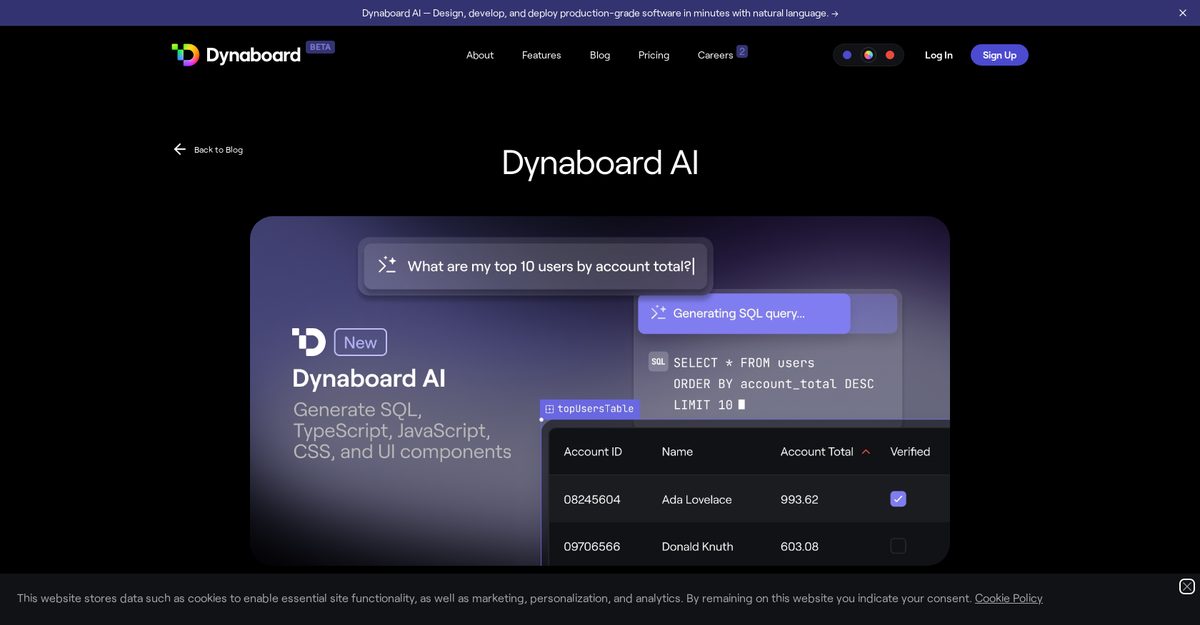
Dynaboard AI is a powerful suite of AI tools designed to accelerate the building of custom, production-grade web software, combining drag-and-drop builders, code-first UI frameworks, and generative AI for rapid development. Key features include natural language-based UI generation for interactive components like charts, tables, dropdowns, and data-rich forms linked to PostgreSQL, MySQL, or BigQuery databases; code generation in TypeScript/JavaScript, SQL, and CSS; and context-aware code refactoring for easy app modifications. It supports multi-page apps, authentication, WebAssembly-powered VMs, and integrations with services like AWS S3, Firebase, and various APIs, enabling developers to create admin panels, customer portals, BI dashboards, and internal tools in minutes.
Pros
- Generates TypeScript/JavaScript, SQL, CSS in any editor
- UI generation for interactive components like charts and tables
- Code refactoring with context awareness of app structure
- Links to PostgreSQL, MySQL, BigQuery for real-time data
- Automates component configuration, naming, and placement
- Supports rapid development of complex web apps and internal tools
- Free trial available with user feedback features
Cons
- Limited to TypeScript/JavaScript, SQL, CSS languages
- Only supports PostgreSQL, MySQL, BigQuery databases
- Dependent on quality of developer prompts
- Automation may limit fine-grained control
- Requires Dynaboard editor, no standalone use
- No native mobile app support
- Limited variety of UI components
- Beta version may have instability
Dynaboard AI is a suite of AI functionalities aimed at accelerating the process of building custom, production-grade software. It offers developers key features, including UI generation, code generation, and code refactoring, and allows for the design, development, and deployment of software using natural language.
Dynaboard AI enables developers to expedite the software development process by providing support for UI generation, code generation, and code refactoring. By typing prompts into the command bar, developers can generate interactive UI components like charts, tables, and dropdowns. Dynaboard AI can generate TypeScript/JavaScript, SQL, and CSS in any code or query editor and it enables addition of interactivity in the form of filters for charts and tables.
The three key features of Dynaboard AI are UI Generation, Code Generation, and Code Refactoring. These features enable developers to quickly create data-rich UIs, generate TypeScript, JavaScript, SQL, and CSS in any code or query editor, and modify code and queries anywhere in an application respectively.
Dynaboard AI supports TypeScript, JavaScript, SQL, and CSS programming languages. It allows developers to generate code in these languages for any code or query editor.
The UI generation feature in Dynaboard AI allows developers to create interactive UI components effortlessly. They can type prompts into the command bar to generate data-rich forms with automatically configured components. It also enables the creation of charts, tables, and dropdowns that link to PostgreSQL, MySQL, or BigQuery databases.
Dynaboard AI generates code via a simple process of prompts in which developers type what they want to develop or change. Using natural language processing, Dynaboard AI can generate code in TypeScript or JavaScript, SQL, and CSS in any code or query editor. It also allows developers to establish a link with databases such as PostgreSQL, MySQL, or BigQuery.
Dynaboard AI assists with code refactoring by enabling developers to make updates anywhere in their application, simply by explaining what changes they want to make. This allows for easy modification of code and queries, making it particularly useful for ongoing app maintenance and updates.
With Dynaboard AI, you can link PostgreSQL, MySQL, or BigQuery databases. This features allows the generation of data-rich UIs like charts, tables and dropdowns based on the linked database.
Yes, there is a free trial available for Dynaboard AI. It can be accessed through the Dynaboard editor.
Yes, you can. Dynaboard AI is context-aware meaning it understands the pages, functions, components, and database schema of your applications. This provides a seamless experience and enables users to easily modify existing applications with the built-in tools provided by Dynaboard AI.
Become a Contributor
Sign in to unlock these features:
- ⭐️ Rate this tool with a 1-5 star score
- ✍️ Write a detailed review for the community
- ❤️ Follow this tool to get important updates
Get started in seconds
[jnews_social_login_form]