iChatWithGPT
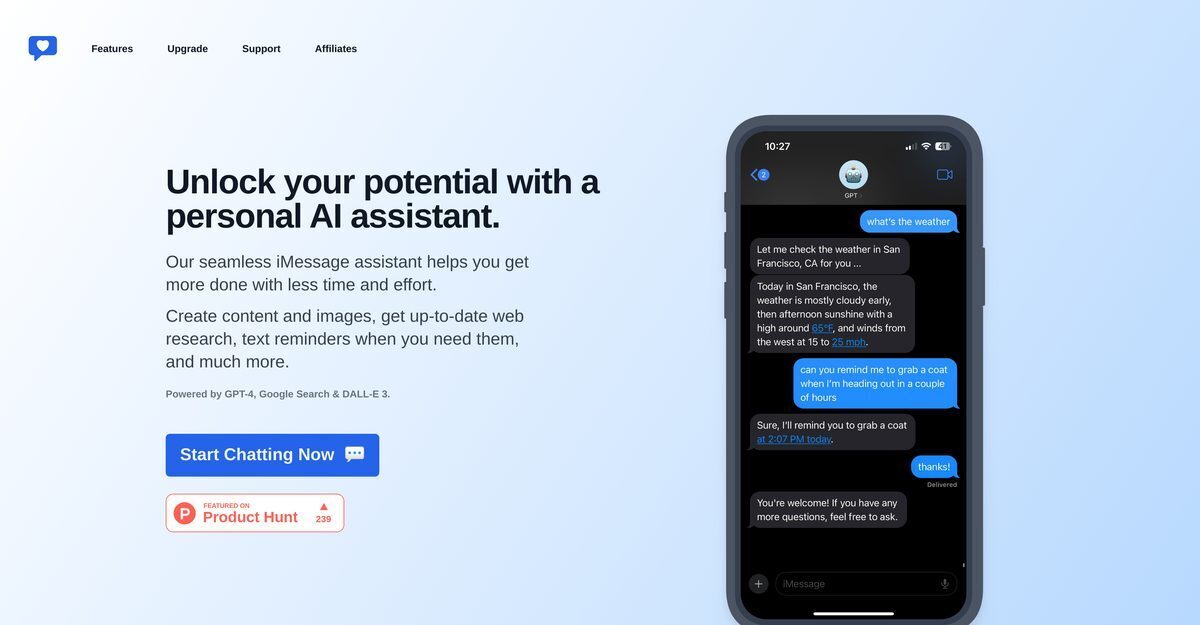
iChatWithGPT is an AI-powered assistant seamlessly integrated into iMessage, compatible with Apple devices including iPhone, Apple Watch, MacBook, CarPlay, and Siri for hands-free voice-activated use. It leverages GPT-4, DALL-E 3, and real-time web research via Google Search to answer queries, provide news summaries, weather forecasts, live sports results, travel planning, recipes, content creation, image generation, and timely reminders. No signup is required, prioritizing user privacy by not storing identifiable information, with the first 100 messages free followed by a low $5 monthly fee. Additional features include venting outlet, task streamlining, and upcoming web app for conversation organization.
Pros
- iPhone compatibility
- Apple Watch compatibility
- No signup required
- Privacy friendly
- Real-time web research
- Image generation
- Voice commands support
Cons
- Limited to Apple devices
- Over-reliance on voice commands
- Possibly slow with real-time tasks
- Charges after 100 messages
- Lacks personalization options
- No backup for conversation history
- Depends on internet connection
iChatWithGPT is an AI-powered messaging tool designed to be used within iMessage. It integrates with various Apple devices and allows users to access OpenAI's ChatGPT from their phone or Apple Watch.
No, iChatWithGPT does not require any sign-up process. Users can directly access and use it without having to provide any identifying information.
iChatWithGPT offers various services such as answering queries, generating new ideas, planning travels, and finding recipes. In addition to this, it offers AI-powered web research, content and image generation, text reminders, and it can also serve as an outlet for venting.
You can access iChatWithGPT on your Apple device by saving it as a contact in iMessages. This enables you to send messages and even use voice commands via Siri. It is available on iPhone, Watch, MacBook, and CarPlay.
iChatWithGPT is free to use for the first 100 messages. After that, users are charged a low monthly fee of $5.
Yes, iChatWithGPT can perform real-time web research. It can provide immediate recommendations, summaries of news articles, weather forecasts, live game results, and more.
With iChatWithGPT, you do not need to manually type messages. The tool supports voice-activated capabilities which allow you to use voice commands to send messages, facilitating hands-free operation.
Yes, iChatWithGPT is compatible with CarPlay. This allows you to access and use the AI assistant directly from your car.
With iChatWithGPT, you can generate images based on your ideas. Ranging from conceptual designs to detailed illustrations, the AI assistant uses DALL-E 3 to create visuals.
Yes, Siri can be integrated with iChatWithGPT, facilitating the use of voice commands to send messages to the AI assistant.
Become a Contributor
Sign in to unlock these features:
- ⭐️ Rate this tool with a 1-5 star score
- ✍️ Write a detailed review for the community
- ❤️ Follow this tool to get important updates
Get started in seconds
[jnews_social_login_form]