GPT for Slides
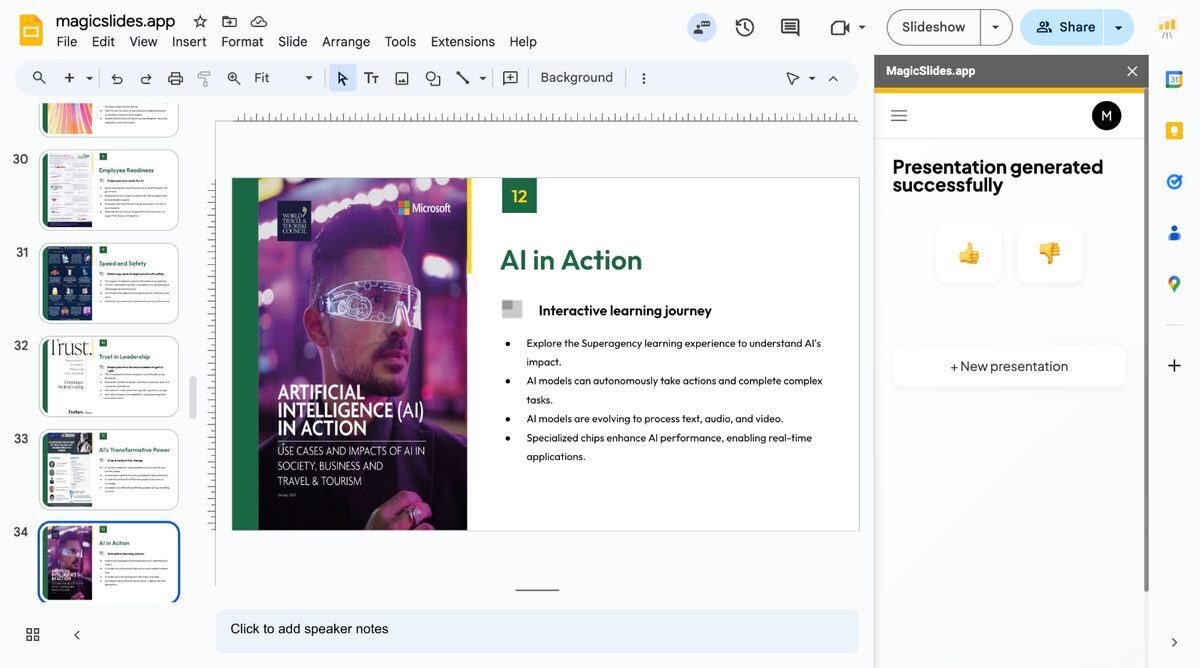
GPT for Slides is an AI-powered tool that enables users to quickly develop professional presentations from text, topics, YouTube URLs, PDFs, or web pages, functioning as a Google Slides add-on or standalone web app. It supports over 100 languages, incorporates AI-generated images and charts, summarizes content efficiently, and allows customization of slide count, colors, and fonts. Presentations can be generated in under 60 seconds and exported as PPTX files, making it ideal for educators, students, and marketers.
Pros
- Generates presentations quickly
- Google Slides add-on
- No-cost usage
- Supports video, text, URLs input
- Multiple content types support
- PDF to presentation
- User-friendly
Cons
- Requires Google account
- Setup process needed
- Conversion to PowerPoint manual
- Not integrated with Microsoft PowerPoint
- Free usage limited
- No option to directly import PPTX to Google Slides
- Mandates granted permissions for installation
- Language support unspecified
GPT for Slides is an AI-powered tool that helps users create professional-looking presentation slides from any piece of text in a matter of seconds. It functions as a Google Slides add-on and standalone web app, offering users the ability to input general topics, text, YouTube URLs, or PDFs to generate organized presentations.
GPT for Slides operates by summarizing and transforming the user-provided content into a presentation. It supports a variety of content, including text, YouTube URLs, and PDFs. To generate a presentation, users specify their desired slide count and content format, and GPT for Slides applies its AI algorithm to create an engaging and visually appealing presentation in under 60 seconds.
To install GPT for Slides, you need to visit the Google Workspace Marketplace and search for the tool. Click on the 'install' button, select your Google account, and grant the necessary permissions. Once installation is completed, GPT for Slides can be accessed through Google Slides under the 'extensions' tab.
Yes, GPT for Slides has the capability to integrate with YouTube. It allows users to generate informative slide presentations directly from YouTube videos. This feature is ideal for marketers and creators who are seeking to expand the reach of their video content.
GPT for Slides supports over 100 languages. This extensive language support allows it to cater to a broad user base, equipping users with the ability to generate presentations in their preferred language.
Yes, GPT for Slides has the ability to convert PDF files into presentations. This feature simplifies the process of turning detailed reports into interactive and visually appealing presentations, thereby amplifying the impact of the conveyed information.
Yes, one of the versatile features of GPT for Slides is the ability for users to customize the length of their presentations. This is done by specifying the number of slides desired when providing the initial input for content transformation.
GPT for Slides can transform a vast array of content into presentations. This includes general topics, text, URLs, YouTube videos, and PDFs. It efficiently summarises and morphs these types of content into well-structured and impressive presentations.
Yes, besides functioning as a Google Slides add-on, GPT for Slides can also be used as a standalone web app. This provides users with additional flexibility and convenience in creating their presentations.
GPT for Slides is free to use for up to three presentations per month. For additional presentations, users can check out the GPT for Slides Pricing page on their website for various paid packages providing expanded usage.
Become a Contributor
Sign in to unlock these features:
- ⭐️ Rate this tool with a 1-5 star score
- ✍️ Write a detailed review for the community
- ❤️ Follow this tool to get important updates
Get started in seconds
[jnews_social_login_form]