Kittl
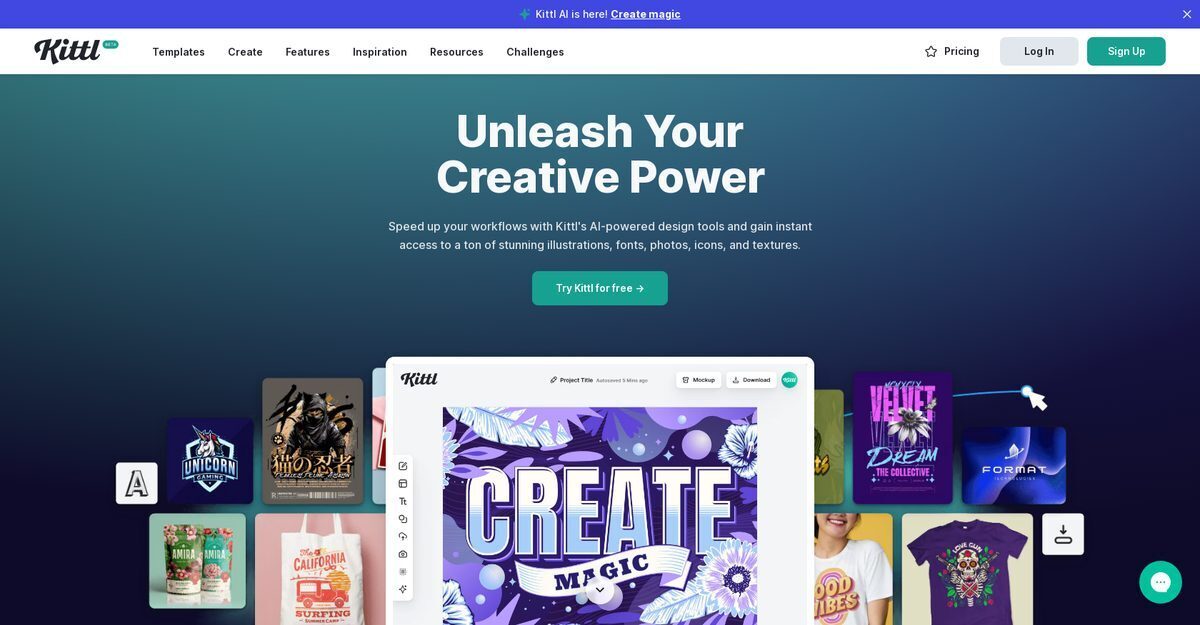
Kittl is an AI-powered online design platform that uses advanced deep learning models like Nano Banana and Seedream to convert text prompts into visually appealing images, clipart, illustrations, and professional graphics in seconds. It features a unified intuitive editor with infinite canvas, vector editing, one-click background removal, style presets, real-time text transformations, batch generation, and a vast library of templates, premium fonts, icons, and textures. Ideal for creators of all skill levels, Kittl supports logo design, social media graphics, merch, and commercial projects with real-time collaboration and print-ready exports. The freemium model allows fast, resource-saving design workflows without switching apps.
Pros
- Designs from text descriptions
- Styles presets available
- Background removal in cliparts
- Saves generated content
- Usable for commercial projects
- Intuitive design platform for all skill levels
- Combines AI generation with professional editing tools
Cons
- No mobile compatibility
- Limited style presets
- Doesn't offer API integration
- Lack of advanced customizability
- No offline capabilities
- Risk of copyright infringement
- No multi-language support
- Generated content may resemble existing designs
Kittl AI is a design tool driven by advanced deep learning models that translates user's text input into visual content like images or clipart, ideal for merchandise designs or social media posts.
Kittl AI utilizes deep learning models to understand text context and generate visually appealing images or clipart in seconds based on descriptions.
It generates stunning images, illustrations, or photos from text descriptions in a few clicks, placing the result on the artboard.
It generates graphics like icons or line art using predefined clipart styles from text input rapidly.
Yes, Kittl AI removes backgrounds of cliparts with a single click for easy integration into designs.
Yes, provided it complies with Kittl's terms of use and licensing, avoiding infringement on others' rights.
Pre-configured styles for quick results, including image presets for stunning visuals and clipart for icons or line art.
Generated content is saved automatically and accessible from the 'Uploads' section in the Kittl editor.
Use the 'Help' section, tutorials, or 'Contact Us' on the website for responses within 24 hours.
Prohibited: pornographic, illegal, immoral content, images of public figures, recognizable characters, or brands protected by copyright/trademark.
Become a Contributor
Sign in to unlock these features:
- ⭐️ Rate this tool with a 1-5 star score
- ✍️ Write a detailed review for the community
- ❤️ Follow this tool to get important updates
Get started in seconds
[jnews_social_login_form]