Same.dev
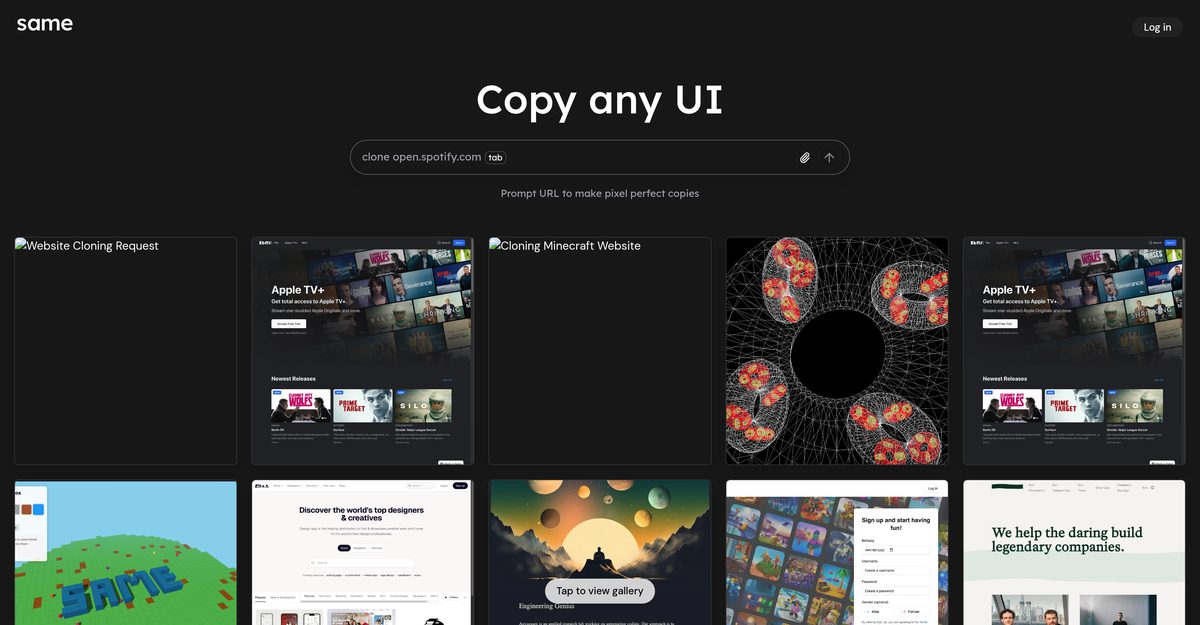
Same.dev is an AI-powered UI replication tool that allows users to create pixel-perfect copies of any website or interface by simply entering a URL. It leverages AI to accurately reproduce design components, including positioning, styling, buttons, color schemes, formatting, alignment, images, and assets, while generating clean, modular React and TypeScript code. Features like prompt-based editing, instant previews, forking projects, and code export enable efficient prototyping, design replication, and iterations without coding knowledge. This streamlines UI cloning for web, mobile, and app designs, ideal for prototyping, reverse engineering, and learning from competitors, though it excels more with simpler interfaces.
Pros
- Effortless UI replication from URL
- Pixel-perfect reproductions with high precision
- Generates clean, modular React and TypeScript code
- Prompt-based editing without coding
- Instant previews and forking capabilities
- Copies images, assets, and hover states
- Enhances design efficiency and creativity focus
Cons
- Doesn't support dynamic content
- Lacks semantic understanding
- No built-in customization options
- Potential copyright law violations
- URL-based replication only
- Struggles with complex pages like Airbnb
- No collaborative features
- May experience delays or failures on intricate projects
Same.dev is an AI-powered tool for replicating UI designs pixel-perfectly from a provided URL, generating React and TypeScript code.
Users enter a URL, and the AI analyzes and replicates the UI components, styling, and layout, with options for prompt editing and previews.
It generates modular, clean code in React and TypeScript, including functions, interfaces, and organized folder structures.
Yes, via simple text prompts without coding knowledge, and you can preview changes instantly.
Users can export a folder with the project's code for independent editing or deployment to any platform.
Ideal for website UI cloning, prototyping, wireframing, reverse engineering designs, and analyzing competitors.
Yes, it copies images, logos, and assets alongside the UI design.
It struggles with dynamic content, complex pages, lacks semantic understanding, and has no collaboration features.
No detailed pricing information is available from the sources.
Yes, users can fork existing projects by adapting their prompts to build upon them.
Become a Contributor
Sign in to unlock these features:
- ⭐️ Rate this tool with a 1-5 star score
- ✍️ Write a detailed review for the community
- ❤️ Follow this tool to get important updates
Get started in seconds
[jnews_social_login_form]