Retake
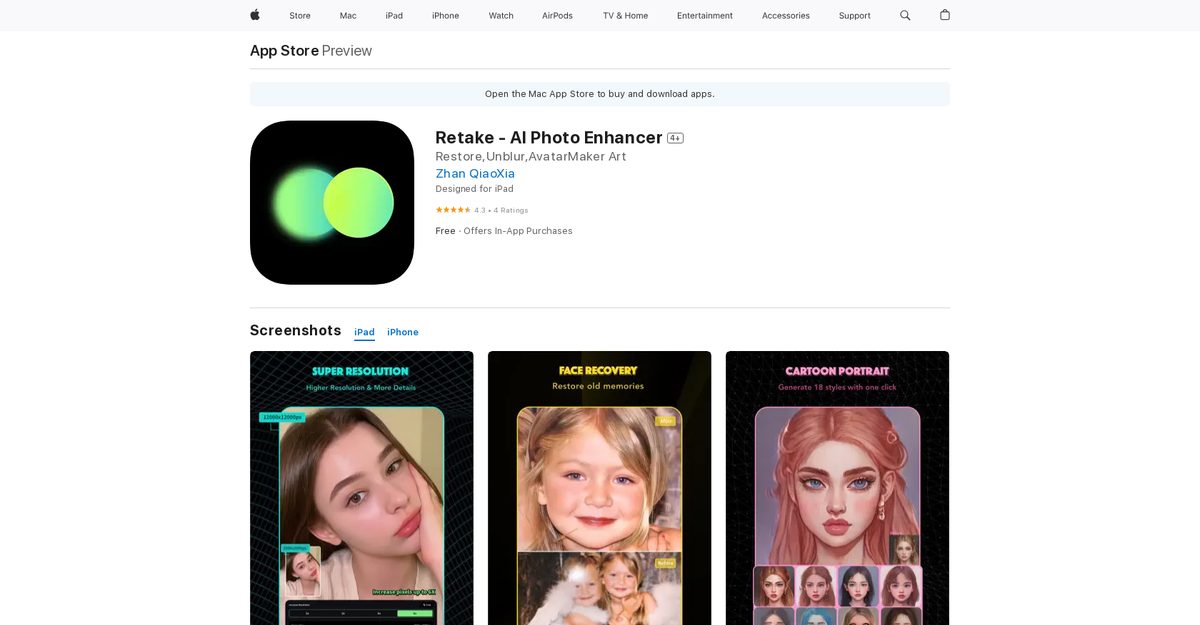
Retake - AI Photo Enhancer is an iOS app available on the App Store for iPhone, iPad, and iPod touch, using advanced AI algorithms to enhance photo quality with features like Super Resolution (upscaling by 600%), Face Recovery for low-res faces, noise reduction, sharpening blurry images, and low-light improvements. It also offers Cartoon Portrait effects in styles like Disney and comic. The app processes everything on-device for privacy, speed, and offline use, with automatic adjustments plus manual customization options. Its user-friendly interface makes photo retouching effortless without needing technical expertise.
Pros
- App available on App Store
- Easy usage on iPhones, iPads, iPod touch
- Automatic adjustments for brightness, contrast, saturation, sharpness
- Manually adjust settings for customization
- User-friendly interface
- Works offline with on-device processing
- Preserves privacy and retains image quality
Cons
- iOS only
- In-app purchases required for full features
- Limited languages
- Limited photo editing features
- Requires constant updates
- Distorts photos at upscaled resolutions
- Photo enhance feature below average
- Not worth subscription for some users
Retake - AI Photo Enhancer is an artificial intelligence-powered photo enhancement app that can be downloaded on iPhone, iPad, and iPod touch devices. It aims to provide users with improved photo quality by automatically adjusting aspects of the image such as brightness, contrast, saturation, and sharpness.
Retake - AI Photo Enhancer improves photo quality by analyzing the image and applying advanced algorithms. The app automatically adjusts various aspects of the photo such as brightness, contrast, saturation, and sharpness, providing an enhanced result.
Yes, Retake - AI Photo Enhancer is available for all iOS devices including the iPhone, iPad, and iPod touch.
Retake - AI Photo Enhancer is capable of adjusting various aspects of a photo such as brightness, contrast, saturation, and sharpness to enhance the image quality.
Yes, in addition to its automatic adjustments, Retake - AI Photo Enhancer also provides options for manually adjusting settings for further customization according to user preference.
Retake - AI Photo Enhancer offers features such as Super Resolution, Face Recovery, low-light enhancement, and Cartoon Portraits in various styles.
Retake - AI Photo Enhancer offers a user-friendly interface designed for quick and simple photo enhancement.
No, Retake - AI Photo Enhancer does not require any complex editing software or technical expertise. Its user-friendly interface and AI-powered algorithms make the process of enhancing photos effortless and efficient.
No, Retake - AI Photo Enhancer does not require an internet connection for enhancing photos. All enhancement processes occur on the user's device.
Yes, Retake - AI Photo Enhancer offers a feature to turn photos into cartoon portraits using a variety of AI-driven cartoon styles, including Disney styles, Arcane styles, 3D cartoon styles, and comic styles.
Become a Contributor
Sign in to unlock these features:
- ⭐️ Rate this tool with a 1-5 star score
- ✍️ Write a detailed review for the community
- ❤️ Follow this tool to get important updates
Get started in seconds
[jnews_social_login_form]