Snappify
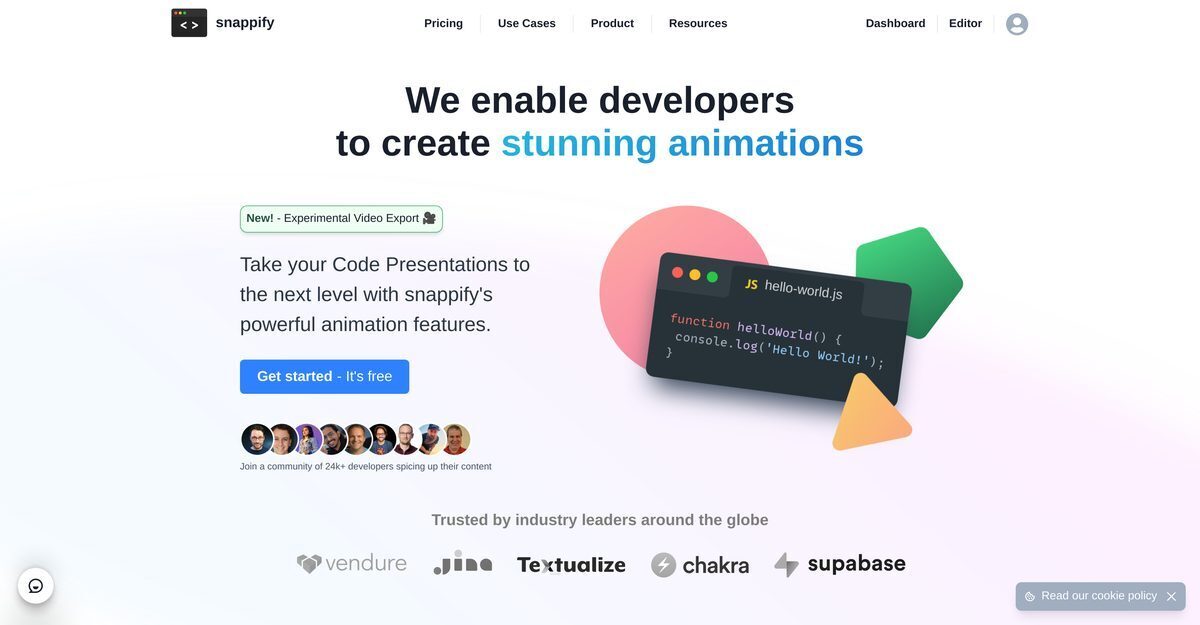
Snappify is a powerful tool for animating code snippets with effects like FadeIn, SlideIn, Morph, and TypeWriter to create stunning code presentations, interactive slides, and videos that replace traditional PowerPoint or Keynote slides. It supports embedding interactive infographics on platforms like Hashnode, Notion, and Medium, allowing easy copying of code and text, while boosting engagement through social media visuals on Twitter, GitHub, Instagram, and LinkedIn. Key features include multiple code windows for comparisons, a rich-text editor for explanations and arrows, custom image uploads, avatar branding, AI-powered code explanations, and IDE integrations like VS Code and IntelliJ. Ideal for education, it simplifies teaching complex technical concepts and enhances blogs or documentation with dynamic content.
Pros
- Animates code snippets
- Creates code presentations
- Interactive slides support
- Infographics for social media
- Boosts Content engagement
- Educational content friendly
- Embeddable interactive infographics
Cons
- No mobile application
- Limited collaboration on free version
- Limited visual customisation
- No offline usage
- Limited platform integrations
- High quality video exports require subscription
- Restricted free plan usage
- Limited code windows on free version
Snappify is a powerful tool that animates code snippets to create impressive code presentations and videos. It supports code snippets used in presentations and allows creation of interactive slides enabling viewers to easily copy snippets and interact with links.
Yes. Snappify allows for the creation of interactive slides. With these slides, viewers can easily copy code snippets and interact with links, enabling a more dynamic and engaging presentation.
Snappify infographics can be used to enhance social media content, making technical concepts engaging to followers. They are especially effective in technical content creation and education, where intricate concepts can be explained visually.
Snappify makes the process of teaching and learning simpler. It aids in creating educational content and interactive slides that assist students in grasping complex technical concepts.
Yes, Snappify offers facilities to embed interactive infographics on your blog or website. These embedded visuals allow for easy copying of code snippets or texts by viewers.
Snappify provides support for various platforms such as Hashnode, Notion, and Medium. It ensures that the infographics look great, enhancing the visual appeal of your content.
Yes, Snappify allows the addition of multiple code windows for comparison. This feature is useful when you want to illustrate differences in code snippets and highlight best practices.
The rich-text editor in Snappify offers a variety of functions. It is a potent tool that allows users to place explanation text and arrows beside code snippets.
Snappify provides facilities to upload custom images. These images can be used to enrich your code presentations and offer a more personalized experience.
You can brand your code snippets on various social media platforms with Snappify. The platforms include Twitter, Github, Instagram, and LinkedIn.
Become a Contributor
Sign in to unlock these features:
- ⭐️ Rate this tool with a 1-5 star score
- ✍️ Write a detailed review for the community
- ❤️ Follow this tool to get important updates
Get started in seconds
[jnews_social_login_form]