Recast Studio
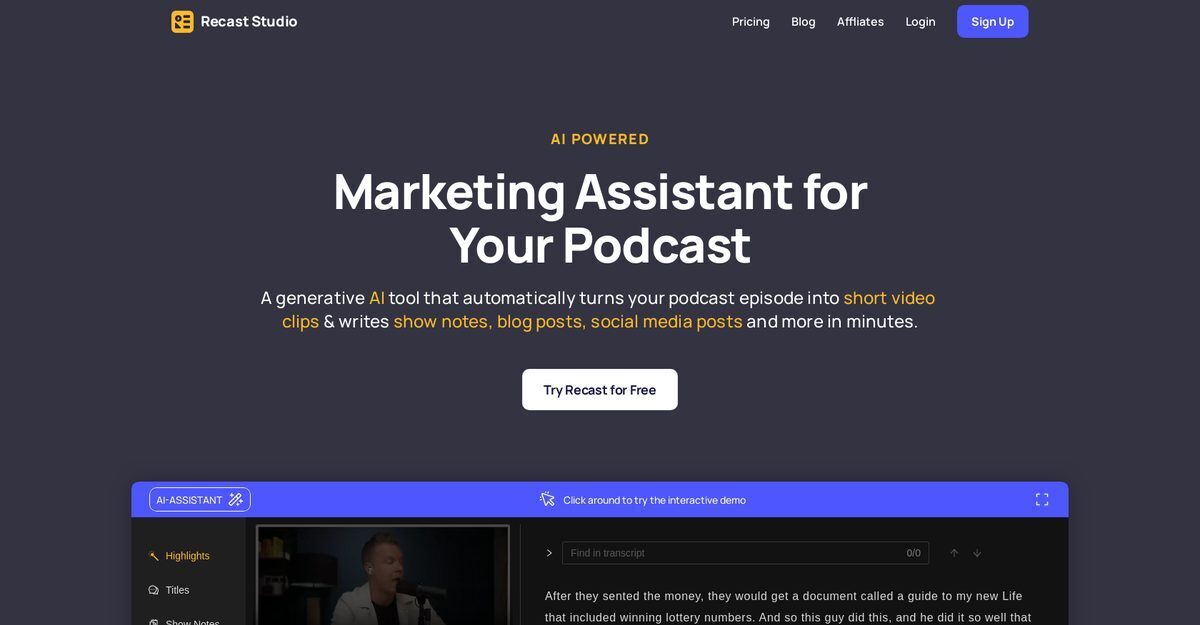
Recast Studio is an AI-powered podcast and video marketing assistant that repurposes long-form podcast episodes into short video clips, audiograms, show notes, blog posts, social media posts, and emails in minutes. It automatically generates full transcripts with easy text-based editing, extracts categorized highlights, and creates SEO-optimized content like summaries with timestamps. Users benefit from an advanced editor for branded templates featuring animations, captions, emojis, GIFs, and more, saving hours of manual work while boosting podcast reach through viral shorts and engaging promotional assets.
Pros
- Automates full podcast transcription for quick editing
- Generates show notes with summaries and timestamps
- Creates captivating social media posts tailored for platforms
- Produces branded audiogram and video clips in one click
- Offers advanced editor with animations, captions, and GIFs
- Optimizes content for SEO to improve discoverability
- Saves significant time on marketing tasks for podcasters
Cons
- No free plan available, starts at paid tiers
- Limited information on advanced customization limits
- AI-generated content may need manual review for accuracy
- No mentioned integrations with podcast hosting platforms
- Focused primarily on podcasts and videos, less versatile
- Pricing details beyond starting rate not fully disclosed
- Potential dependency on high-quality input audio
- Lacks user reviews or testimonials in available data
Recast Studio is an AI-powered tool for podcasters to repurpose episodes into marketing assets like video clips, show notes, social posts, and blogs.
Yes, it automatically generates full transcripts of podcast episodes, editable like regular text.
Yes, it generates captivating posts for LinkedIn, Twitter, Instagram, and more, optimized for engagement.
It produces branded audiogram/video clips with automatic captions, animations, and templates.
Yes, through transcripts, show notes, and SEO-optimized blog posts to improve podcast discoverability.
Yes, an advanced editor allows adding text, emojis, GIFs, shapes, progress bars, and animations.
Outputs include short clips, show notes, blog posts, emails, social posts, and highlights by topic.
Podcasters, marketing teams, and SEO-focused creators repurposing audio/video for promotion.
It automates hours of manual work like transcription, clipping, and content writing into minutes.
It's a paid tool starting from $37 per year with yearly billing options.
Become a Contributor
Sign in to unlock these features:
- ⭐️ Rate this tool with a 1-5 star score
- ✍️ Write a detailed review for the community
- ❤️ Follow this tool to get important updates
Get started in seconds
[jnews_social_login_form]