Dataconomy
  • News
    • Artificial Intelligence
    • Cybersecurity
    • DeFi & Blockchain
    • Finance
    • Gaming
    • Startups
    • Tech
  • Industry
  • Research
  • Resources
    • Articles
    • Guides
    • Case Studies
    • Whitepapers
    • AI Models Leaderboard
  • AI toolsNEW
  • Newsletter
  • + More
    • Glossary
    • Conversations
    • Events
    • About
      • Who we are
      • Contact
      • Imprint
      • Legal & Privacy
      • Partner With Us
Subscribe
No Result
View All Result
  • AI
  • Tech
  • Cybersecurity
  • Finance
  • DeFi & Blockchain
  • Startups
  • Gaming
Dataconomy
  • News
    • Artificial Intelligence
    • Cybersecurity
    • DeFi & Blockchain
    • Finance
    • Gaming
    • Startups
    • Tech
  • Industry
  • Research
  • Resources
    • Articles
    • Guides
    • Case Studies
    • Whitepapers
    • AI Models Leaderboard
  • AI toolsNEW
  • Newsletter
  • + More
    • Glossary
    • Conversations
    • Events
    • About
      • Who we are
      • Contact
      • Imprint
      • Legal & Privacy
      • Partner With Us
Subscribe
No Result
View All Result
Dataconomy
No Result
View All Result

Thanks to the new Steam UI update, the app now looks nicer

Steam has silently changed its UI and it looks pretty good.

byOnur Demirkol
June 15, 2023
in News
Home News
Share on FacebookShare on TwitterShare on LinkedInShare on WhatsAppShare on e-mail
Google Preferred Source

In April, Valve announced that it would be giving Steam a significant makeover. This included more than just a new look; it also included unifying the codebase between its Desktop, Big Picture Mode, and Steam Deck interfaces. Here is everything you need to know about the new Steam UI update!

Adding new functionality like a convenient cloud notepad and pinnable panels in the in-game overlay, redesigning its web browser, screenshot manager, and notifications tabs, and adding hardware acceleration for Linux and Mac.

While most of that has been in beta, today marks the official release of the whole stable version. That explains why your Steam looks a little different.

Stay Ahead of the Curve!

Don't miss out on the latest insights, trends, and analysis in the world of data, technology, and startups. Subscribe to our newsletter and get exclusive content delivered straight to your inbox.

Everything you need to know about the new Steam UI update

The in-game overlay was updated for desktop users with a fresh appearance and a few new functions. Users may choose widgets and customize them using the new toolbar at the bottom of the screen. The new Steam UI update was liked by many users.

The new Notes feature that was included in a beta version of the Steam client is one of these widgets. The notes are then kept in the cloud so users can keep track across different devices and may be pinned into the overlay so they show on top of a game for quick reference.
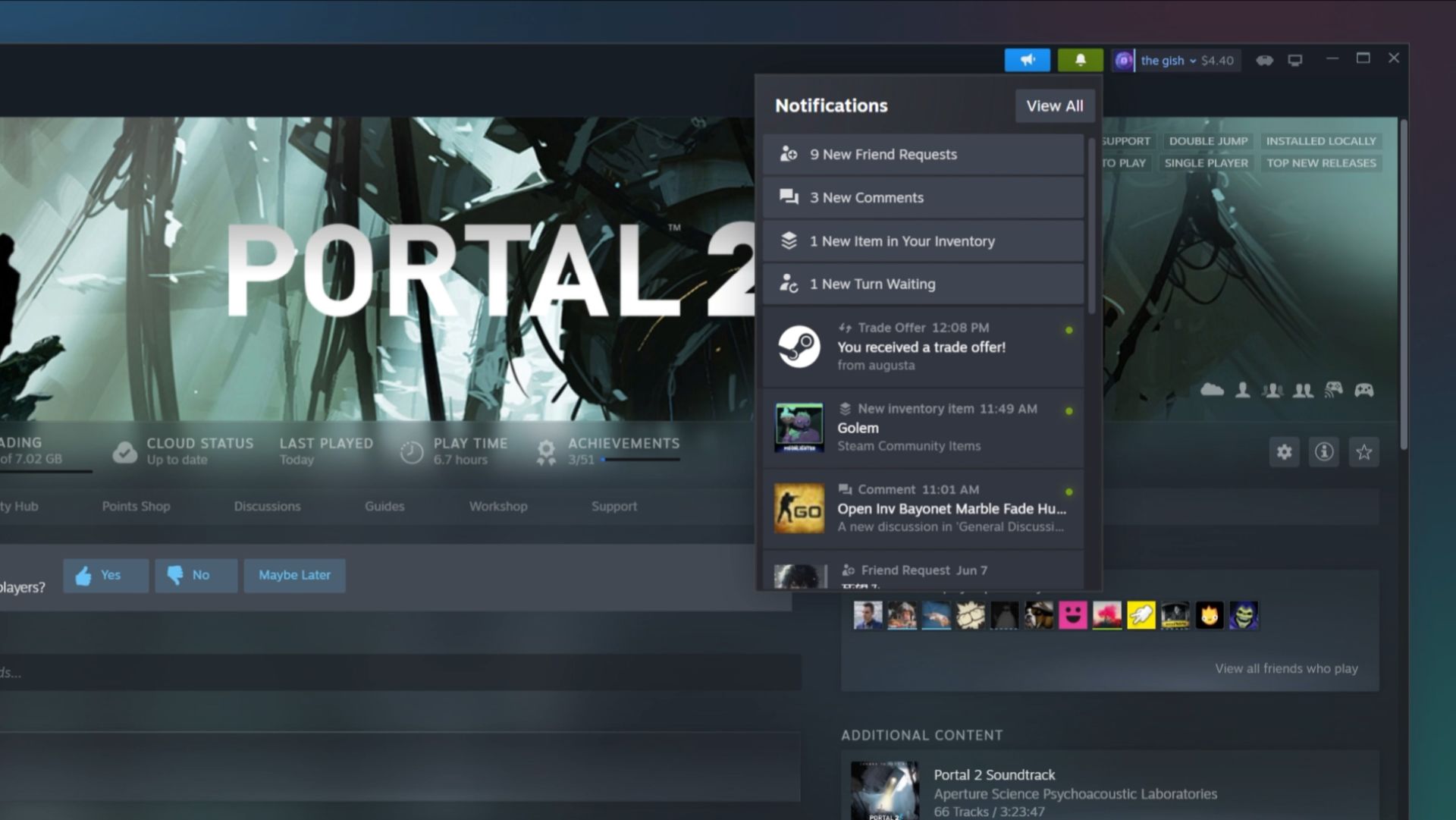
new Steam UI update
The new Steam UI update looks nicer than before (Image Credit)

Videos and websites may also be pinned to the game window for easy access. The Steam client also received various bug patches, such as one that caused DualSense Edge controllers to go off, in addition to new features and new typefaces.

“The most impactful changes in this update aren’t immediately visible; much of the work went into changing how we share code across the Steam Desktop Client, Big Picture mode, and Steam Deck. These changes also means quicker implementation and iteration of new features. For example, many of the features in this update (like Notes in the overlay) are simultaneously shipping on Steam Deck because of the shared codebase.”

After customers update their clients, the new Steam UI update for June 14 will become visible immediately. Desktop users of the Steam Library now have access to a new typeface, and mobile and Steam Deck users may benefit from a fresh appearance for the Notifications page.

A game icon and a download bar may now be found on the client’s bottom, thanks to an update to the downloads tab. In order to make the Steam Desktop client comparable to the Windows version, Mac and Linux users will also be able to enable hardware acceleration.

When searching for a game or a creator on Steam, Valve previously attempted to enhance the service’s search capability generally. In that update, Valve said that the adjustments were made in response to its audience’s desktop and mobile search tendencies.
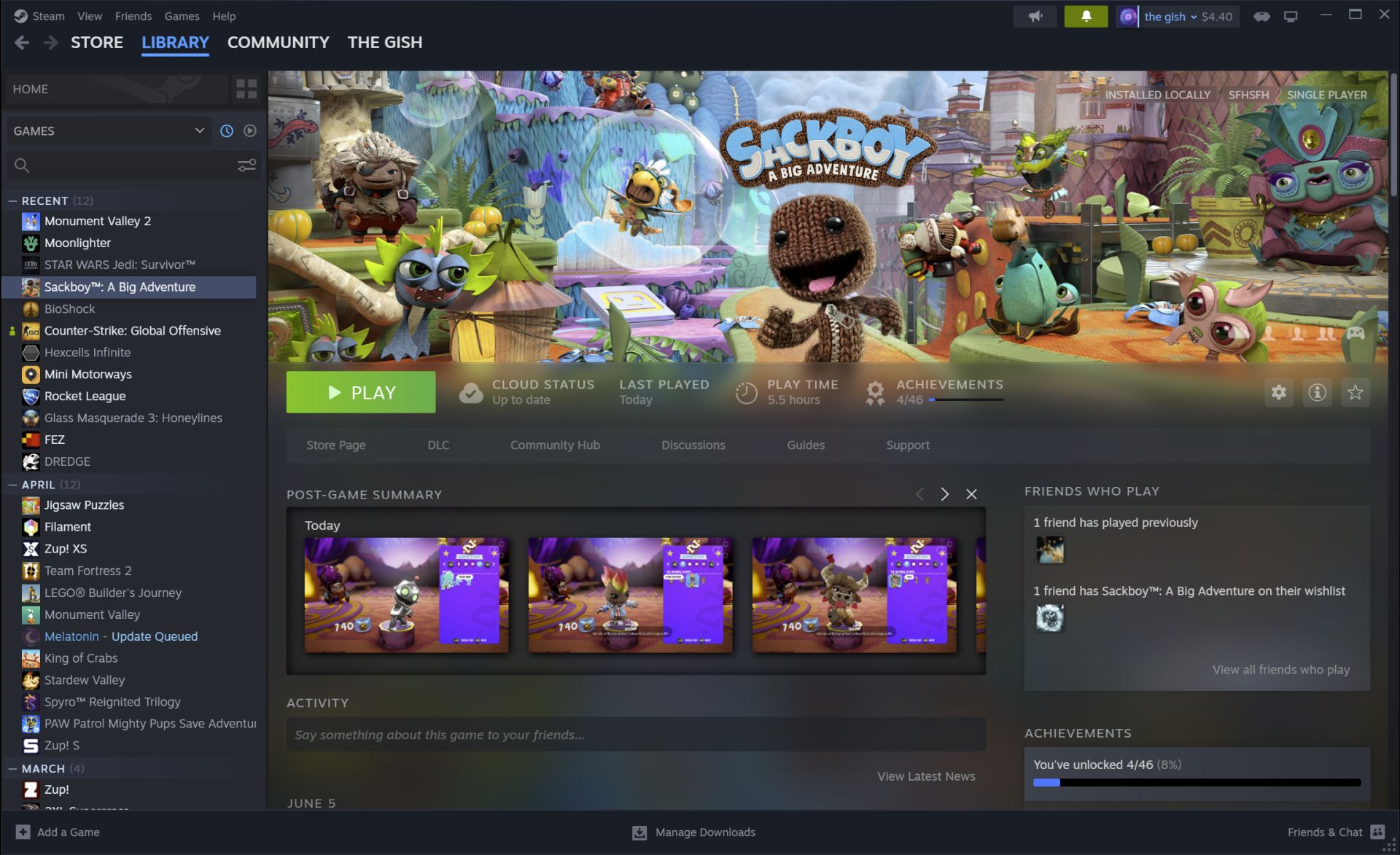
new Steam UI update
Users will have a better experience thanks to the new Steam UI update (Image Credit)

For instance, if you search for games by series, the best titles from that franchise—and, if relevant, its primary hub on Steam—will show up first. But for Valve, it was just the beginning, as this most recent update delivers more.

“We’ve completely overhauled the in-game overlay (accessible via Shift+Tab while in-game). It’s got a brand-new user interface, adding new utility and allowing for more customizability. There is a new toolbar, giving you access to anything you may need in the middle of a game – friends chat, achievements progress, guides, discussions, a browser, and more. We’ve picked a few overlay windows to show by default, and you can pick and personalize the pieces of content you’d like to see in your own overlay – settings are saved between games.”

Steam keeps it fresh to improve user experience

Steam’s robust community features, including forums, game hubs, and multiplayer capabilities, have fostered a sense of belonging and social interaction among gamers.


Why is the most anticipated AAA game of 2023 not working for some?


To ensure user satisfaction, Steam regularly updates its platform, introducing new features, performance enhancements, and bug fixes.

Featured Image credit: Hamed Taha on Unsplash

Tags: Steam

Related Posts

Elden Ring: Tarnished Edition launches on Switch 2 in August

Elden Ring: Tarnished Edition launches on Switch 2 in August

June 5, 2026
FIFA World Cup game arrives on Netflix on June 11

FIFA World Cup game arrives on Netflix on June 11

June 5, 2026
Meta tests hidden facial recognition code for smart glasses

Meta tests hidden facial recognition code for smart glasses

June 5, 2026
OpenAI upgrades ChatGPT memory with a new personalization system

OpenAI upgrades ChatGPT memory with a new personalization system

June 5, 2026
Meta rolls out Instagram Plus subscription worldwide

Meta rolls out Instagram Plus subscription worldwide

June 5, 2026
Steam Machine and Steam Frame are coming this summer

Steam Machine and Steam Frame are coming this summer

June 5, 2026

LATEST NEWS

Elden Ring: Tarnished Edition launches on Switch 2 in August

FIFA World Cup game arrives on Netflix on June 11

Meta tests hidden facial recognition code for smart glasses

OpenAI upgrades ChatGPT memory with a new personalization system

Meta rolls out Instagram Plus subscription worldwide

Steam Machine and Steam Frame are coming this summer

BEST AI MODELS LEADERBOARD

See the best AI models, ranked by intelligence, benchmark results, speed and token price. Find the most suitable LLMs, Text-to-Image, Image Editing, Text-to-Speech, Text-to-Video and Image-to-Video  artificial intelligence model for your tasks and business.

LATEST TOOLS

Roboto AI

Pickaxe

Pfpmaker

MindPal

Syllaby

ScreenApp

FinanceBrain

GitHub Spark

Hints

VisionStory AI

Dataconomy

COPYRIGHT © DATACONOMY MEDIA GMBH, ALL RIGHTS RESERVED.

  • About
  • Imprint
  • Contact
  • Legal & Privacy

Follow Us

  • News
    • Artificial Intelligence
    • Cybersecurity
    • DeFi & Blockchain
    • Finance
    • Gaming
    • Startups
    • Tech
  • Industry
  • Research
  • Resources
    • Articles
    • Guides
    • Case Studies
    • Whitepapers
    • AI Models Leaderboard
  • AI tools
  • Newsletter
  • + More
    • Glossary
    • Conversations
    • Events
    • About
      • Who we are
      • Contact
      • Imprint
      • Legal & Privacy
      • Partner With Us
No Result
View All Result
Subscribe

This website uses cookies to improve your experience. You can choose to accept or reject them. Visit our Privacy Policy.