Microsoft is rolling out a free Copilot Chat sidebar to its Microsoft 365 business apps, including Word, Excel, PowerPoint, Outlook, and OneNote, starting today.
This update provides all Microsoft 365 business users with access to secure, web-grounded AI assistance without requiring an additional license for the premium Microsoft 365 Copilot subscription.
Microsoft 365 Copilot Chat brings content-aware AI assistance to business users
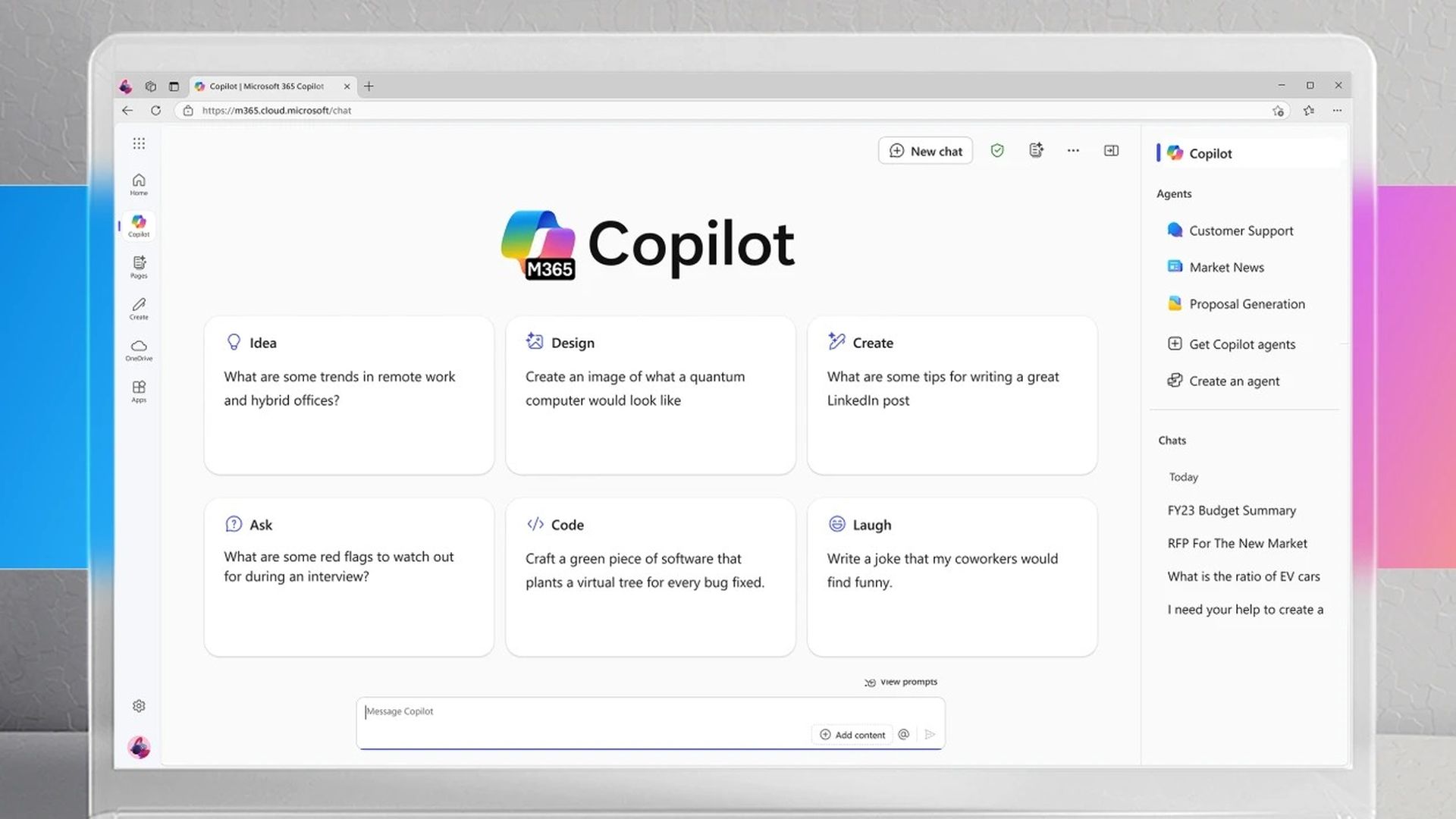
The new Copilot Chat is content-aware, adapting its responses to the specific file open in the app. It enables tasks such as drafting documents, analyzing spreadsheets, rewriting content, generating summaries, and creating PowerPoint slides.
Recent improvements include unified conversation history to make it easier to find conversations, as previously chats had distinct conversation histories requiring users to remember specific conversations. Copilot Chat now includes ready-made, relevant prompts based on your emails, files, and meetings, helping you get more done with less effort.
“Copilot Chat is secure AI chat grounded in the web—and now, it’s available in the Microsoft 365 apps,” said Seth Patton, General Manager of Microsoft 365 Copilot product marketing.
“It’s content aware, meaning it quickly understands what you’re working on, tailoring answers to the file you have open. And it’s included at no additional cost for Microsoft 365 users.”
Premium features require $30 monthly subscription
While the free version offers core functionalities, the paid Microsoft 365 Copilot license, priced at $30 per user per month, provides deeper integration across Office apps. It extends beyond single documents to reason over entire work data sets, with no limitations on scope.
Premium subscribers gain priority access to advanced features, including file uploads, image generation, integration with GPT-5, faster response times, and reliable availability during peak usage periods. Premium users can attach and reference local files in Copilot Chat prompts, making it easier to access templates and offline documents.
“Users with a Microsoft 365 Copilot license get priority access to features like file upload and image generation, along with the latest technology like GPT-5, including faster response times and more consistent availability—even during peak usage periods,” Patton added.
How to access Copilot Chat in Microsoft 365 apps
Users can access the free Copilot Chat sidebar through these steps:
- Open any Microsoft 365 app (Word, Excel, PowerPoint, Outlook, or OneNote),
- Look for the Copilot Chat icon in the app ribbon or sidebar,
- Click the Copilot Chat button to open the sidebar,
- Type your questions or requests related to the document you’re working on,
- Use suggested prompts based on your current file and context,
- Access conversation history to review previous interactions.
How to enable enhanced features with premium subscription
Business administrators can enable premium Copilot features by:
- Accessing the Microsoft 365 Admin Center,
- Navigate to Billing > Purchase Services,
- Search for “Microsoft 365 Copilot” subscription,
- Purchase licenses at $30 per user per month,
- Assign licenses to specific users through the admin portal,
- Users will gain access to file uploads, image generation, and GPT-5 integration.
No price increases for business users
This business rollout follows Microsoft’s earlier integration of AI-powered Copilot features into consumer Microsoft 365 plans earlier this year, which came alongside subscription price increases. For business users, however, no price adjustments are being made with the addition of Copilot Chat.
UK study finds Microsoft 365 Copilot especially valuable for neurodiverse employees
Unlicensed users will soon get access to Copilot Create, with Copilot Chat users without a license getting access to the Copilot Create agent. This expansion further increases value for existing Microsoft 365 business subscribers.
Future bundling plans for October 2025
Looking ahead, Microsoft plans to bundle its sales, service, and finance Copilots into the Microsoft 365 Copilot subscription in October, potentially reducing costs for businesses heavily reliant on these AI tools.
The Chat module (previously the Copilot module) offers quick access to chat history, Copilot Pages, and agents through an updated left navigation pane, with users able to easily collapse the navigation pane while collaborating.
The enhancements aim to boost productivity by embedding AI directly into everyday workflows, making advanced assistance more accessible while reserving premium capabilities for licensed users. This strategic approach allows Microsoft to democratize basic AI assistance while maintaining revenue streams through premium features.