VenturusAI
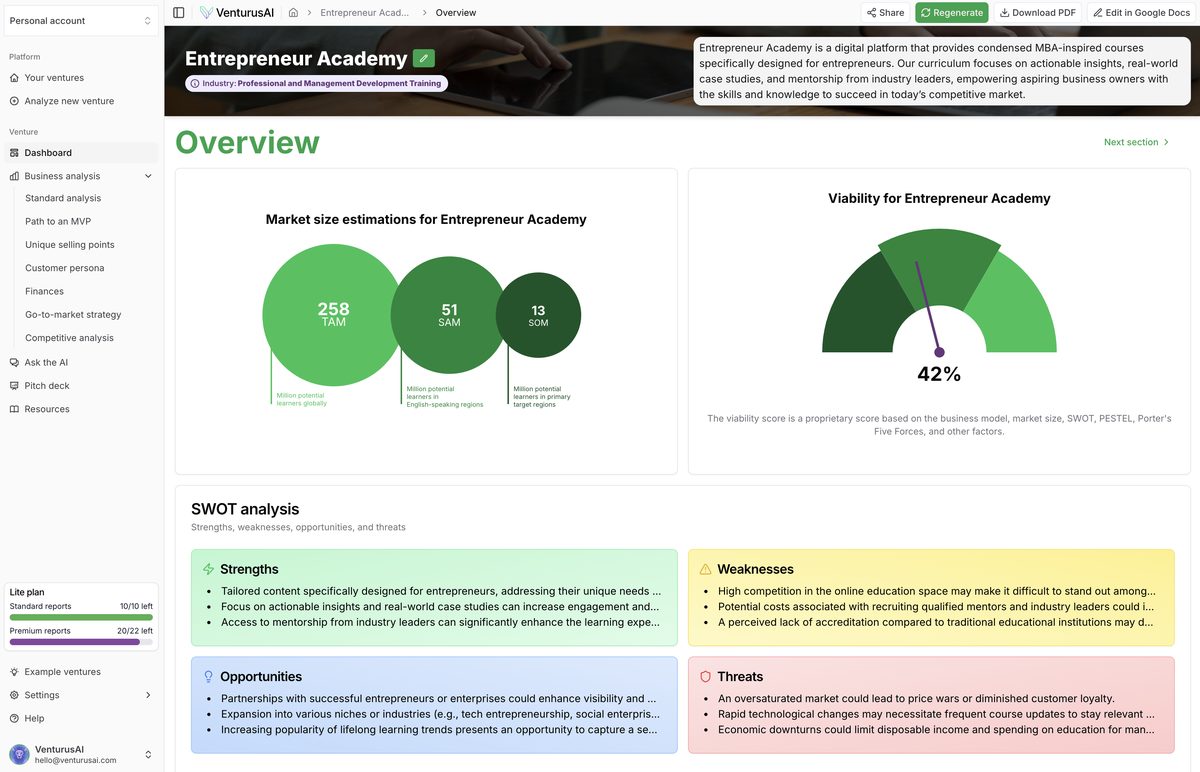
VenturusAI is an AI-powered business analysis tool that generates comprehensive reports on business ideas using frameworks like SWOT, PESTEL, Porter’s Five Forces, and VRIO, delivering strategic insights, market sizing, financial projections, competitive landscape analysis, and go-to-market recommendations in under 30 seconds. It supports entrepreneurs, startups, and businesses in validating ideas, refining strategies, and planning growth with features like an AI business assistant named Vera, export to Google Docs/Slides, PDF downloads, and professional pitch decks. The intuitive dashboard allows revisiting, editing, and publicly sharing reports, with freemium pricing starting free and scaling to enterprise plans.
Pros
- Generates comprehensive reports
- Uses GPT-3.5 and GPT-4 technology
- Report customization
- Reports can be revisited
- Option to share reports publicly
- Downloadable reports as PDFs
- Report upgrade for advanced analysis
Cons
- No multi-language support
- Limited report customization options
- No mobile application
- Dependent on Google docs for editing
- No collaboration feature for teams
- No API
- Analytics information not shared
- Lacks real-time feedback
VenturusAI is an advanced AI-powered instrument that scrutinizes and gives feedback on business ideas, generating comprehensive reports.
VenturusAI leverages the power of GPT-3.5 and GPT-4 technology to analyze business ideas thoroughly.
To generate a report with VenturusAI, you need to log into your account, be redirected to the 'Create a Report' page, fill in the presented prompt, and click on the magnifying glass icon to commence the report generation process.
To share a report with VenturusAI, you first need to open the report from the 'Reports' page and alter its settings to 'public'. You can then copy the URL of the report and distribute it to your intended recipients.
Yes, users have the flexibility to download their reports as PDFs from VenturusAI for convenient offline access.
Yes, you can access your previously created reports on the 'Reports' page of VenturusAI.
A subscription to VenturusAI avails to you an AI Business Assistant chat named Vera which provides tailored and premium business feedback. You also gain access to advanced analysis reporting.
In the context of VenturusAI, Vera is the AI Business Assistant chat tailored to provide premium business feedback.
Yes, editing your reports after generation on VenturusAI is attainable via Google Docs.
Yes, VenturusAI does use cookies to enhance user browsing experience, serve personalized ads and content, and to track their website traffic.
Become a Contributor
Sign in to unlock these features:
- ⭐️ Rate this tool with a 1-5 star score
- ✍️ Write a detailed review for the community
- ❤️ Follow this tool to get important updates
Get started in seconds
[jnews_social_login_form]
