Dataconomy
  • News
    • Artificial Intelligence
    • Cybersecurity
    • DeFi & Blockchain
    • Finance
    • Gaming
    • Startups
    • Tech
  • Industry
  • Research
  • Resources
    • Articles
    • Guides
    • Case Studies
    • Whitepapers
  • AI toolsNEW
  • Newsletter
  • + More
    • Glossary
    • Conversations
    • Events
    • About
      • About
      • Contact
      • Imprint
      • Legal & Privacy
      • Partner With Us
Subscribe
No Result
View All Result
  • AI
  • Tech
  • Cybersecurity
  • Finance
  • DeFi & Blockchain
  • Startups
  • Gaming
Dataconomy
  • News
    • Artificial Intelligence
    • Cybersecurity
    • DeFi & Blockchain
    • Finance
    • Gaming
    • Startups
    • Tech
  • Industry
  • Research
  • Resources
    • Articles
    • Guides
    • Case Studies
    • Whitepapers
  • AI toolsNEW
  • Newsletter
  • + More
    • Glossary
    • Conversations
    • Events
    • About
      • About
      • Contact
      • Imprint
      • Legal & Privacy
      • Partner With Us
Subscribe
No Result
View All Result
Dataconomy
No Result
View All Result

MS Paint AI “Cocreator” revealed with DALL-E capacities

Looks like Paint will be popular again after around 30 years....

byOnur Demirkol
November 30, 2023
in Artificial Intelligence
Home News Artificial Intelligence
Share on FacebookShare on TwitterShare on LinkedInShare on WhatsAppShare on e-mail

Have you heard about the news of the MS Paint AI Cocreator? Microsoft has launched its new tool with DALL-E 3 capabilities and it has already caused huge excitement among users from all around the world. There are some limitations and some features are not widely available, but the concept is still here. Here is everything you need to know about it!

Microsoft has just made your artistic dreams come true by bringing its Cocreator image-making tool to the Paint app on Windows 11. It’s like having a magic wand for creating images, and the best part is, now everyone can use it! This nifty tool, powered by OpenAI’s DALL-E 3 model, used to be exclusive, but not anymore. Let’s dive into the world of Cocreator and see how it’s changing the game for creative minds.
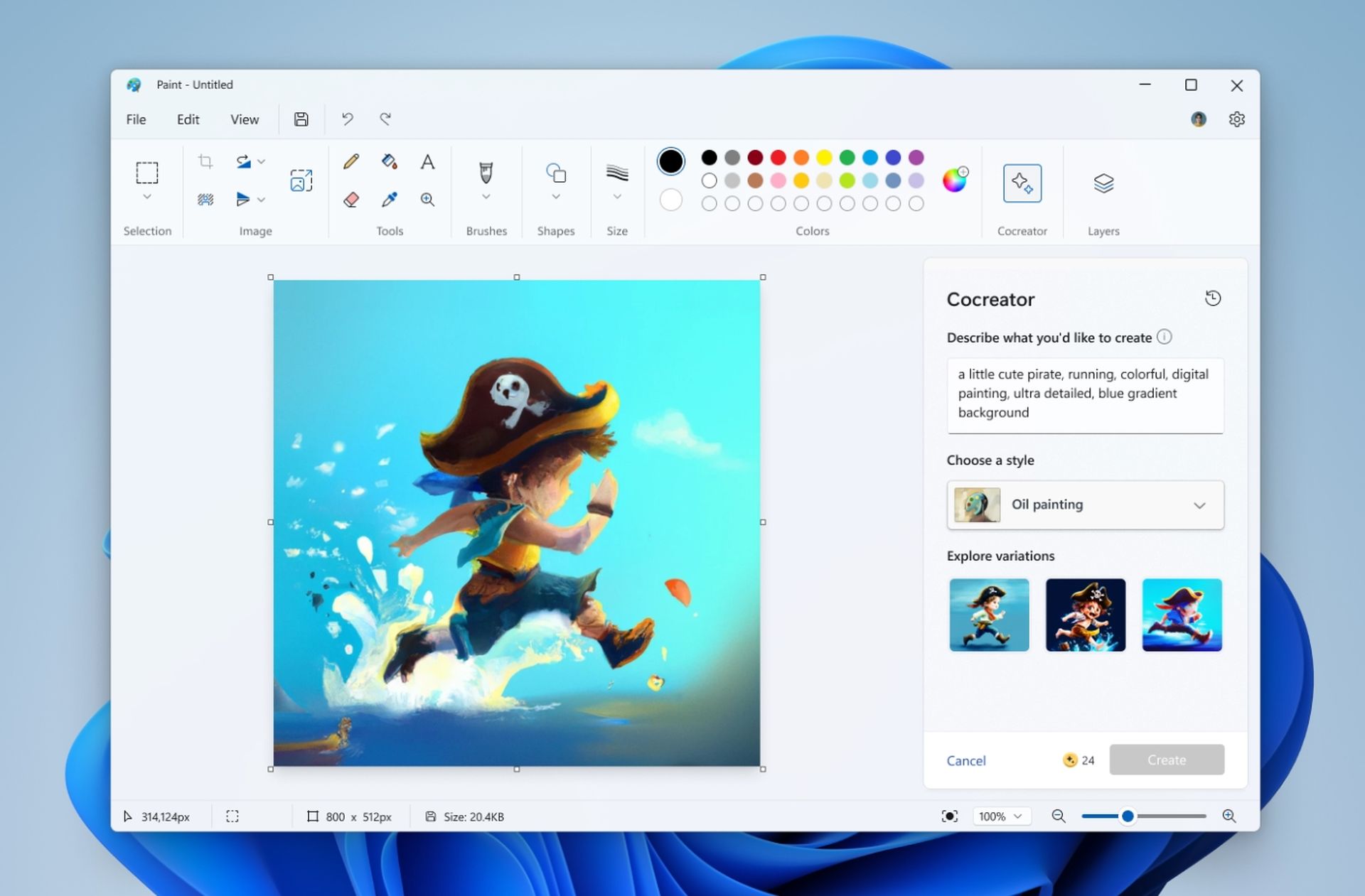
MS Paint AI Cocreator Dall-E 3
Here is an official screenshot of the updated Paint by Microsoft (Image Credit)

What is the MS Paint AI Cocreator and why is it special?

Imagine a button in Microsoft Paint that lets you describe an image and boom! You get three options of images matching your description. That’s Cocreator for you. It’s not like other overwhelming AI tools Microsoft has thrown at us; instead, it feels like a thoughtful addition to the Paint family. This is a big deal, signaling a future where creating images might be as easy as using clip art.

Stay Ahead of the Curve!

Don't miss out on the latest insights, trends, and analysis in the world of data, technology, and startups. Subscribe to our newsletter and get exclusive content delivered straight to your inbox.

Meet DALL-E 3: The power behind Cocreator

Cocreator is not a lone hero; it has a powerful partner called DALL-E 3, an engine created by OpenAI. This engine can turn text descriptions into images, and it’s not new to the scene. You might have encountered it in Bing or Copilot before. When DALL-E 3 joined Copilot, users went crazy for its improved performance. Microsoft learned from that experience and quickly made sure more people could use it without waiting forever. Now, it’s at the core of Cocreator, ready to turn your words into visual masterpieces.

How to use DALL-E 3 (2 free, 1 paid method)

How to use MS Paint AI Cocreator

Excited to try your hand at this artistic revolution? Here’s your guide to stepping into the world of Microsoft Paint Cocreator:

  1. Open Microsoft Paint: Find the Cocreator icon and click.
  2. Describe Your Image: Use the text box to tell Cocreator what you want to create. The more details, the better!
  3. Choose a Style: Pick a style that suits your vision.
  4. Hit Create: Watch as Cocreator generates three different images based on your description.
  5. Start Creating: Click on your favorite image to make it your canvas and let the creative journey begin.
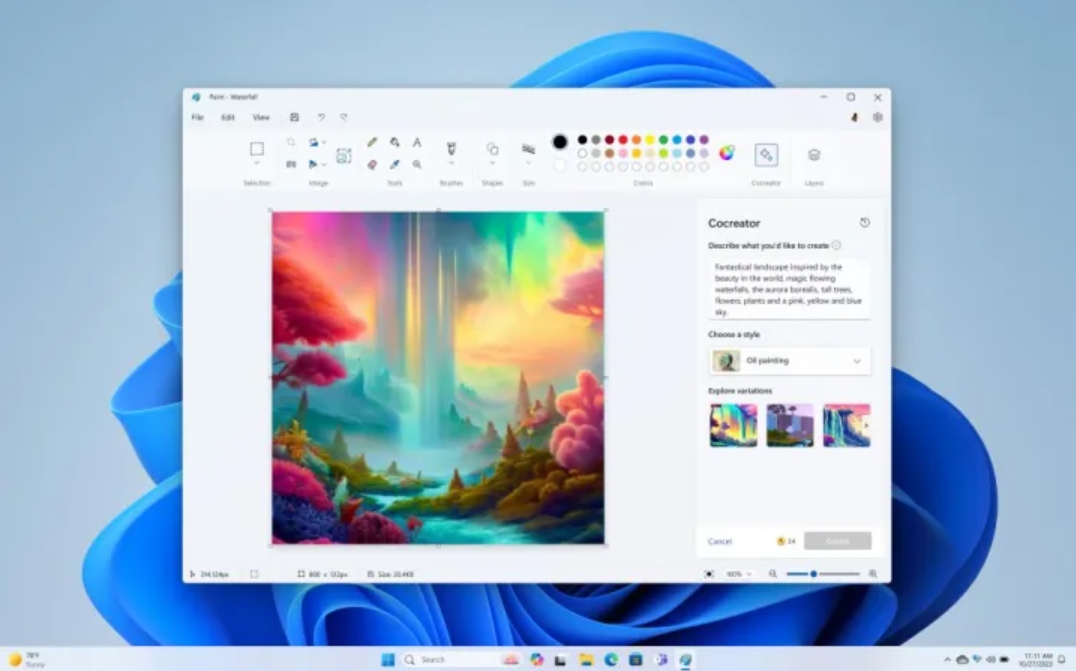
MS Paint AI Cocreator
Looks like Paint is back in the game after many years (Image Credit)

Managing Cocreator credits

  • Sign in: Make sure to sign in with your Microsoft account to use Cocreator. It also helps you keep track of your credits.
  • How Credits Work: Each image you generate spends one credit. You start with a cool 50 credits when you join Cocreator.

Use it responsibly: Filters and guidelines

  • Content Filtering: Microsoft cares about responsible use. Cocreator has filters to avoid creating anything harmful or offensive.
  • Your Responsibility: Remember to use Cocreator respectfully and follow the rules. Don’t create things that might upset or harm others.

Current limits and privacy assurance

  • Waitlist: At first, there might be a waitlist. If you’re interested, sign up, and you’ll get an email when you’re in.
  • Where It’s Available: Cocreator is only in a few places right now – United States, France, UK, Australia, Canada, Italy, and Germany.
  • Language Support: Cocreator speaks English for now.
  • Privacy First: Your privacy is a priority. Cocreator uses an online service to create images but doesn’t store them. Your creations stay private.

Get ready to turn your ideas into art with Microsoft Paint Cocreator. It’s like having a personal assistant for your imagination, making creating images as easy as pie!

Featured image credit: Surface/Unsplash

Tags: Cocreatordall-e 3Featured

Related Posts

Google transforms Gmail with AI Inbox and natural language search

Google transforms Gmail with AI Inbox and natural language search

January 9, 2026
Beyond the Hallucination: How AI is Rebuilding AAA Production Pipelines from a Vacuum

Beyond the Hallucination: How AI is Rebuilding AAA Production Pipelines from a Vacuum

January 8, 2026
Google Classroom turns lessons into podcasts with Gemini

Google Classroom turns lessons into podcasts with Gemini

January 8, 2026
Skylight unveils Calendar 2 with AI organization tools at CES 2026

Skylight unveils Calendar 2 with AI organization tools at CES 2026

January 8, 2026
OpenAI launches dedicated ChatGPT Health space

OpenAI launches dedicated ChatGPT Health space

January 8, 2026
Ford announces AI assistant and next-gen BlueCruise at CES 2026

Ford announces AI assistant and next-gen BlueCruise at CES 2026

January 8, 2026

LATEST NEWS

Xbox Developer Direct returns January 22 with Fable and Forza Horizon 6

Dell debuts disaggregated infrastructure for modern data centers

TikTok scores partnership with FIFA for World Cup highlights

YouTube now lets you hide Shorts in search results

Google transforms Gmail with AI Inbox and natural language search

Disney+ to launch TikTok-style short-form video feed in the US

Dataconomy

COPYRIGHT © DATACONOMY MEDIA GMBH, ALL RIGHTS RESERVED.

  • About
  • Imprint
  • Contact
  • Legal & Privacy

Follow Us

  • News
    • Artificial Intelligence
    • Cybersecurity
    • DeFi & Blockchain
    • Finance
    • Gaming
    • Startups
    • Tech
  • Industry
  • Research
  • Resources
    • Articles
    • Guides
    • Case Studies
    • Whitepapers
  • AI tools
  • Newsletter
  • + More
    • Glossary
    • Conversations
    • Events
    • About
      • About
      • Contact
      • Imprint
      • Legal & Privacy
      • Partner With Us
No Result
View All Result
Subscribe

This website uses cookies. By continuing to use this website you are giving consent to cookies being used. Visit our Privacy Policy.